
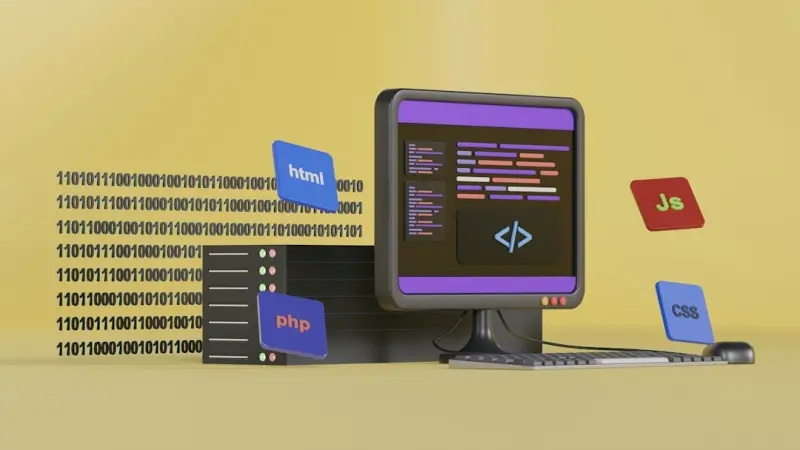
Why CSS Is No Longer a Styling Afterthought
When I first started building SaaS products, CSS was the “paint” that went on after the hard‑core logic was done. I’d slap a stylesheet on the page, call it a day, and move on to the next feature. Fast forward a few releases, and I’ve learned that the way we write and ship CSS can be the difference between a product that scales gracefully and one that crumbles under its own weight. In today’s hyper‑competitive SaaS landscape, CSS has graduated from a decorative layer to a core architectural concern.
Design Tokens Meet Custom Properties: A Match Made in CSS Heaven
Design systems have become the lingua franca of product teams. Yet, many still store their color palettes, spacing scales, and typography tokens in JavaScript objects or separate JSON files, only to copy‑paste them into scss or css at build time. This duplication creates a hidden maintenance nightmare—change a brand hue in the design token file, but forget to rebuild the stylesheet, and you end up with a UI that looks almost updated.
Enter CSS Custom Properties (variables). Because they live natively in the browser’s cascade, they can be sourced directly from design token JSON at runtime, eliminating the compile‑step duplication. A typical implementation looks like this:
:root {
  --color-primary: #0066FF;
  --spacing-base: 0.5rem;
  --font-family-base: 'Inter', sans-serif;
}
What’s powerful here is that the same --color-primary variable can be consumed by component libraries, third‑party widgets, and even dynamically generated CSS in a <style> tag injected by a feature flag. The result is a single source of truth that lives where it matters most—in the rendered page.
For teams that already embrace a monorepo strategy, this approach dovetails nicely. By co‑locating token definitions with component code, you can import the JSON once and have both your JavaScript and CSS layers stay in sync without extra tooling. In fact, the Monorepo Magic playbook provides a solid foundation for this kind of cross‑language sharing.
Houdini: Giving You the Power to Write Layout Engines
If you’ve ever felt constrained by the CSS layout model—having to fight float, flexbox, or grid to achieve a precise design—then you’ll love what the CSS Houdini specifications promise. Houdini lets developers hook into the browser’s rendering pipeline with JavaScript APIs, essentially allowing you to write your own layout algorithms, paint routines, and even custom value types.
Imagine a SaaS dashboard that needs a dynamic “card wall” where each card can resize based on real‑time data streams, without triggering a full reflow each time. With the layout() worklet, you can calculate positions in a worker thread, keep the main thread free for user interactions, and still preserve native performance. This is not a fringe experiment; early adopters have reported up to 30% reduction in main‑thread work for complex UI patterns.
Implementing Houdini does require a mindset shift. Instead of thinking “what CSS property can I use?”, you ask “what custom behavior does my UI need, and can I express it as a worklet?”. The payoff is a UI that feels native, not an after‑the‑fact JavaScript shim.
Atomic and Utility‑First CSS: Scaling Styles at SaaS Speed
Utility‑first frameworks like Tailwind CSS have taken the industry by storm, but many SaaS teams adopt them piecemeal, mixing BEM, inline styles, and a handful of utility classes. The result is a stylesheet that’s hard to audit, and a codebase that feels like a patchwork quilt.
To truly scale, you need an atomic design approach where every class does one thing and does it well. This yields three immediate benefits:
- Predictability: Developers know exactly what a class does without digging through component CSS.
- Cacheability: Atomic classes rarely change, so browsers cache them aggressively, reducing load times on repeat visits.
- Reduced Specificity Wars
When combined with @layer directives, you can still maintain a hierarchy for base styles, components, and utilities without sacrificing the low‑specificity benefits. For SaaS products that ship new features weekly, this approach cuts down the time spent resolving CSS conflicts and makes onboarding smoother.
Performance Optimizations: Beyond Critical CSS
Critical CSS—extracting the above‑the‑fold rules and inlining them—has been a staple of performance tuning for years. However, as applications become more interactive, the bottleneck shifts from the initial paint to subsequent layout and paint cycles triggered by user actions.
One emerging strategy is to offload heavy style calculations to WebAssembly modules. By compiling a CSS parser or even a Houdini worklet into WASM, you can execute complex style logic at near‑native speed without blocking the main thread. The WebAssembly & Micro‑Frontends blueprint showcases how this can be integrated into a modular front‑end architecture, keeping the bundle size lean while still delivering heavyweight styling features.
Another practical tip: leverage font-display: optional and preload for critical fonts, but also consider swap only for brand‑specific typefaces. Fonts can be a hidden source of layout shifts, especially on mobile networks.
CSS‑in‑JS vs. Native CSS: Choosing the Right Tool for the Job
There’s been a heated debate for years: should we keep styles in CSS files, or embed them in JavaScript using libraries like Styled‑Components or Emotion? Both have merits, but the decision should be driven by your team’s workflow and performance goals.
Pros of native CSS:
- Static analysis tools (e.g., stylelint) work out of the box.
- Browser caching is more effective because the CSS file can be shared across routes.
- Separates concerns for developers who specialize in design systems.
Pros of CSS‑in‑JS:
- Scoped styles by default, eliminating accidental leaks.
- Dynamic theming at runtime without generating new CSS files.
- Co‑location of component logic and styles, which can boost developer velocity.
The sweet spot for many SaaS products is a hybrid approach: core design tokens and global layout rules live in native CSS (leveraging custom properties), while component‑specific tweaks that need runtime theming stay in CSS‑in‑JS. This pattern keeps the critical path lean while preserving the flexibility modern UIs demand.
Testing and Auditing CSS at Scale
Just as we write unit and integration tests for JavaScript, we need a safety net for CSS. Tools like stylelint can enforce naming conventions, disallow unsafe properties, and even warn about selector specificity thresholds. For runtime validation, visual regression testing platforms (e.g., Percy or Chromatic) can flag unintended visual changes caused by a stray rule.
But the most underrated technique is CSS coverage reporting. By instrumenting the browser during a typical user flow, you can generate a report of which selectors were actually used. Unused selectors are prime candidates for removal, shrinking the stylesheet and improving load performance. Combine this with a CI step that fails builds if CSS coverage drops below a defined threshold, and you have a proactive guardrail against bloat.
Future‑Proofing Your Styles: Embrace the Cascade, Not Fight It
Many developers treat the cascade as a problem to be avoided, resorting to !important or overly specific selectors. The modern approach is to embrace the cascade as a tool for composition. By designing layers—base, components, utilities—you can let the cascade naturally resolve conflicts, while keeping specificity low and predictable.
Pair this with container queries (now supported in most browsers) to make components truly responsive without media query overload. Container queries let a component adapt to the size of its parent, unlocking layout patterns that were previously impossible without JavaScript.
Wrapping Up: CSS as a Strategic Asset
In the SaaS world, speed to market and maintainability are twin pillars of success. Modern CSS, when treated as a first‑class citizen—through design tokens, Houdini, atomic utilities, and thoughtful performance optimizations—becomes a strategic asset rather than a decorative afterthought. By aligning your styling strategy with your overall engineering architecture (think monorepos, micro‑frontends, and CI‑driven audits), you set the stage for a UI that scales, performs, and delights users at every release.
So next time you sit down to plan a new feature, ask yourself: “How does this impact our CSS architecture?” The answer will often guide you toward a cleaner codebase, a faster product, and happier customers.

Dale Peterson is a freelance writer with a passion for technology, travel, law and personal finance. With 10 years of experience crafting compelling and informative content, he's dedicated to delivering high-quality writing for Blogging Fusion that engages audiences and achieves specific goals.
Related Posts
Unleashing CSS Houdini: When the Browser Becomes Your Engineer
A deep dive into CSS Houdini, showing how SaaS developers can use worklets to build dynamic brand th... Read More

Container Queries: Redefining SaaS UI Flexibility
Container queries let SaaS developers craft UI components that adapt to their own size, not just the... Read More
CSS Houdini: Unlocking the Browser’s Hidden Power for Modern UI
A deep dive into CSS Houdini, showing how its low‑level APIs let you create custom paint, layout, ... Read More
Top Posts

Mastering Mobile Web Development for B2B SaaS: A Pragmatic Playbook
Discover a practical, end‑to‑end strategy for mobile web development that boosts performance, consistency, and user adoption in B2B SaaS, complete with acti...Read More

Container Queries: The Unseen Engine Powering Modern SaaS Interfaces
Container queries let SaaS components adapt to their own size, not just the viewport, enabling truly modular, responsive UIs. Learn why they matter, how to impl...Read More

Design Tokens: The Silent Engine Powering Scalable SaaS Web Interfaces
Design tokens turn visual decisions into reusable code, enabling SaaS teams to maintain brand consistency, accelerate UI updates, and embed accessibility across...Read More

Rethinking Node.js for Multi‑Tenant SaaS: Patterns, Pitfalls, and Performance Gains
A deep dive into designing, securing, and scaling multi‑tenant SaaS applications with Node.js, covering architecture patterns, database strategies, observabil...Read More
0 Comments
Post Comment
You will need to Login or Register to comment on this post!