
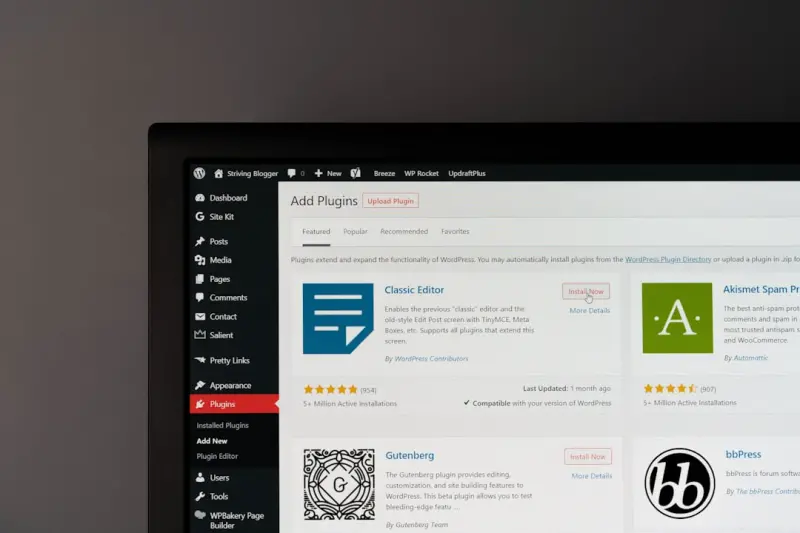
Why SaaS Onboarding Is the New Competitive Frontier
In the SaaS world, the first interaction a prospect has with your product is often the onboarding flow. A smooth, intuitive start can dramatically improve activation rates, reduce churn, and turn new users into vocal advocates. Yet many teams treat onboarding as a bolt‑on feature rather than a core experience. That mindset is shifting, and the platforms we choose to build that experience on matter more than ever.
The Multisite Advantage: One WordPress Installation, Many Tailored Environments
WordPress Multisite is frequently dismissed as a tool for bloggers or agencies, but its architecture is perfectly suited for SaaS onboarding. At its core, Multisite lets you spin up isolated sites—each with its own theme, plugins, and content—while sharing a single codebase and database. This means you can provision a brand‑new environment for every new customer in seconds, without the operational overhead of provisioning a full server stack each time.
Key benefits include:
- Uniformity: All customer sites inherit the same core updates, security patches, and plugin versions, ensuring a consistent baseline.
- Isolation: Each site lives in its own directory and has separate tables, preventing data bleed between tenants.
- Cost Efficiency: One WordPress instance reduces hosting footprints, making it a budget‑friendly choice for rapid growth.
Automating Site Provisioning with Hooks and APIs
WordPress ships with a robust set of action hooks and filters that you can tap into to automate site creation. By hooking into wp_initialize_site you can automatically:
- Assign a custom theme that reflects the customer's branding.
- Activate a curated set of plugins that power your SaaS-specific features (e.g., membership, analytics, or CRM integrations).
- Populate starter content such as help articles, onboarding checklists, or tutorial videos.
Couple these hooks with a lightweight REST API layer—perhaps built with the developer experience superpower mindset—to expose an endpoint like /api/v1/provision. Your SaaS backend can then call this endpoint whenever a new account is created, handing off the heavy lifting to WordPress without any manual steps.
Integrating Multisite With Your Core SaaS Engine
The real magic happens when you treat each WordPress site as a micro‑frontend that talks back to your central SaaS platform. Consider these integration patterns:
- OAuth2 SSO: Users log into WordPress with the same credentials they use for your SaaS product, eliminating password fatigue.
- Event‑Driven Sync: When a user completes a milestone in WordPress (e.g., finishes an onboarding tutorial), fire a webhook that updates the user's progress in your main application.
- Data Federation: Use the WordPress REST API to surface content (blog posts, knowledge‑base articles) directly within your SaaS UI, creating a seamless knowledge experience.
By keeping the WordPress layer lean—focused on content delivery and UI—while the SaaS core handles business logic and data integrity, you get the best of both worlds.
Security, Permissions, and Compliance
Security concerns often top the list when SaaS founders consider a shared WordPress instance. Here’s how to mitigate risk:
- Network Isolation: Deploy Multisite on a dedicated VPC or a container‑based environment to keep it separate from other services.
- Role‑Based Access Control (RBAC): Leverage WordPress’s capabilities system to restrict admin access to only those who need it. Combine this with a custom capability that maps to your SaaS roles.
- Automated Backups: Even though each site is isolated, a single backup strategy protects the entire network. Pair this with the advice from a multi‑layered backup strategy to ensure you can roll back individual sites without affecting others.
- GDPR & Data Residency: If you need to store data in specific regions, you can configure Multisite to use separate database clusters per region, aligning with compliance requirements.
Performance Tips for a Growing Multisite Forest
As your customer base expands, the number of sites can climb into the hundreds or thousands. To keep response times snappy:
- Object Caching: Implement Redis or Memcached at the object cache layer. This dramatically reduces database hits for repetitive queries.
- Selective Plugin Loading: Activate plugins on a per‑site basis instead of network‑wide. Only the necessary functionality should load for a given tenant.
- Lazy Loading Assets: Use modern image formats (WebP) and defer non‑critical JavaScript. This aligns with the performance mindset discussed in edge‑hosted JavaScript strategies.
- Database Partitioning: Split tables by site ID if you notice query bloat. Tools like
wp-cli db exportcan help you offload older sites to archive databases.
Real‑World Playbook: From Zero to 1,000 Onboarded Customers
Let’s walk through a hypothetical rollout:
- Kickoff: Define the core onboarding journey—welcome email, site provisioning, brand‑customization, tutorial completion.
- Build the Blueprint: Create a master WordPress site with the desired theme, essential plugins (e.g., a lightweight page builder, analytics), and starter pages.
- Automate: Write a custom plugin that listens for the
wp_initialize_sitehook, clones the master theme, and injects the customer’s logo and color palette. - Expose an API: Develop a
/api/v1/provisionendpoint that receives a JSON payload (customer name, sub‑domain, branding assets) and triggers the site creation flow. - Integrate SSO: Use the OAuth2 server in your SaaS core to issue tokens that WordPress validates via the
jwt-authplugin. - Monitor & Iterate: Set up observability dashboards (think JavaScript observability) to track provisioning latency, error rates, and user progress.
- Scale: When you hit the 500‑site mark, spin up a second WordPress instance and use a load balancer to distribute new site creation requests, ensuring you never hit a single point of failure.
This playbook demonstrates that you don’t need a bespoke SaaS onboarding engine built from scratch. With WordPress Multisite and a few lines of automation, you can deliver a polished, brand‑consistent experience at scale.
Future‑Proofing: Extending the Multisite Model with Headless Approaches
While Multisite shines as a monolithic solution, many SaaS teams are curious about headless architectures. You can progressively decouple the front‑end by using the WordPress REST API or GraphQL (via WPGraphQL) to serve content to a React or Vue.js layer. This hybrid approach lets you retain the familiar WordPress editing experience for content teams while delivering ultra‑fast, JavaScript‑driven UIs to end users.
In practice, you might keep the onboarding tutorials within WordPress, but render them in a SPA that lives inside your SaaS dashboard. The result is a frictionless experience that feels native to your product, yet leverages WordPress’s proven content management strengths.
Conclusion: Turn WordPress Multisite Into Your Onboarding Engine
WordPress Multisite isn’t just a content platform; it’s a rapid‑deployment engine that can give SaaS companies a decisive edge in the critical early moments of a customer’s journey. By automating site provisioning, integrating tightly with your SaaS core, and following best‑practice security and performance patterns, you can deliver personalized, high‑quality onboarding experiences without exploding your infrastructure budget.
Start small, iterate fast, and watch your activation metrics climb. The next wave of SaaS growth may very well be powered by the humble WordPress network you already have at your fingertips.

Brian LeBlanc is a front-end web developer, UX designer, and web application developer with experience building scalable, user-friendly digital solutions.Holding a degree from University, he specializes in leveraging a wide array of modern languages, frameworks, and tools—such as JavaScript/ES6, HTML5/CSS3, PHP, and responsive interface design—to create efficient applications that simplify user experiences.
Related Posts
Gutenberg as a Rapid‑Prototype Engine for SaaS Feature Development
Learn how using WordPress Gutenberg’s block editor transforms SaaS feature prototyping, enabling r... Read More

Turning WordPress into a SaaS‑Ready API Hub: A Practical Guide
This guide shows how to repurpose WordPress as a robust API layer for SaaS applications, covering he... Read More
Turning WordPress Multisite into a Scalable SaaS Hub
Explore a fresh approach to SaaS using WordPress Multisite, covering tenant isolation, scaling strat... Read More
Top Posts

Bootstrap’s Quiet Revolution: From Boilerplate to Brand‑Centric Design System
Bootstrap has evolved from a simple grid to a powerful design‑system engine. Learn how to use its utility API, CSS variables, dark‑mode support, and WebAsse...Read More
Enterprise‑Ready Managed WordPress Hosting for Compliance and Resilience
A deep dive into how managed WordPress hosting can become an enterprise‑grade platform, covering compliance, resilience, DevOps integration, cost consideratio...Read More

Why Voice Assistants Are the Next Big Sales Channel for E‑Commerce
Voice commerce is reshaping the e‑commerce landscape, offering a frictionless, conversational buying experience. This post outlines the rise of voice assistan...Read More

The Rise of Platform Engineering: Powering DevOps Velocity
A deep dive into platform engineering reveals how building self‑service internal developer platforms can eliminate bottlenecks, standardize tooling, and super...Read More
0 Comments
Post Comment
You will need to Login or Register to comment on this post!