
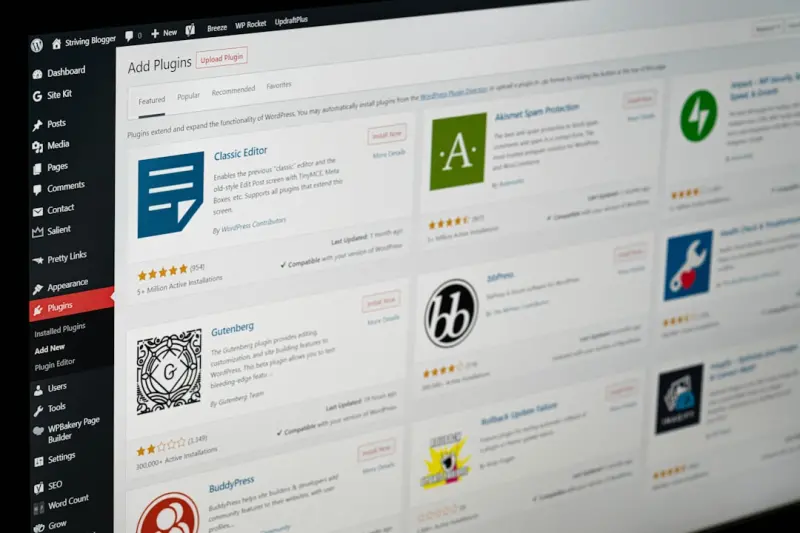
Managed WordPress Hosting: The Secret Sauce for Rapid SaaS Experimentation
When I first started building SaaS products, my team spent more time wrestling with servers than shipping features. We’d provision a VM, install LAMP, patch PHP, and then spend another week just making sure the environment didn’t explode under load. The lesson was clear: infrastructure overhead can cripple the very thing that makes SaaS attractive—speed of iteration.
Enter managed WordPress hosting. At first glance it feels like a niche offering for bloggers, but the reality is far more compelling for B2B SaaS teams that live and breathe experimentation. In this post I’ll walk you through why a managed WordPress environment is the ideal launchpad for continuous A/B testing, feature flagging, and rapid product pivots—without the need to recruit a full‑stack DevOps army.
The Experimentation Imperative in Modern SaaS
Every product decision today is data‑driven. From onboarding flows to pricing tiers, you’re expected to validate hypotheses with real users before committing resources. The classic experimentation loop looks like this:
- Ideate a change.
- Deploy to a test group.
- Collect metrics.
- Decide to ship, iterate, or scrap.
What most teams overlook is the infrastructure friction that sits between steps two and three. If your hosting stack is clunky, the time from code commit to live experiment stretches from hours to days. That delay not only stalls learning but also inflates the cost of each test.
Managed WordPress hosting eliminates that friction. Providers handle server provisioning, scaling, security patches, and performance tuning out‑of‑the‑box. All you have to do is push code and let the platform spin up an isolated environment for your experiment. The result? A leaner, faster, and cheaper testing pipeline.
Why WordPress? Not Just a Blog Engine
WordPress has evolved into a full‑stack application framework. Its plugin ecosystem, REST API, and Gutenberg editor make it a robust foundation for content‑heavy SaaS products—think knowledge bases, community portals, or even low‑code workflow builders. The managed hosting layer abstracts away the operational complexity while preserving the flexibility you need to experiment.
For teams already familiar with WordPress, the learning curve is virtually nonexistent. For newcomers, the platform’s convention over configuration approach speeds up onboarding. And because WordPress is open source, you retain the freedom to customize every layer—from PHP snippets to custom post types—without vendor lock‑in.
Built‑In Experimentation Tools You Didn’t Know Existed
Most managed WordPress hosts ship with a toolbox that directly supports A/B testing and feature flagging:
- Staging Environments: One‑click clones of your live site let you test changes in an isolated sandbox that mirrors production.
- Cache Invalidation APIs: Instantly purge CDN caches after a rollout, ensuring test users see the exact variation you intend.
- Integrated Analytics: Some hosts bundle heatmaps and page‑level metrics, letting you compare performance across variants without third‑party overhead.
- Feature Flag Plugins: Toggle new functionality for specific user segments, roles, or geographic locations—perfect for incremental rollouts.
Combine these with WordPress’s native REST endpoints, and you have a programmable experimentation platform that rivals any purpose‑built A/B testing service.
Case Study: Turning a Pricing Page Into a Learning Engine
Let me share a quick story from a recent client. They were struggling to decide between a tiered pricing model (Starter, Pro, Enterprise) and a usage‑based model. Their marketing team built two separate pricing pages in WordPress, each with its own CTA flow. With a managed host, they spun up a WordPress Multisite network, assigning each variation to its own sub‑site.
The host provisioned isolated containers for each sub‑site, complete with dedicated caching layers. The team then used a lightweight feature flag plugin to serve the appropriate page based on a user’s referral source. Within 48 hours, they gathered conversion data, churn projections, and even load‑time metrics—without ever touching a server.
The outcome? They identified the usage‑based model as a 12 % higher conversion driver for SMBs, while the tiered model performed better for enterprise prospects. The decision was data‑backed, and the entire experiment cost less than a single developer’s salary.
Performance at Scale: No More “It Works Locally, Not in Production”
One common criticism of WordPress is that it can become sluggish under heavy traffic. Managed hosts address this by offering:
- Auto‑Scaling Compute: CPU and RAM are automatically provisioned based on traffic spikes, ensuring experiments never suffer from throttling.
- Edge CDN Integration: Content is cached at the edge, reducing latency for global test audiences.
- Database Optimization: Managed MySQL clusters with read replicas and query caching keep data access lightning fast.
Because the host handles scaling, you can safely expose a new feature to 10 % of your user base and watch the traffic surge without a single manual intervention. This reliability is a game‑changer for high‑stakes experiments like pricing changes or beta feature rollouts.
Security Without the Headache
While “Zero Trust Architecture” is a hot buzzword (and a great read on our site), you don’t need to become a security architect to keep your experiments safe. Managed WordPress hosts provide:
- Automated WordPress core, theme, and plugin updates.
- Web Application Firewalls (WAF) tuned for WordPress exploits.
- Isolated containers per site, so a breach in one experiment doesn’t spill over to the rest of your product.
- SSL/TLS termination at the edge, ensuring data in transit is always encrypted.
These layers let you focus on the hypothesis, not the hardening process. When you finally decide a feature is ready for full release, you already have a security baseline that meets most compliance frameworks.
Cost Predictability: Turning OPEX into CAPEX‑Friendly Spend
Traditional infrastructure models charge per‑hour for VMs, storage, and bandwidth—making it hard to forecast experiment budgets. Managed WordPress hosting, on the other hand, typically offers tiered pricing based on:
- Monthly visits.
- Number of sites (useful for multisite experiments).
- Storage and backup retention.
This predictable model means you can allocate a fixed “experiment budget” each quarter, knowing exactly how many test variations you can run. It also eliminates surprise spikes that happen when a viral campaign drives traffic to a newly launched feature.
How to Get Started: A Blueprint for SaaS Teams
Ready to turn your managed WordPress host into an experimentation engine? Follow this three‑step blueprint:
- Choose a Host That Embraces DevOps Automation. Look for providers that expose an API for staging site creation, cache purging, and database snapshots. Modern VPS platforms often integrate seamlessly with CI/CD pipelines.
- Set Up a Multisite Network or Separate Sub‑Sites. This gives you isolated environments for each experiment while sharing the same codebase and assets.
- Integrate Feature Flags and Analytics. Install a lightweight flag plugin (or roll your own via the REST API) and connect it to a analytics dashboard. Make sure you can segment traffic by user attributes for granular insights.
Once these pieces are in place, you’ll be able to push a new branch, spin up a test site, and start gathering data within minutes—no sysadmin tickets required.
Beyond A/B Testing: Continuous Delivery for Content‑Driven Products
Managed WordPress hosting isn’t just for UI tweaks. For content‑centric SaaS products—think knowledge bases, community forums, or documentation portals—rapid iteration on copy, SEO metadata, and internal linking can have a massive impact on user acquisition and retention.
Because the host automatically handles caching and CDN distribution, you can safely publish new articles, update FAQs, or restructure navigation without worrying about cache staleness. Pair this with a content governance workflow (a topic we covered elsewhere) to ensure brand consistency across experiments.
Potential Pitfalls and How to Avoid Them
While the benefits are compelling, there are a few traps to watch out for:
- Over‑Customization: Installing dozens of plugins can bloat your environment and introduce conflicts. Stick to a core set of well‑maintained plugins and leverage custom code sparingly.
- Data Fragmentation: Running many isolated experiments can scatter user data. Centralize analytics in a data warehouse or use a unified tracking ID across sites.
- Testing in Production: Even with feature flags, never expose a risky change to 100 % of users without a proper rollout plan. Use gradual ramp‑ups and monitor key metrics closely.
By keeping these guardrails in mind, you’ll maintain a healthy balance between speed and stability.
The Bottom Line: Turn Infrastructure Into a Competitive Advantage
In the SaaS world, speed is a moat. Every day you spend wrestling with servers is a day your competitors gain on the feature front. Managed WordPress hosting hands you a polished, secure, and scalable foundation that lets you focus on what truly matters: testing bold ideas, learning fast, and delivering value to customers.
So the next time you think “We need a devops team to run experiments,” remember that a managed host already gives you the core DevOps capabilities—auto‑scaling, backups, security patches, and performance tuning—wrapped in a user‑friendly UI. All that’s left is for you to write the hypothesis, push the code, and let the data do the rest.
Ready to make your SaaS experiments frictionless? Dive into a managed WordPress host today and watch your iteration velocity skyrocket.

Brian LeBlanc is a front-end web developer, UX designer, and web application developer with experience building scalable, user-friendly digital solutions.Holding a degree from University, he specializes in leveraging a wide array of modern languages, frameworks, and tools—such as JavaScript/ES6, HTML5/CSS3, PHP, and responsive interface design—to create efficient applications that simplify user experiences.
Related Posts

Managed WordPress Hosting: The Headless Engine Powering SaaS Marketing Success
A deep dive into why managed WordPress hosting is the perfect foundation for headless SaaS marketing... Read More

Beyond Performance: Managed WordPress Hosting as a Playground for Continuous Experimentation
Managed WordPress hosting isn’t just about uptime—it's a strategic sandbox that lets teams itera... Read More

Regulated Industries Meet Managed WordPress Hosting: A Pragmatic Playbook
A deep dive into why regulated B2B SaaS firms should adopt compliance‑focused Managed WordPress Ho... Read More
Top Posts

Edge‑First Managed WordPress Hosting: A Competitive Advantage for SaaS Teams
Managed WordPress hosting now includes global edge distribution, built‑in security, and serverless functions, giving SaaS teams the speed and reliability they...Read More

Elevate Your VPS With a Complete Observability Stack
A VPS can become the heart of your SaaS monitoring. This guide shows how to deploy a low‑cost, self‑hosted observability stack—metrics, logs, and tracesâ€...Read More

JavaScript Intl APIs: The Quiet Engine Powering Global SaaS
Learn how to leverage native JavaScript Internationalization APIs to create a lightweight, secure, and edge‑ready localization layer for SaaS applications, re...Read More

Managed WordPress Hosting: The Strategic Engine Driving SaaS Success
Managed WordPress hosting provides SaaS teams with auto‑scaling performance, enterprise‑grade security, and streamlined operations, freeing engineers to foc...Read More
0 Comments
Post Comment
You will need to Login or Register to comment on this post!