
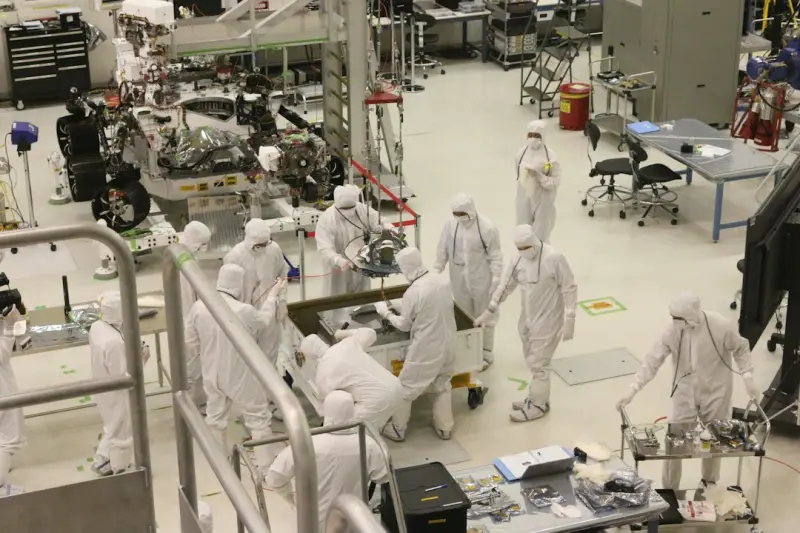
Why a VPS Makes the Perfect AI Experimentation Hub
When SaaS founders talk about scaling AI, the conversation usually jumps straight to managed Kubernetes clusters, GPU‑laden cloud instances, or pricey MLOps platforms. I hear that narrative a lot, and while those solutions have their place, they also come with a hefty price tag and a steep learning curve. What if you could start experimenting with machine‑learning models on infrastructure you already control, without draining your runway?
A Virtual Private Server (VPS) offers a sweet spot: dedicated resources at a fraction of the cost of a full‑blown cloud VM, plus the flexibility to install custom libraries, containers, and data pipelines. In short, a VPS can become a low‑cost sandbox where data scientists and developers iterate quickly, validate ideas, and even run production‑grade inference for niche features.
Balancing Performance, Cost, and Control
Choosing a VPS for AI workloads isn’t about compromising on performance; it’s about making a strategic trade‑off. Modern VPS providers now offer:
- SSD storage that cuts data‑access latency for small to medium datasets.
- Dedicated CPU cores that ensure your training jobs won’t be throttled by noisy neighbors.
- Customizable networking allowing you to expose only the ports your inference service needs.
- Scalable plans that let you bump up RAM or CPU as your model grows, without the need for a full migration.
Because you’re not paying for the overhead of a massive cloud ecosystem, you can allocate more of your budget toward data acquisition, feature engineering, or even hiring a part‑time ML engineer.
Security and Compliance in a DIY Environment
Security concerns often keep teams from putting sensitive data on a “shared” platform. With a VPS, you get the isolation of a dedicated server while maintaining the flexibility of a virtual environment. Here’s how to lock it down:
- Encrypt data at rest using
dm-cryptor LUKS. - Enforce SSH key authentication and disable password logins.
- Deploy a host‑based firewall (e.g.,
ufw) to restrict inbound traffic to only your API endpoints. - Run your inference code inside a container or sandbox (Docker or Podman) to limit the surface area of any potential breach.
When you need to meet industry‑specific regulations—think GDPR or HIPAA—these steps give you a clear audit trail. It’s a reminder that security is a process, not a product, and a VPS lets you embed best practices from day one.
Integrating the VPS into Your Existing SaaS Toolchain
One of the biggest challenges of adding AI to an existing SaaS product is ensuring the new component plays nicely with your CI/CD pipelines, monitoring stack, and observability tools. Luckily, a VPS can be woven into these workflows without major rewrites.
Start by treating your VPS as a first‑class environment in your micro‑frontend architecture. Deploy your model as a separate service that speaks over HTTP/REST or gRPC, and let your front‑end consume it like any other API. This decoupling keeps the core SaaS codebase clean while giving you the freedom to iterate on the AI side independently.
For continuous integration, spin up a fresh VPS instance on each PR using infrastructure‑as‑code tools (Terraform, Pulumi). Run your unit tests, integration tests, and a quick sanity check of the model inference endpoint. When the build passes, the same VPS can be promoted to a staging environment, ensuring a smooth handoff to production.
Case Study Snapshots: Real‑World VPS AI Deployments
Below are three anonymized examples that illustrate how different teams have leveraged a VPS for AI workloads:
- Customer churn predictor: A SaaS analytics startup used a 2‑core VPS with 8 GB RAM to host a LightGBM model. The model refreshed nightly using a cron job that pulled new data from their data warehouse. This setup saved the company $12 k per year compared to a managed ML service.
- Image thumbnail enhancer: An e‑commerce platform added a lightweight TensorFlow Lite model to a VPS to upscale product images on the fly. By caching the enhanced images on a CDN, they reduced bounce rates by 3 % while keeping compute costs under $30 / month.
- Real‑time recommendation engine: A niche SaaS for event organizers deployed a collaborative‑filtering model inside a Docker container on a VPS with 4 vCPU and 16 GB RAM. The service responded in sub‑200 ms, meeting SLA requirements without needing a full GPU instance.
These snapshots demonstrate that a VPS can handle everything from batch scoring jobs to low‑latency inference, as long as you align the model’s resource profile with the server’s capabilities.
Best Practices Checklist for a VPS‑Based AI Lab
- Start Small, Scale Smart: Begin with a modest plan; monitor CPU, memory, and I/O usage. Upgrade only when you hit concrete bottlenecks.
- Containerize Everything: Docker images give you reproducibility and make migration between VPS providers painless.
- Automate Model Refreshes: Use
cronor a lightweight job scheduler (e.g.,Airflowin a container) to retrain or re‑score models on a predictable cadence. - Log and Monitor Rigorously: Export metrics to Prometheus or a SaaS monitoring platform. Set alerts for latency spikes or memory pressure.
- Secure the Data Pipeline: Encrypt data in transit with TLS, enforce least‑privilege API keys, and rotate secrets regularly.
- Document the Environment: Keep a version‑controlled
Dockerfileand arequirements.txt(orenvironment.yml) to avoid “it works on my machine” surprises. - Plan for Failover: Snapshot your VPS volume nightly. In the event of a hardware outage, you can spin up a new VPS from the snapshot in minutes.
Future‑Proofing: From VPS to Distributed AI
While a VPS is an excellent launchpad, growth may eventually demand a more distributed architecture—think edge inference or multi‑node training clusters. The good news is that the habits you form now—containerization, automated pipelines, observability—translate directly to those next‑gen environments.
If you keep an eye on emerging trends like sustainable cloud hosting and the rise of AI code assistants, you’ll notice a shift toward more efficient compute usage and smarter developer tooling. Pairing a VPS with AI‑focused utilities (e.g., AI code assistants) can dramatically speed up model prototyping, reducing the time from data to insight.
In practice, this means you could start with a single VPS, then evolve to a fleet of lightweight edge nodes that handle inference close to the user, all while maintaining a single source of truth for model governance.
Conclusion: The VPS as an Innovation Engine
For SaaS teams that are eager to dip their toes into AI without overcommitting resources, a Virtual Private Server provides a pragmatic, controllable, and cost‑effective environment. It bridges the gap between “no AI” and “full‑scale MLOps,” letting you validate ideas, deliver value, and iterate rapidly. When you treat the VPS not just as a server but as a sandbox for experimentation, you unlock a new velocity channel for product innovation.

Alex Moss is a digital marketing professional and SEO consultant, focusing on technical and structural SEO along with product development. With more than six years of experience in various facets of digital marketing, he has assisted brands of all sizes in establishing and enhancing their online presence, as well as fostering increased product loyalty.
Related Posts
VPS as the Cornerstone of Data Sovereignty for SaaS
Discover a fresh approach to using VPS for data sovereignty, covering geographic placement, zero‑t... Read More

Unlocking the Full Potential of a VPS for Scalable SaaS Operations
A deep dive into turning a simple VPS into a robust, scalable, and secure foundation for SaaS, cover... Read More
VPS‑Powered Microservice Orchestration for Agile SaaS Teams
A practical guide shows why savvy SaaS developers are choosing virtual private servers as a lightwei... Read More
Top Posts
Bootstrap Utility API: The Secret Sauce for SaaS Design
Discover how to turn Bootstrap’s Utility API into the backbone of a SaaS design system, enabling faster iteration, consistent branding, and seamless integrati...Read More
JQuery in Modern SaaS: Pragmatic Use Cases and Migration Strategies
JQuery remains a pragmatic tool for legacy SaaS interfaces and rapid prototyping. This post examines performance tips, testing approaches, and a phased migratio...Read More

Chaos Engineering: Turning Failures into a DevOps Advantage
Chaos engineering turns intentional failures into actionable insights, helping SaaS teams improve resilience, reduce MTTR, and gain a competitive advantage....Read More

GitOps at Enterprise Scale: Declarative Pipelines for Predictable Releases
A deep dive into how declarative pipelines, self‑service platforms, and integrated observability transform enterprise DevOps, enabling reliable releases, cost...Read More
0 Comments
Post Comment
You will need to Login or Register to comment on this post!