

When I first dove into the WordPress ecosystem, I thought I’d be spending my days tweaking plugins and chasing SEO crumbs. What I quickly discovered was a thriving, almost artisanal community of theme creators who treat a site’s visual language like a well‑crafted instrument. Today, I’m pulling back the curtain on the hidden dynamics that make a WordPress theme truly “trend‑setting,” and why those dynamics matter more than the latest design fad.
The Anatomy of a Modern Theme: Beyond Skin‑Deep Aesthetics
Most people equate a theme with a pre‑made stylesheet and a handful of template files. In reality, a robust theme is a modular system built around three core pillars: semantic markup, performance‑first CSS, and extensible block patterns. When these pillars align, the result isn’t just a pretty site—it’s a platform that scales with your business, adapts to new web standards, and stays resilient under traffic spikes.
1. Semantic Markup as the Foundation for Accessibility and SEO
WordPress has long championed HTML5 semantics, but many theme developers still rely on generic <div> containers. The problem? Screen readers and search crawlers thrive on structural cues. By leveraging <header>, <nav>, <main>, and <footer> tags, you give assistive technologies a roadmap and signal to Google that your content hierarchy is intentional.
Here’s a quick checklist for developers:
- Wrap your primary navigation in
<nav aria-label="Main Menu">. - Use
<article>for blog posts and<section>for thematic groupings. - Apply
role="presentation"only when a container is purely decorative.
These small adjustments dramatically improve Core Web Vitals related to Largest Contentful Paint (LCP) because browsers can prioritize meaningful content earlier in the rendering pipeline.
2. Performance‑First CSS: The Rise of Utility‑First Frameworks
Designers love the freedom of a sprawling stylesheet, but developers—especially those managing high‑traffic SaaS landing pages—need predictability. The utility‑first approach, popularized by Tailwind CSS, has infiltrated WordPress theme development in a big way. By composing classes directly in the markup, you eliminate the cascade’s bloat and give the browser a flatter CSSOM to process.
In practice, a utility‑first theme does three things:
- Scopes styles at the component level, preventing unintended side effects.
- Generates only the classes you use, reducing payload size via PurgeCSS or built‑in JIT compilers.
- Encourages design system consistency, because each component draws from a shared token set.
When paired with modern build tools like esbuild or Vite, you can serve a critical CSS bundle under 15 KB, a sweet spot for both desktop and mobile experiences.
3. Extensible Block Patterns: The Gutenberg Revolution
Since Gutenberg’s introduction, block‑centric themes have become the new norm. However, many themes treat blocks as an afterthought, merely offering a few custom block styles. The real opportunity lies in designing block patterns—pre‑assembled groups of blocks that content creators can drop into a page with a single click.
Think of a “Hero with CTA” pattern that includes:
- A full‑width
coverblock with a gradient overlay. - A
headingblock with responsive typography. - A
buttonblock that inherits your brand’s primary color token.
By embedding these patterns into the theme’s theme.json file, you empower editors to build complex layouts without touching code, reducing reliance on third‑party page builders that often bloat performance.
Why Trend‑Setting Themes Need a “Micro‑Interaction” Mindset
Micro‑interactions—those subtle feedback loops like button hover states, form field validation ticks, or loading skeletons—are the glue that turns a static page into a living experience. While the term is common in SaaS UI discussions, it’s surprisingly underutilized in WordPress theme design. Integrating micro‑interactions at the theme level yields two immediate benefits:
- Higher engagement metrics, because users receive instant visual confirmation of their actions.
- Improved perceived performance, as brief animations mask network latency.
For a concrete example, check out this guide on crafting delightful experiences in SaaS web interfaces. The principles translate directly to WordPress: use CSS transition properties on interactive elements, and employ the prefers-reduced-motion media query to respect accessibility preferences.
Real‑Time Personalization: From Blog to Commerce
Personalization isn’t just for e‑commerce giants. A well‑engineered theme can serve dynamic content based on visitor context—location, referral source, or even device type—without loading a separate plugin for each use case. By leveraging WordPress’s REST API and a lightweight JavaScript layer, you can fetch personalized snippets on the fly.
Consider a scenario where a visitor from a specific geographic region sees a localized call‑to‑action banner. The theme’s functions.php registers a REST endpoint that returns JSON tailored to the region, while a tiny vanilla JS script injects the banner into the DOM. The result? A personalized experience that loads in under 200 ms.
For deeper insights on how personalization fuels conversion, see the article on real‑time personalization. The same concepts can be repurposed for WordPress, turning a static blog into a dynamic sales funnel.
Modular Theme Architecture: The “Composable” Approach
In the SaaS world, composable architecture has become a buzzword for a reason: it decouples concerns and enables teams to iterate independently. WordPress themes can adopt a similar mindset by splitting responsibilities into distinct packages:
- Core Theme Layer: Handles base markup, theme support, and global styles.
- Block Library Package: Supplies reusable block patterns and custom block registrations.
- Utility Package: Offers helper functions, CSS utilities, and script enqueuing logic.
Each package lives in its own directory with a dedicated composer.json (or npm if you prefer). When you need to upgrade the block library, you do so without touching the core theme files—a safety net that reduces regression risk. This mirrors the composable full‑stack ideas discussed in Composable Full‑Stack, but applied to WordPress.
Testing Themes Like Production Code
One of the biggest gaps in the WordPress ecosystem is the scarcity of automated theme testing. Yet, if you treat a theme as a product, you’ll want to validate:
- Visual regression: Use tools like
BackstopJSto compare screenshots across releases. - Performance regression: Run Lighthouse CI on each pull request.
- Accessibility compliance: Integrate
axe-coreinto your CI pipeline.
Embedding these checks into a GitHub Actions workflow ensures that every commit maintains the high bar you set for your customers. It also gives your team confidence when pushing experimental design tweaks.
Future‑Proofing with Headless WordPress
While the focus of this post is on traditional themes, the rise of headless WordPress cannot be ignored. A headless approach separates the front‑end rendering layer (React, Vue, Svelte) from WordPress’s content engine. However, the theme still plays a crucial role: it defines the rest_api_init hooks, registers custom endpoints, and sets the canonical URL structure.
If you’re building a SaaS product that needs a custom dashboard, consider a hybrid model—use a classic theme for marketing pages and a headless front‑end for the app itself. This dual strategy gives you the best of both worlds: SEO‑friendly content and a snappy, JavaScript‑driven UI.
Monetizing Your Theme: From Free to Premium
There’s a thriving market for premium themes, but success hinges on more than just a gorgeous design. Buyers look for:
- Regular updates that keep pace with WordPress core changes.
- Comprehensive documentation that covers installation, customization, and troubleshooting.
- Responsive support channels—email, Discord, or a dedicated help desk.
Offering a “lite” version in the WordPress repository can serve as a funnel. Include a subtle, non‑intrusive upsell that directs users to a landing page showcasing the premium features—advanced block patterns, built‑in schema markup, and priority support.
Conclusion: The Theme as a Strategic Asset
In a world where the line between content and product blurs, a WordPress theme is no longer a decorative afterthought. It’s a strategic asset that can drive conversions, improve SEO, and future‑proof your brand’s digital presence. By embracing semantic markup, performance‑first CSS, extensible block patterns, and a composable architecture, you’ll create themes that not only look good but also perform under the pressure of real‑world traffic.
Remember, a trend‑setting theme is built on solid engineering principles—just like any high‑performing SaaS application. Treat it with the same rigor, test it like production code, and watch it become the silent engine powering your online success.

Dale Peterson is a freelance writer with a passion for technology, travel, law and personal finance. With 10 years of experience crafting compelling and informative content, he's dedicated to delivering high-quality writing for Blogging Fusion that engages audiences and achieves specific goals.
Related Posts

Sustainable WordPress Themes: Designing for a Greener Web
This article explores practical strategies for building sustainable WordPress themes—from minimizi... Read More
AI‑Augmented WordPress Themes: A New Frontier for B2B SaaS
AI‑augmented WordPress themes bridge design tokens and code, delivering faster page builds, consis... Read More

When WordPress Themes Meet AI: A Designer’s Playbook
Discover how to integrate generative AI into WordPress theme development with a step‑by‑step pla... Read More
Top Posts
WebAssembly in SaaS Front‑Ends: Practical Guide for Modern Web Developers
A seasoned SaaS engineer explains the when, why, and how of bringing WebAssembly to the browser, offering real‑world examples, best practices, and a roadmap f...Read More
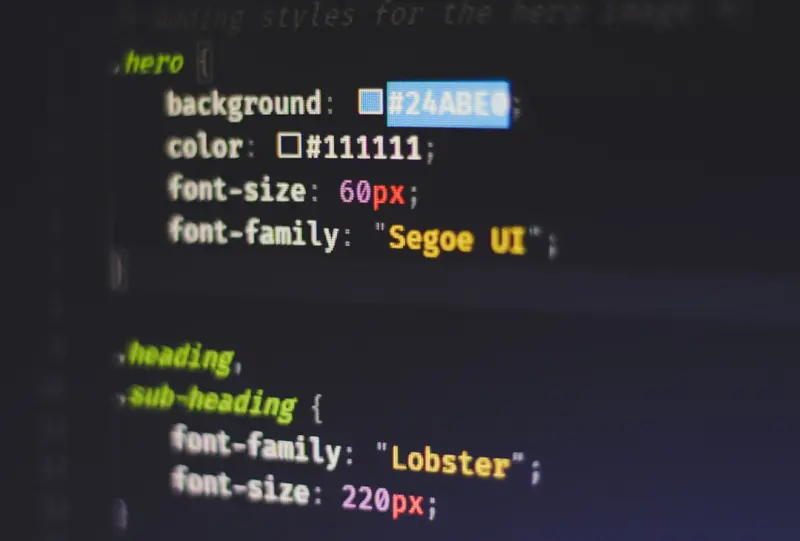
Why CSS Container Queries Are a Game‑Changer for Responsive Design
Container queries let components adapt to the size of their own container rather than the viewport, reducing CSS bloat, enhancing modularity, and boosting acces...Read More

Dedicated Server Hosting: The Strategic Backbone for Modern B2B SaaS
Dedicated servers provide unmatched control, low latency, and regulatory assurance for B2B SaaS platforms. Learn why combining them with cloud resources creates...Read More

Reimagining WordPress Themes as Adaptive Design Systems
Explore how to modernize WordPress themes by treating them as adaptive design systems—leveraging CSS custom properties, container queries, accessibility, and ...Read More
0 Comments
Post Comment
You will need to Login or Register to comment on this post!