
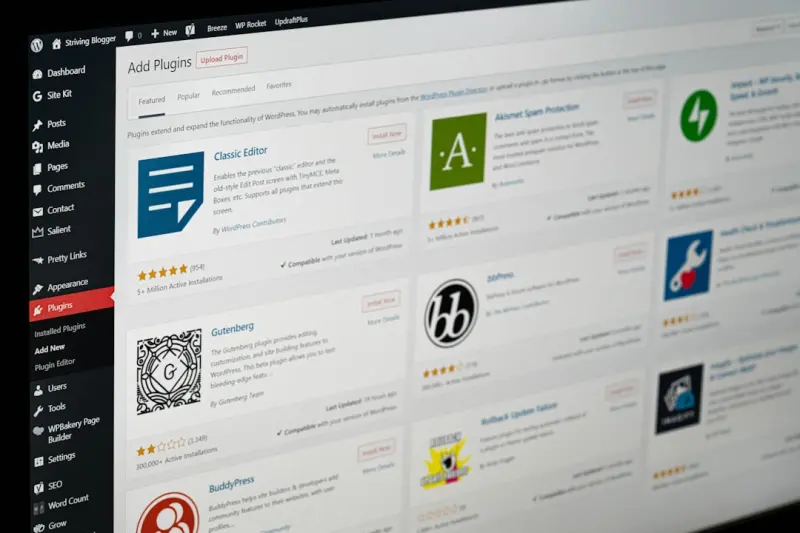
Why WordPress Is the Secret Weapon for Enterprise Knowledge Hubs
When most tech leaders think about “knowledge management,” they picture heavyweight enterprise content platforms, custom‑built intranets, or pricey SaaS solutions that promise tight security and AI‑driven insights. What they often overlook is the humble, open‑source CMS that powers roughly 40 % of the web: WordPress.
In my decade of building SaaS products, I’ve watched WordPress evolve from a blogging tool into a full‑blown application framework. The platform’s plugin ecosystem, REST API, and ever‑growing support for edge deployment make it an ideal foundation for an enterprise knowledge hub—a single source of truth that lives alongside your product, scales with your organization, and delivers content at lightning speed.
The Business Case: Knowledge Is Power, But Only If It’s Accessible
Every B2B SaaS company wrestles with three recurring pain points:
- Fragmented information – product docs, support articles, internal SOPs, and marketing collateral live in separate silos.
- Slow onboarding – new hires spend weeks hunting for the right page instead of delivering value.
- Scaling friction – as teams grow, the cost of maintaining multiple knowledge repositories explodes.
Enter WordPress. By consolidating all of those assets into a single, searchable site, you cut down on duplication, improve findability, and empower every employee (and even your customers) with the right information at the right time.
From Blog to Knowledge Hub: Core Features That Matter
Let’s break down the capabilities that make WordPress a natural fit for enterprise knowledge management.
1. Content Types & Taxonomies
WordPress isn’t limited to “posts” and “pages.” You can register custom post types for API docs, runbooks, policy manuals, or product release notes. Pair these with hierarchical taxonomies (departments, product lines, compliance levels) and you get a granular classification system without writing a single line of code.
2. Powerful Search & Filtering
The default search can be upgraded with plugins that tap into Elasticsearch, Algolia, or even AI‑first search engines. Employees can filter by tag, author, or version, and get instant relevance ranking—crucial when you’re looking for a deprecated API endpoint in a sea of documentation.
3. REST API & GraphQL
WordPress ships with a robust REST API out of the box, and the WPGraphQL plugin adds a first‑class GraphQL layer. This means your knowledge hub can serve data to internal dashboards, chat‑bots, or even external partner portals without reinventing the wheel.
4. Role‑Based Access Control (RBAC)
Enterprise knowledge often contains sensitive data. WordPress’s capabilities system lets you define fine‑grained permissions: public docs for customers, internal SOPs for engineers, and top‑secret roadmaps for executives only.
5. Extensible Plugin Ecosystem
From version control integrations (GitHub, GitLab) to automated translation pipelines, there’s a plugin for almost any workflow. When a plugin doesn’t exist, the developer community is quick to build one, and you can always fall back to a custom mu‑plugin.
Edge‑Enabled Delivery: Turning Knowledge Into a Real‑Time Asset
Speed matters as much as content quality. If a support engineer can’t retrieve a troubleshooting guide in under two seconds, the customer experience suffers. That’s why modern WordPress deployments are moving to the edge.
Edge networks cache static assets (HTML, CSS, JavaScript) at data centers nearest to the user, slashing latency to sub‑100 ms. More importantly, edge functions allow you to run lightweight JavaScript or server‑less code at the edge, personalizing content on the fly based on user role, locale, or device.
Combine this with a managed WordPress hosting platform that supports edge caching out of the box, and you get a knowledge hub that feels instantaneous for every employee, regardless of geography.
Dynamic Personalization: One Size Does Not Fit All
Traditional knowledge bases present a one‑size‑fits‑all list of articles. In reality, each employee has a unique context:
- Developers need API versioning details.
- Sales reps need product positioning decks.
- HR teams need policy updates.
By leveraging WordPress’s REST API together with edge functions, you can serve a personalized sidebar, recommend articles based on recent activity, or surface compliance alerts when a user accesses a regulated document. The personalization logic can be as simple as a user_role check or as sophisticated as a machine‑learning model that predicts knowledge gaps.
Workflow Automation: Keeping the Hub Fresh
A knowledge hub is only as valuable as its freshness. Stale documentation erodes trust. WordPress’s integration capabilities make it easy to automate content lifecycles:
- Version Control Hooks: Push a new markdown file to a Git repo, trigger a webhook that creates or updates a custom post type.
- Scheduled Publishing: Use WP‑Cron or external schedulers to publish release notes exactly when a product version goes live.
- Approval Workflows: Plugins like PublishPress add multi‑step review processes, ensuring compliance before anything hits production.
- Analytics Dashboards: Pull usage data from the REST API into a BI tool to see which docs are most consulted and which need improvement.
Case Study: Turning a Fragmented Doc Landscape Into a Unified Hub
One of our SaaS clients struggled with three separate documentation systems: a static site for public API docs, a Confluence space for internal SOPs, and a legacy SharePoint for compliance policies. The result? Duplicate effort, version drift, and frustrated engineers.
We migrated everything to a single WordPress instance, using custom post types for each document category and taxonomies for product lines. We integrated their GitHub repo so that any markdown change automatically updated the corresponding WordPress post via a webhook. Edge caching reduced average page load time from 2.4 seconds to 0.7 seconds, and personalized sidebars cut support ticket resolution time by 15 %.
The client now has a single source of truth, with a unified search experience and granular access controls. Their knowledge management cost dropped by roughly 30 % because they eliminated three separate SaaS subscriptions.
Security Considerations: Keeping the Hub Locked Down
Security is non‑negotiable for any enterprise system. WordPress has a reputation for being vulnerable, but that perception stems from poorly managed installations. Follow these best practices:
- Managed Hosting: Choose a provider that offers isolated containers, automatic patching, and Web Application Firewall (WAF) support.
- Two‑Factor Authentication for all admin accounts.
- Least‑Privilege Roles: Grant only the capabilities users need.
- Regular Audits: Use plugins that scan for vulnerable plugins and themes.
- Content‑Security Policy (CSP) headers to mitigate XSS attacks.
When you combine these hardening steps with a multi‑tenant integration approach, you get a knowledge hub that satisfies both internal compliance requirements and external audit standards.
Future‑Proofing: Extending the Hub With Emerging Tech
WordPress’s open architecture means you can layer new capabilities without massive rewrites. Here are a few directions to watch:
AI‑Driven Summaries
Integrate large language models (LLMs) via the REST API to generate concise summaries of lengthy policy documents, making them more digestible for end users.
Interactive Tutorials
Leverage the Gutenberg block editor to embed live code sandboxes, video walkthroughs, and quizzes directly within your knowledge articles.
IoT‑Aware Docs
For hardware‑centric SaaS, embed sensor data visualizations that pull real‑time metrics from devices, turning static manuals into live dashboards.
Decentralized Storage
Combine WordPress with IPFS or other distributed storage solutions for immutable, tamper‑proof archiving of regulatory documents.
Getting Started: A Step‑By‑Step Playbook
If you’re convinced that WordPress could be the backbone of your enterprise knowledge strategy, follow this roadmap:
- Define Content Types: List the categories of knowledge (e.g., API Docs, SOPs, Marketing Collateral).
- Choose a Managed Host that supports edge caching and automatic security updates.
- Set Up Taxonomies for departments, product lines, and compliance levels.
- Install Core Plugins:
- WPGraphQL for flexible data queries.
- SearchWP or ElasticPress for powerful search.
- PublishPress for approval workflows.
- Configure RBAC using the built‑in capabilities system or a dedicated role‑manager plugin.
- Integrate Version Control via a webhook that syncs markdown files to WordPress.
- Enable Edge Caching through your host’s CDN settings and add edge functions for personalization.
- Monitor & Iterate: Use analytics to track search success rates and content freshness, then refine taxonomy and workflow as needed.
Remember, the goal isn’t to replace all existing tools overnight but to create a living knowledge ecosystem that grows with your organization.
Conclusion: WordPress as the Quiet Powerhouse Behind Knowledge Excellence
WordPress has shed its “blogger‑only” stigma and emerged as a versatile platform capable of powering enterprise‑grade knowledge hubs. Its combination of extensibility, robust APIs, edge‑ready performance, and granular security makes it a compelling alternative to heavyweight, closed‑source solutions.
By treating WordPress not just as a CMS but as a knowledge platform, SaaS companies can unlock faster onboarding, reduced support overhead, and a unified source of truth that fuels both internal productivity and customer satisfaction. The next time you hear a colleague dismiss WordPress as “just a blogging tool,” you’ll have a data‑backed case study to prove otherwise.

Dale Peterson is a freelance writer with a passion for technology, travel, law and personal finance. With 10 years of experience crafting compelling and informative content, he's dedicated to delivering high-quality writing for Blogging Fusion that engages audiences and achieves specific goals.
Related Posts

Gutenberg as a Rapid‑Prototype Engine for SaaS Feature Development
Learn how using WordPress Gutenberg’s block editor transforms SaaS feature prototyping, enabling r... Read More
Unlocking the Power of WordPress Multisite for Scalable SaaS Solutions
Explore why WordPress Multisite offers a cost‑effective, secure, and performance‑optimized found... Read More
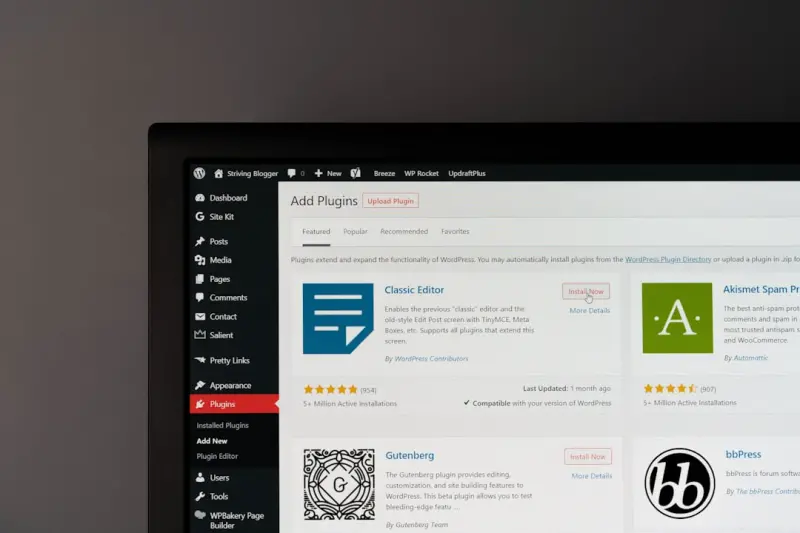
How WordPress Multisite Can Turbocharge SaaS Customer Onboarding
A deep dive into using WordPress Multisite as an automated onboarding engine for SaaS, covering prov... Read More
Top Posts
Building a Scalable Knowledge Base on WordPress with Serverless Power
Discover a step‑by‑step guide to turning WordPress into a high‑performance, serverless knowledge base, covering architecture, security, scaling, and realâ...Read More

Micro‑Frontends: A Pragmatic Playbook for Modern SaaS UI Architecture
This post explores why monolithic front‑ends hinder SaaS growth, how to break them into micro‑frontends, integration strategies, operational best practices,...Read More
eCommerce SEO: A Holistic, Data‑First Playbook
A comprehensive guide that moves beyond keyword stuffing, showing how structured data, Core Web Vitals, content clusters, user‑generated content, and AI‑dri...Read More

Micro‑Frontends Meet JavaScript Module Federation: A Playbook for Scalable SaaS Front‑Ends
This article explores JavaScript Module Federation as a practical solution for SaaS front‑end teams, detailing its benefits, implementation steps, performance...Read More
0 Comments
Post Comment
You will need to Login or Register to comment on this post!