
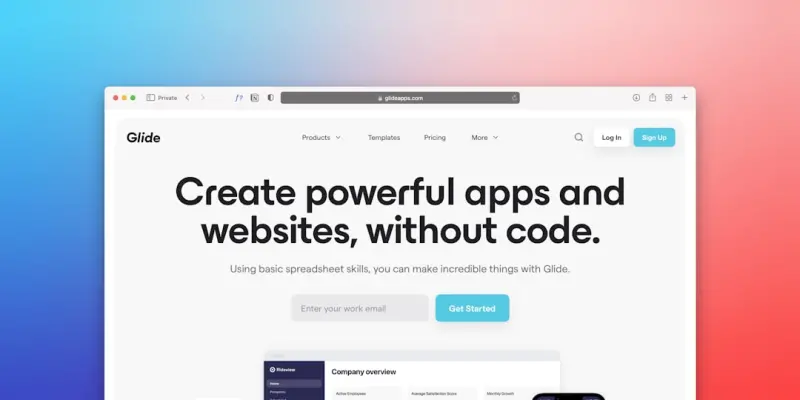
Why AI‑Generated WordPress Themes Are the Secret Weapon for Modern SaaS Teams
When I first started building SaaS products, theme design was a necessary evil. We’d hire a designer, wait weeks for mockups, and then spend countless hours translating those designs into a WordPress theme that actually worked on every device. Fast‑forward to today, and the whole process can be compressed into a matter of days—thanks to advances in artificial intelligence. In this post I’ll walk you through the practical reasons why AI‑driven theme creation is not just a novelty, but a competitive advantage for SaaS companies that need to move quickly, stay consistent, and keep development costs under control.
The Pain Points That Still Exist in Traditional Theme Workflows
Even though WordPress has matured into a robust platform for SaaS landing pages, dashboards, and even full‑blown product portals, the manual design‑to‑code pipeline remains a bottleneck. Here are the three biggest pain points most teams still wrestle with:
- Iteration latency: Stakeholders request changes, designers revise files, developers re‑code, and the cycle repeats—often stretching the timeline beyond what investors and product roadmaps tolerate.
- Inconsistent UI language: When multiple designers or agencies contribute, the visual language can drift, leading to a fragmented brand experience that erodes trust.
- Technical debt: Hand‑crafted themes frequently contain legacy code, bloated CSS, and outdated JavaScript patterns, which degrade performance and make future updates risky.
These challenges are amplified in a SaaS context where you’re not just selling a product, you’re selling a promise of reliability and polish. Any visual hiccup can feel like a functional flaw.
Enter AI: The New Co‑Designer for WordPress Themes
Artificial intelligence is reshaping how we approach visual creation. From generative image models that produce custom illustrations to code‑generation tools that write clean, standards‑compliant HTML/CSS, AI is becoming a co‑designer that can bridge the gap between creative intent and production reality. The key benefits for SaaS teams include:
- Speed: A prompt like “create a minimalist onboarding page with a dark‑mode toggle and a call‑to‑action button” can generate a ready‑to‑use theme layout in under a minute.
- Consistency: By feeding your brand guidelines—color palette, typography, iconography—into the model, every generated component adheres to the same visual system.
- Clean code: Modern AI models are trained on best‑practice repositories, meaning the output tends to follow modern CSS (including
container queriesandcascade layers) and lean JavaScript structures.
In short, AI doesn’t replace your designer or developer; it amplifies their productivity, letting them focus on strategy while the machine handles repetitive pattern work.
How to Integrate AI‑Generated Themes Into Your Existing WordPress Stack
Adopting AI isn’t about ripping out your current workflow; it’s about augmenting it. Below is a step‑by‑step framework you can roll out without disrupting your live environment.
- Define your brand token library. Export your colors, fonts, spacing, and UI components into a JSON schema. This will be the seed data for the AI model.
- Select an AI generation platform. Options range from open‑source models you can host on your own GPU cluster to SaaS providers that expose REST endpoints for image and code generation.
- Run a pilot for a single page. Use a prompt like “Design a pricing table for a B2B SaaS product, using the brand tokens, with accessibility in mind.” Review the generated HTML/CSS and iterate on the prompt until the output matches expectations.
- Integrate with your theme development pipeline. Treat the AI output as a pull request. Run your automated tests—linting, accessibility audits, performance budgets—to ensure it meets your quality gates.
- Deploy to a staging environment. Use WordPress Multisite to spin up a dedicated site for testing the new theme components. This mirrors the approach outlined in How WordPress Multisite Can Turbocharge SaaS Customer Onboarding, giving you isolated sandboxes for rapid experimentation.
- Iterate based on real user data. Once live, monitor metrics like page load time, Core Web Vitals, and conversion rates. If something underperforms, you can regenerate that component with a refined prompt.
This loop creates a feedback‑driven ecosystem where AI, developers, and designers collaborate in real time.
Balancing Cost and Performance: The Hosting Perspective
AI‑generated themes are typically leaner, but you still need a hosting environment that can handle the traffic spikes common to SaaS launch campaigns. For many early‑stage teams, shared hosting remains a viable option when paired with disciplined performance budgets. The article Balancing Budgets and Growth: Sustainable Strategies on Shared Hosting outlines how to squeeze maximum efficiency out of modest resources—something that aligns perfectly with the streamlined code you get from AI.
When you combine a lightweight theme with a well‑tuned server stack (PHP 8+, object caching, and a CDN), you can achieve sub‑second Time to First Byte (TTFB) even under heavy load. This translates directly into higher conversion rates for your SaaS landing pages and lower churn for your user portal.
Accessibility Isn’t an Afterthought—It’s Built In
One of the biggest criticisms of AI‑generated design has been the risk of overlooking accessibility. However, modern prompt engineering can embed WCAG guidelines directly into the generation process. For example, you can ask the model to “ensure all contrast ratios meet AA standards” or “add ARIA labels to navigation elements.” The result is a theme that meets compliance requirements from day one.
Beyond the legal aspect, accessible design improves SEO, widens your market, and boosts overall user satisfaction—key metrics for any SaaS product.
Developer Experience Gets a Boost
When developers receive a theme that follows modern CSS patterns, has minimal inline styles, and is structured with reusable blocks, their workflow becomes far more enjoyable. This directly ties into the principles discussed in Turning Developer Experience Into a SaaS Superpower. By reducing the grunt work of cleaning up legacy code, your engineering team can devote more time to building core product features, integrations, and APIs that truly differentiate your SaaS offering.
Moreover, a consistent theme architecture simplifies onboarding of new developers. They can spin up a local environment, run npm run dev, and see the exact same UI components that the design team envisioned, without hunting for obscure CSS overrides.
Case Study: From Concept to Launch in Two Weeks
Let’s walk through a hypothetical but realistic scenario. A B2B SaaS startup needed a new marketing site to announce a major feature release. Their timeline was aggressive: two weeks from kickoff to launch. Here’s how AI helped them hit the deadline:
- Day 1–2: Brand tokens were exported and fed into the AI model. Prompts were crafted for the hero section, feature grid, testimonial carousel, and pricing table.
- Day 3: The AI generated HTML/CSS for each component. The development team ran the code through a linter and an accessibility auditor. Minor tweaks were made to image alt text.
- Day 4: Components were assembled into a child theme of a lightweight parent theme. The team used WordPress’s block editor to place the sections on a single page.
- Day 5: Performance testing revealed a 30 % improvement over the previous site thanks to reduced CSS bloat and optimized image assets.
- Day 6–7: Content was added, forms integrated via a headless CRM, and the site was staged on a Multisite instance for stakeholder review.
- Day 8: Final tweaks based on feedback. The site was pushed live on a shared hosting plan optimized per the strategies in the earlier linked article.
The result? The new site launched on schedule, saw a 15 % lift in conversion, and required only a single developer for ongoing maintenance. This example illustrates how AI can compress timelines without sacrificing quality.
Potential Pitfalls and How to Avoid Them
While the upside is compelling, there are a few traps you should watch out for:
- Prompt ambiguity: Vague prompts lead to generic outputs. Spend time iterating on the language you feed the model.
- Over‑reliance on AI: Treat AI as a collaborator, not a replacement. Human review is essential for brand alignment and regulatory compliance.
- Model bias: Some generative models may unintentionally reproduce design trends that don’t suit your brand. Curate the training data or fine‑tune the model to reflect your aesthetic.
By establishing a clear review process—designers validate visual fidelity, developers check code quality, and product managers ensure business alignment—you can mitigate these risks.
The Future Landscape: AI‑First Theme Marketplaces
We’re already seeing a new wave of theme marketplaces that host AI‑generated themes as configurable products. These platforms let you select a base layout, input your brand tokens, and download a ready‑to‑install WordPress theme. For SaaS teams that lack in‑house design resources, this could become the go‑to solution for rapid landing‑page creation.
Imagine a world where every new product feature can spin up its own dedicated micro‑site with a click, all while staying on brand. That’s the promise of an AI‑first ecosystem, and it’s only just beginning to materialize.
Getting Started Today
If you’re curious but unsure where to begin, here’s a quick starter kit:
- Choose an AI code‑generation tool (e.g., OpenAI Codex, Anthropic Claude, or a self‑hosted stable diffusion variant for design).
- Export your brand tokens into a JSON file.
- Set up a WordPress Multisite staging environment.
- Run a pilot for a single page, iterate on prompts, and integrate with your CI/CD pipeline.
- Monitor performance and accessibility metrics, and iterate.
The learning curve is shallow, and the payoff—speed, consistency, and happier developers—is massive. Give it a try on a low‑risk landing page, and you’ll quickly see the value it brings to the entire SaaS product lifecycle.

Shawn DesRochers is a certified Microsoft technician and Programmer with 30+ year's experience. He has written many reviews on computer related products, software, and SEO related topics. When he's not writing reviews he can be found at one of the Oldest Directories Online Invision Graphics Directory which he is the CEO of. Shawn is a FULL Stack Web Developer. So if you have a project and need assistance dont hesitate to reach out.
Related Posts

Reimagining WordPress Themes: A Performance‑First, Design‑System Approach
A design‑system approach transforms WordPress themes into fast, accessible, and brand‑consistent... Read More

Rethinking WordPress Themes for Scalable SaaS Experiences
A deep dive into why traditional WordPress themes fall short for SaaS, and how a modular, performanc... Read More
Reimagining WordPress Themes for the Headless Era
Discover why traditional WordPress themes are giving way to component‑driven, headless architectur... Read More
Top Posts

Event‑Driven Node.js: The Quiet Powerhouse Behind Scalable SaaS
Discover why shifting from a classic request‑response model to an event‑driven architecture empowers Node.js‑based SaaS products with real‑time capabili...Read More
Modular Block‑Based Themes: Future‑Proofing WordPress Design
Discover why modern block‑based themes are the foundation for a fast, collaborative, and future‑ready WordPress site, with practical tips and a proven workf...Read More
Why Drupal Is the Secret Weapon for Global Multilingual Enterprises
Drupal’s built‑in multilingual capabilities let enterprises launch fully localized sites with minimal overhead, integrating seamlessly with modern API stack...Read More
Bootstrap Meets Micro‑Frontends: A Playbook for SaaS Teams
Discover a practical guide to using Bootstrap’s modular CSS and JavaScript in micro‑frontend SaaS products, covering design tokens, lazy loading, CI/CD, and...Read More
0 Comments
Post Comment
You will need to Login or Register to comment on this post!