
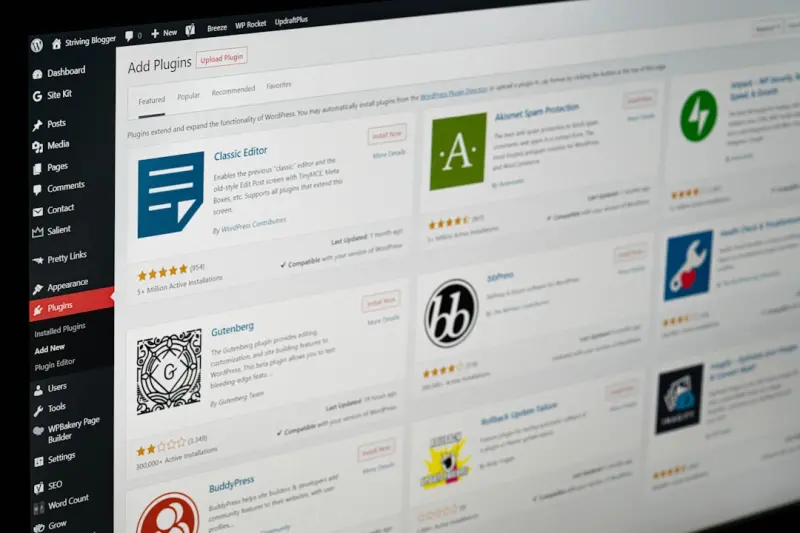
Why AI Is the Next Frontier for Managed WordPress Hosting
When I first started building WordPress sites for enterprise clients, the biggest headache was always guesswork—guessing traffic spikes, guessing security threats, guessing which plugin update might break a critical workflow. Over time, the industry has handed us better tools: managed hosting platforms that automate backups, scale servers, and provide built‑in firewalls. Yet the next leap isn’t a bigger server; it’s a smarter one.
Artificial intelligence is moving from experimental labs into the day‑to‑day ops of managed WordPress hosting. In the same way that AI now curates your news feed, it can also predict traffic patterns, detect anomalous behavior before it becomes an attack, and fine‑tune performance at the edge. The result? A WordPress environment that not only reacts to problems—it prevents them.
Predictive Scaling: Letting the Cloud Think Ahead
Traditional auto‑scaling works on simple thresholds: CPU > 80 %? Spin up a new instance. Traffic drops below 20 %? Shut down. This rule‑based approach works for predictable workloads, but it falters when traffic is driven by viral content, product launches, or seasonal campaigns.
AI‑enhanced scaling models ingest historic traffic logs, marketing calendars, and even social media sentiment to forecast demand minutes, hours, and days in advance. The algorithm then pre‑emptively allocates resources, ensuring that page‑load times stay under two seconds even when a blog post hits the front page of a major tech outlet.
From a business standpoint, predictive scaling translates into two concrete benefits:
- Cost efficiency: Instead of over‑provisioning for worst‑case scenarios, you pay only for the capacity you actually need.
- User experience: Zero‑lag page loads keep bounce rates low and SEO rankings high.
In practice, the best managed WordPress hosts now expose a simple dashboard where you can see a forecast curve for the next 24‑48 hours, powered by an AI engine that learns from every request. This transparency gives DevOps teams the confidence to focus on feature development rather than firefighting.
Smart Security: From Signature‑Based Rules to Behavioural Defense
WordPress is a popular target for bots, credential stuffing, and zero‑day exploits. Historically, security layers have been signature‑based: a firewall blocks known malicious IPs, a plugin scans for known vulnerable files, and you hope the latest patch covers the newest exploit.
AI changes the paradigm by shifting the focus to behaviour. Machine‑learning models analyze millions of request patterns to establish a baseline of “normal” activity for each site. When a deviation occurs—say, a sudden surge of POST requests to wp‑admin from an unfamiliar geography—the system flags it instantly, applies a temporary lock‑down, and notifies the admin.
Beyond detection, AI can also automatically remediate low‑severity threats. For example, if the model identifies a plugin trying to execute a suspicious function, it can sandbox that plugin in a lightweight container, allowing the rest of the site to stay online while a deeper investigation is performed.
Edge‑Optimized Delivery: Bringing AI to the Front Door
Content Delivery Networks (CDNs) already push static assets to the edge, reducing latency. The next step is to push intelligence to the edge as well. Edge AI can make real‑time decisions about caching, image compression, and even HTML minification based on the visitor’s device, network conditions, and location.
Imagine a scenario where a visitor on a 3G connection in a remote region receives a lightweight version of a page, with non‑essential JavaScript deferred, while a user on a fiber connection gets the full experience. The AI engine evaluates each request in milliseconds, delivering the optimal asset mix without any manual configuration.
This approach not only improves performance metrics like Time to First Byte (TTFB) and Largest Contentful Paint (LCP), but it also reduces bandwidth costs—an important consideration for SaaS companies that serve a global user base.
AI‑Powered Backups: Knowing What to Keep and When
Backups are a staple of managed WordPress services, but they’re often a blunt instrument: daily snapshots that eat storage and can be difficult to restore selectively. AI can make backups smarter by analyzing which files and database tables change most frequently and which are critical for business continuity.
With this insight, the system can:
- Perform incremental backups of high‑frequency assets every hour.
- Bundle low‑change content into weekly full snapshots.
- Prioritize restoration order, bringing up the database first, then core files, then plugins—ensuring the site is functional as quickly as possible.
Furthermore, AI can predict the likelihood of a backup being needed based on recent deployment activity, giving you confidence that you’re not over‑paying for unnecessary redundancy.
Integrating AI with Existing Managed Services
Many enterprises already rely on managed WordPress hosts that provide a suite of tools—SSL, staging, one‑click restores, and so on. Adding AI to that stack doesn’t mean a complete overhaul. Most providers now offer AI modules that plug into the existing control panel via APIs.
Below are three practical steps to start leveraging AI without disrupting your current workflow:
- Enable predictive scaling: Turn on the “AI Forecast” toggle in your hosting dashboard. Review the next‑day resource curve and adjust your budget alerts accordingly.
- Activate behavioural security: Opt‑in to “AI Threat Detection”. Set the confidence threshold (e.g., 85 %) that determines when an automated lock‑down should be triggered.
- Configure edge optimisation: Choose the “Smart Edge” profile. The AI will automatically calibrate image sizes, script loading, and cache TTLs for each visitor segment.
Most platforms also provide a VPS as the cornerstone of data sovereignty for SaaS style isolation, meaning the AI processes run in dedicated containers, preserving data privacy and compliance—a nice synergy with the security enhancements mentioned earlier.
Case Study: Reducing Downtime for a Global SaaS Marketplace
One of our clients runs a multi‑language marketplace powered by WordPress and WooCommerce. They experienced frequent latency spikes during flash‑sale events, and a bot‑driven credential‑stuffing attack that forced a manual shutdown for two hours.
After migrating to an AI‑enabled managed host, the following outcomes were recorded over a three‑month period:
- Peak traffic handling: The AI predicted a 250 % traffic surge and pre‑allocated additional CPU and memory, keeping page‑load times under 1.8 seconds.
- Threat mitigation: Behavioural AI blocked the credential‑stuffing attempt in real time, issuing a temporary challenge that stopped the attack without user friction.
- Cost reduction: By avoiding over‑provisioning, the client saved roughly 18 % on their monthly hosting bill.
The client also praised the white‑label reseller hosting capabilities that let them present a custom branded control panel to their merchants, all while the underlying AI engine handled the heavy lifting.
Challenges and Considerations
While AI promises remarkable benefits, it’s not a silver bullet. Here are some caveats to keep in mind:
- Data privacy: AI models need access to request logs and performance metrics. Ensure your provider adheres to GDPR, CCPA, or any relevant regulations.
- Model drift: As traffic patterns evolve, AI models must be retrained. Look for hosts that offer continuous learning pipelines.
- Transparency: A good AI‑enhanced platform will expose confidence scores and decision logs, so you can audit why a particular request was blocked or a scaling event was triggered.
Choosing a partner that provides full‑stack observability ensures you can monitor AI decisions alongside traditional metrics, giving you a holistic view of site health.
Future Outlook: AI as a Core Service Layer
Looking ahead, AI will become a foundational layer rather than an add‑on. Expect to see:
- Self‑optimising WordPress cores that rewrite inefficient code on the fly.
- AI‑driven plugin marketplaces that recommend only the safest, highest‑performing extensions for your workload.
- Cross‑platform orchestration where the same AI engine governs WordPress, headless CMSs, and micro‑services, delivering a unified performance and security posture.
For SaaS businesses that rely on WordPress as a content hub, embracing AI today means staying ahead of the curve tomorrow. The technology is still maturing, but the early adopters are already reaping measurable ROI—faster sites, lower costs, and a security posture that feels proactive rather than reactive.
Getting Started: A Checklist for Decision‑Makers
- Assess current pain points: Identify whether latency, security, or cost is your biggest bottleneck.
- Audit your hosting provider: Verify that they offer AI‑driven scaling, security, and edge optimisation.
- Run a pilot: Deploy a staging environment with AI enabled, simulate traffic spikes, and measure performance improvements.
- Review compliance and data handling: Ensure AI data pipelines respect your jurisdictional requirements.
- Plan for integration: Map out how AI insights will flow into your existing monitoring and incident‑response workflows.
By following this roadmap, you’ll transition from a reactive WordPress host to an intelligent, self‑optimising platform that fuels your SaaS growth without the usual operational headaches.

Alex Moss is a digital marketing professional and SEO consultant, focusing on technical and structural SEO along with product development. With more than six years of experience in various facets of digital marketing, he has assisted brands of all sizes in establishing and enhancing their online presence, as well as fostering increased product loyalty.
Related Posts

Sustainable Scale: Rethinking Managed WordPress Hosting for Modern SaaS
A deep dive into how sustainable architecture, predictable pricing, compliance, and developer‑cent... Read More

The Hidden Cost of DIY WordPress Hosting and Why Managed Makes Sense
DIY WordPress hosting often hides costly operational burdens. This post explains why switching to a ... Read More

Turning Plugin Chaos into Predictable Performance with Managed WordPress Hosting
Managed WordPress hosting can eliminate the hidden performance drain of plugin bloat through central... Read More
Top Posts

Sustainable WordPress Themes: Building Green Sites Without Compromise
A deep dive into green WordPress theme development, covering lightweight code, renewable hosting, and design choices that reduce environmental impact while enha...Read More

Shared Hosting Secrets: Scaling Your SaaS on a Shoestring
Shared hosting isn’t just cheap—it can be a strategic launchpad for SaaS startups. Learn architectural best practices, cost benefits, and upgrade signals to...Read More
Why JavaScript + WebAssembly Is the New Power Duo for Enterprise SaaS
The article explains why pairing JavaScript with WebAssembly delivers near‑native speed for compute‑heavy SaaS workloads, outlines practical architectural p...Read More

Bootstrap’s Quiet Revolution: From Boilerplate to Brand‑Centric Design System
Bootstrap has evolved from a simple grid to a powerful design‑system engine. Learn how to use its utility API, CSS variables, dark‑mode support, and WebAsse...Read More
0 Comments
Post Comment
You will need to Login or Register to comment on this post!