
When I first dove into the WordPress ecosystem, I was dazzled by the sheer number of themes out there—every niche, every aesthetic, every developer’s sandbox. Fast forward a few years, and I’ve learned that the real differentiator isn’t just how pretty a theme looks; it’s how intelligently it behaves under real‑world pressures: speed, maintainability, and future‑proofing. In this post I’ll walk you through a pragmatic, performance‑first methodology for crafting WordPress themes that not only survive the test of time but actually thrive in today’s fast‑paced, device‑diverse web.
1. Start With a “Skin‑First” Architecture, Not a Template‑First One
Most theme tutorials start by hammering out a set of PHP templates, then sprinkle CSS on top. That works for a quick demo, but it creates a tangled codebase where style and structure are inseparable. My approach flips that order: I begin with a minimal, semantic HTML scaffold that represents the skin of the site—think of it as a bare‑bones wireframe. From there I layer a robust CSS architecture that can be swapped, tweaked, or entirely replaced without touching a single line of PHP.
Why does this matter? Because it gives you a clean separation of concerns, making it easier to adopt emerging technologies (like container queries) without rewriting the core theme logic.
2. Embrace a Scalable CSS Strategy
WordPress themes have historically leaned on monolithic style sheets that balloon as new features are added. The result? Bloated payloads, specificity wars, and a nightmare for anyone trying to maintain the code. To break this cycle, I recommend three pillars:
- Utility‑first classes: Borrowing a page from the Tailwind playbook, define a set of atomic utilities (margin‑x, text‑center, bg‑primary, etc.) that can be composed directly in your markup. This drastically cuts down on custom CSS bloat.
- Design tokens: Treat colors, spacing, typography, and even animation curves as first‑class variables. By centralizing them, you create a single source of truth that can be swapped for brand updates or dark‑mode toggles. Need a deeper dive? Check out Design Tokens: The Backbone of Consistent SaaS UI for a practical implementation guide.
- Layered theming: Separate base styles, component styles, and theme overrides into distinct files. Load the base and component layers on every request, then conditionally enqueue the theme overrides only when a user selects a specific skin.
This modular CSS stack not only keeps the stylesheet lean but also prepares you for future CSS features like dynamic theming engines that can react to system preferences, user choices, or even experimental design tokens.
3. Optimize Asset Delivery With Modern Build Tools
Historically, WordPress developers have relied on the built‑in wp_enqueue_style and wp_enqueue_script functions to dump static files into the <head>. While functional, this approach doesn’t leverage the performance gains that modern bundlers provide. Here’s how I integrate a JavaScript‑first workflow without breaking the WordPress ecosystem:
- Set up a lightweight bundler: Tools like Vite or esbuild can compile SCSS, transpile modern JavaScript, and output hashed filenames for cache busting.
- Generate a manifest: The bundler writes a JSON manifest mapping original entry points to their hashed outputs. WordPress can read this manifest at runtime to enqueue the correct files.
- Leverage HTTP/2 server push (or preload headers): For critical assets—above‑the‑fold CSS or hero‑section scripts—use
link rel="preload"tags generated from the manifest. - Defer non‑essential JS: Mark everything that isn’t needed for initial paint as
deferor load it lazily via the Intersection Observer API.
The net effect? A theme that loads under 1 second on a 3G connection, with minimal layout shift and no “flash of unstyled content.”
4. Make Accessibility a First‑Class Citizen, Not an Afterthought
Accessibility is often treated as a checklist item—add alt attributes, ensure color contrast, and you’re good to go. But when you build a theme that can be re‑skinned on the fly, you must guarantee that every visual change still respects WCAG guidelines.
Here’s my three‑step process:
- Semantic HTML: Start with proper heading hierarchy, landmarks (
role="navigation",role="main"), and ARIA attributes where needed. - Contrast‑aware design tokens: When you define your color palette as tokens, include both a light and a dark variant that meet the 4.5:1 contrast ratio. Tools like the color contrast analyzer can be scripted into your build step to enforce compliance.
- Keyboard‑first navigation tests: Use automated testing (e.g., axe-core) and manual tab navigation to ensure every interactive element is reachable and clearly indicated.
When you bake accessibility into the DNA of your theme, you avoid costly retrofits later and broaden your audience—especially important for B2B SaaS sites that must cater to a diverse employee base.
5. Future‑Proof With “Progressive Enhancement” in Mind
One of the biggest pitfalls in theme development is over‑reliance on JavaScript for core layout and navigation. While modern browsers handle rich interactivity gracefully, you still need a fallback that works when JS is disabled or fails to load.
My strategy is to:
- Render the primary navigation as a pure
<ul>list with CSS‑only dropdowns for hover/focus states. - Use
<noscript>blocks to surface critical messages or alternative content for users without JavaScript. - Layer progressive enhancements on top—once JavaScript loads, replace the CSS‑only menu with a more dynamic, animated version without breaking the underlying structure.
This approach not only improves SEO (search bots love static markup) but also aligns with the graceful degradation philosophy that keeps your site resilient.
6. Leverage the Power of WordPress Hooks Without Overcomplicating
Hooks are the lifeblood of WordPress extensibility, but an over‑zealous theme can become a maze of add_action and add_filter calls. To keep the codebase maintainable:
- Namespace your hooks: Prefix every custom hook with your theme’s slug (e.g.,
mytheme_before_header) to avoid collisions. - Group related hooks: Place all header‑related actions in a
inc/header.phpfile, all footer actions ininc/footer.php, etc. This modular file structure mirrors the CSS layer approach. - Document intent: Use PHPDoc blocks to describe what each hook does and which arguments it passes. Future contributors (or your future self) will thank you.
By treating hooks as a public API for your theme, you empower developers to extend or override functionality without hacking core files.
7. Testing, Monitoring, and Continuous Improvement
Building a performant theme is only half the battle; you must verify it continues to meet performance targets as content grows.
- Automated Lighthouse CI: Set up a CI pipeline that runs Lighthouse audits on every PR. Fail the build if the performance score drops below a threshold.
- Real‑world field data: Use the WordPress Site Health tool and services like WebPageTest to capture actual load times from varied locations and connections.
- Feature flags for heavy assets: If you introduce a new carousel or video background, wrap it in a feature flag that can be toggled off if it impacts core metrics.
These practices ensure that your theme stays lean, fast, and reliable—qualities that directly affect conversion rates for SaaS landing pages.
8. Packaging and Distribution: From Zip to Composer
When you’re ready to share your masterpiece, consider how you’ll distribute it. The traditional zip upload works, but for a professional SaaS‑focused audience, a Composer‑based package offers several advantages:
- Versioned dependencies: Declare required PHP, WordPress, and even third‑party library versions in
composer.json. - Autoloading: Use PSR‑4 autoloading for your theme’s PHP classes, keeping the codebase tidy.
- Easy updates: Clients can run
composer updateto pull in bug fixes without manual zip uploads.
Publishing to Packagist (or a private repository) also signals a level of maturity and professionalism that B2B buyers look for.
9. The Bottom Line: A Theme That Grows With Its Owner
In a world where the web is constantly evolving—new devices, new design trends, new performance standards—a WordPress theme must be built on a foundation that embraces change rather than resists it. By starting with a skin‑first mindset, modularizing CSS with design tokens, leveraging modern build pipelines, and treating accessibility and performance as non‑negotiable pillars, you create a theme that feels fresh today and remains adaptable tomorrow.
Take a moment to audit your current theme portfolio against the checklist above. If you find gaps, treat them as opportunities for incremental refactors rather than massive rewrites. The beauty of WordPress is its flexibility; the challenge is to wield that flexibility with discipline.
Happy theming, and may your load times be ever low!

Shawn DesRochers is a certified Microsoft technician and Programmer with 30+ year's experience. He has written many reviews on computer related products, software, and SEO related topics. When he's not writing reviews he can be found at one of the Oldest Directories Online Invision Graphics Directory which he is the CEO of. Shawn is a FULL Stack Web Developer. So if you have a project and need assistance dont hesitate to reach out.
Related Posts
Reimagining WordPress Themes for the Headless Era
Discover why traditional WordPress themes are giving way to component‑driven, headless architectur... Read More
Modular WordPress Themes: The Agile Playbook for SaaS Teams
A deep dive into modular WordPress themes, showing how component‑based architecture can slash rele... Read More
AI‑Powered WordPress Themes: When Code Meets Creativity
AI is reshaping WordPress theme creation, delivering modular, design‑token‑driven themes faster ... Read More
Top Posts
Low‑Code Is the Secret Sauce for Faster Mobile Web Delivery in SaaS
Low‑code platforms let SaaS teams build mobile‑optimized web experiences faster by handling responsive design, performance budgets, and offline support out ...Read More
Rethinking Mobile Web Development for Seamless UX
A fresh framework for mobile web development that blends modular front‑ends, edge‑centric data handling, thumb‑zone interaction design, and real‑time pe...Read More

Why Drupal Is the Ultimate Platform for Enterprise Multilingual Content
Discover why Drupal’s native multilingual core, granular workflow engine, and robust security make it the go‑to CMS for enterprises seeking to manage, trans...Read More
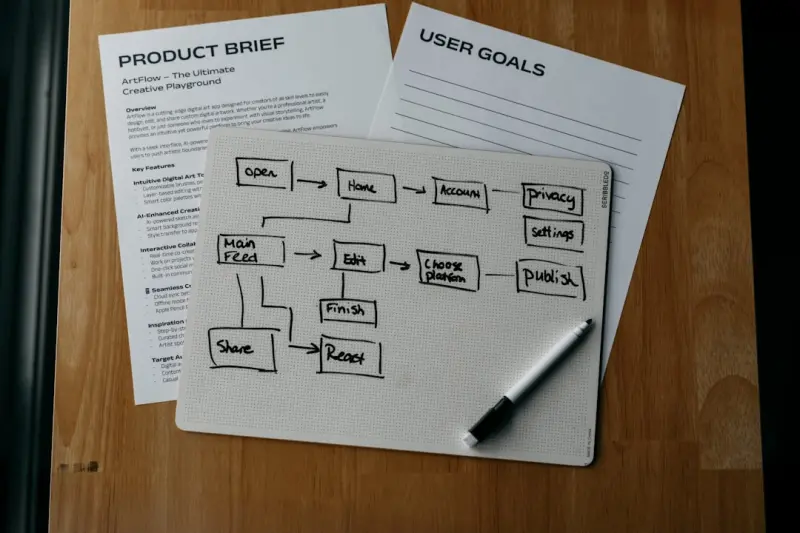
Full‑Stack Development as a Continuous Product Journey
Treat your entire tech stack as a living product—aligning roadmap, observability, and developer experience—to turn full‑stack development into a strategic...Read More
0 Comments
Post Comment
You will need to Login or Register to comment on this post!