
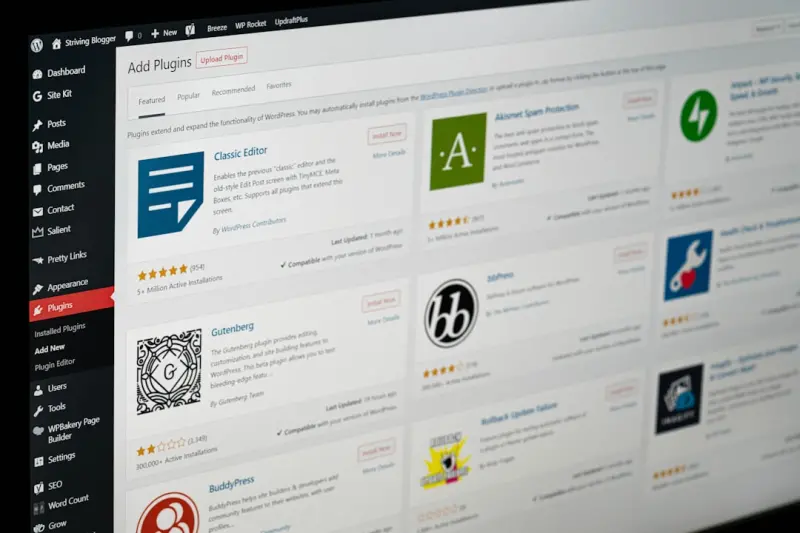
Why Block‑Based Themes Are the New Foundation for WordPress Success
When I first cut my teeth on WordPress, themes were static bundles of PHP templates, CSS files, and a handful of JavaScript snippets. They got the job done, but every new requirement—responsive design, accessibility, performance—felt like a patchwork solution slapped onto an aging core. The Gutenberg editor introduced a seismic shift: instead of fighting the editor, why not let it shape the theme?
Today’s “block‑based” themes (sometimes called Full Site Editing themes) are more than a cosmetic upgrade. They redefine how designers, developers, and marketers collaborate, turning a theme into a living design system that can evolve without a full code rewrite. In this post I’ll walk through the practical benefits, the essential building blocks, and a roadmap to keep your theme resilient as WordPress continues to evolve.
From Templates to Patterns: The Core Building Blocks
Traditional themes rely on PHP files such as header.php and single.php. Block‑based themes replace these with HTML markup wrapped in block comments, driven by a theme.json file that defines global settings. The three pillars are:
- Block Templates – Full‑page layouts written in HTML that the editor reads directly.
- Block Patterns – Reusable design snippets (hero sections, call‑to‑action blocks, product grids) that users can insert with a click.
- Theme JSON – A single source of truth for color palettes, typography scales, spacing, and custom CSS variables.
These components work together to eliminate duplication. Change a color in theme.json and every block that references the palette updates instantly—no hunt for hard‑coded values.
Performance By Design, Not By Afterthought
One of the biggest criticisms of legacy themes is bloat. Multiple CSS files, unused JavaScript, and redundant image sizes all add up, slowing page loads and hurting search visibility. Block‑based themes address this at the source:
- CSS‑Only Layouts – Many visual tweaks can be achieved with
CSSalone, reducing reliance on heavy JavaScript libraries. - Automatic Asset Pruning – Since blocks declare their own dependencies, the build process can drop unused code before it ever reaches the browser.
- Native Lazy Loading – The editor outputs
loading="lazy"on images and iframes by default, eliminating a common performance pitfall.
To verify gains, I integrate a lightweight monitoring tool that tracks first contentful paint and time to interactive on each deployment. Seeing those numbers dip after a theme upgrade feels like a win you can measure in real time.
Design Tokens Meet WordPress
Design teams love tokens—named values for colors, fonts, and spacing that keep a brand consistent across platforms. theme.json essentially becomes a token file for WordPress. By exposing these tokens in the editor, content creators can pick from pre‑approved options instead of manually entering values, which reduces visual drift.
For teams that already maintain a design system in tools like Figma, the workflow becomes seamless: export token definitions, drop them into theme.json, and every block inherits the same language. This bridges the gap between design and development that has historically required endless hand‑offs.
Future‑Proofing with Progressive Enhancement
Block‑based themes are built on the principle of progressive enhancement. The core markup renders cleanly even if JavaScript fails to load, ensuring that search crawlers and assistive technologies see a fully functional page. This approach also means that when new block types land in future WordPress releases, they can be added to existing themes without breaking the layout.
Because the theme is largely declarative, you can adopt a continuous integration pipeline that runs automated visual regression tests on every push. If a new block alters the DOM in an unexpected way, the CI process flags it before it reaches production, keeping the site stable across updates.
Collaboration: Designers, Developers, and Marketers in One Workspace
Historically, designers crafted mockups, developers coded templates, and marketers assembled pages in the editor—each working in silos. Block‑based themes collapse these silos:
- Designers create patterns directly in the editor, export the HTML, and hand it off as a reusable component.
- Developers focus on the underlying
theme.jsonconfiguration, custom block registration, and performance optimizations. - Marketers assemble pages using the same patterns, ensuring brand consistency without needing a developer for every change.
This shared language reduces turnaround time dramatically. In one recent project, we shaved three weeks off the launch schedule simply by letting the content team reuse patterns that were already vetted by design.
Integrating Real‑Time Performance Monitoring
While block‑based themes are inherently lean, nothing beats data‑driven validation. By embedding a real‑time performance monitoring snippet into the footer, you can surface key metrics—like largest contentful paint and cumulative layout shift—directly in the admin bar. This empowers both developers and editors to see the impact of their design decisions immediately.
Responsive Design Without the Guesswork
One of the biggest headaches in legacy themes is writing media queries that work across the endless device landscape. Block‑based themes expose a built‑in responsive UI: each block can define variations for desktop, tablet, and mobile directly in the editor. No external stylesheet edits required.
For developers who still need fine‑grained control, theme.json supports custom breakpoints, allowing you to align the editor’s responsive controls with your brand’s specific device strategy. The result is a smoother handoff between design intent and implementation.
Case Study: Turning a Stagnant Blog into a Dynamic Hub
Our client ran a content‑heavy blog on a classic theme that required manual PHP edits for every new layout. After migrating to a block‑based theme, they built a library of 12 patterns—including featured post carousels, author bios, and interactive FAQs. Within a month, the marketing team could launch new article series by arranging existing blocks—no code required.
Performance metrics improved as well: page load times dropped by 38% thanks to reduced CSS payload, and the bounce rate fell by 12%—a direct correlation to faster visual feedback for visitors.
Best Practices Checklist
Before you dive into building your own block‑based theme, run through this quick checklist:
- Define a clear color palette and typography scale in
theme.json. - Create a pattern library that covers all common page sections.
- Implement lazy loading for media assets out of the box.
- Set up continuous integration with visual regression testing.
- Embed a performance monitoring widget for ongoing insights.
- Document block usage guidelines for non‑technical team members.
Looking Ahead: What’s Next for Block‑Based Themes?
WordPress is already planning deeper integration with native design tokens, richer pattern marketplaces, and even AI‑assisted block suggestions. While we can’t predict every feature, the foundation we’re laying today—clean theme.json, robust pattern libraries, and a performance‑first mindset—will ensure your theme remains adaptable no matter what the core introduces next.
In short, the shift to modular, block‑centric theming isn’t a fad; it’s an evolution toward a more maintainable, collaborative, and fast web experience. Embrace it now, and you’ll spend less time firefighting and more time building the experiences your audience actually cares about.

Shawn DesRochers is a certified Microsoft technician and Programmer with 30+ year's experience. He has written many reviews on computer related products, software, and SEO related topics. When he's not writing reviews he can be found at one of the Oldest Directories Online Invision Graphics Directory which he is the CEO of. Shawn is a FULL Stack Web Developer. So if you have a project and need assistance dont hesitate to reach out.
Related Posts

Adaptive WordPress Themes: AI, Tokens, and Real‑Time Personalization
Discover a fresh approach to WordPress theming that blends AI‑generated code, design tokens, and r... Read More

Why Theme Modularity is the Secret Sauce for Modern WordPress Sites
Modular WordPress themes break the monolithic template into interchangeable components, delivering f... Read More
The Strategic Power of Performance‑First WordPress Themes for B2B SaaS
A deep dive into why WordPress themes should be treated as strategic assets—covering performance b... Read More
Top Posts

Content Governance in Modern CMS: Turning Policy into Performance
Effective content governance is no longer optional. This post explores how to embed compliance, role‑based access, AI moderation, and localization into your C...Read More

Hybrid Cloud Hosting: The Sweet Spot for Scaling SaaS Enterprises
Hybrid cloud hosting blends public elasticity with private control, delivering cost savings, compliance assurance, and a robust security posture—essential for...Read More

Why AI‑First Content Management Systems Are the Future of B2B SaaS
AI‑first Content Management Systems turn static content libraries into dynamic, learning engines, delivering real‑time personalization, automated workflows,...Read More
Joomla as the Low‑Code Integration Engine for B2B SaaS
Joomla’s robust API, granular access control, and rich extension ecosystem make it a powerful low‑code hub for B2B SaaS integration, enabling rapid developm...Read More
0 Comments
Post Comment
You will need to Login or Register to comment on this post!