
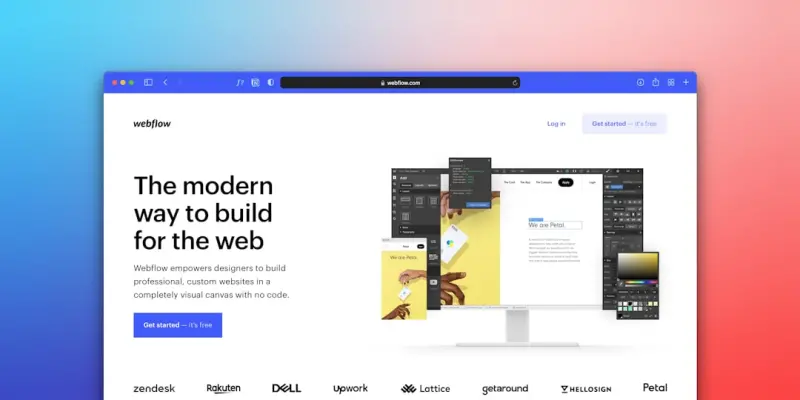
Performance‑First WordPress Themes: The Untapped Engine Behind Client Wins
When I first helped a startup transition from a generic theme to a purpose‑built one, the difference was palpable. PageSpeed scores jumped, bounce rates fell, and the client’s sales funnel started humming. It wasn’t magic; it was a performance‑first mindset baked into every line of CSS, every image asset, and every server request.
Why Performance Matters More Than Aesthetic Trends
Design trends come and go—neon gradients, brutalist layouts, and the latest micro‑animations. They’re eye‑catching, sure, but if a visitor has to wait three seconds for the hero image to load, that visual flair turns into a lost conversion. Modern users expect instant feedback; search engines reward it; advertisers demand it. A theme that prioritizes performance becomes the silent salesperson that never sleeps.
Core Pillars of a Performance‑First Theme
- Lean Markup: Strip away unnecessary
<div>wrappers and rely on semantic HTML5 elements. Cleaner markup reduces DOM size and speeds up parsing. - Critical CSS Inlining: Load only the styles needed for above‑the‑fold content inline, defer the rest. This eliminates render‑blocking resources.
- Optimized Asset Pipeline: Serve WebP or AVIF images, leverage modern formats, and use
srcsetfor responsive delivery. Combine and minify where possible, but avoid over‑bundling that defeats caching. - Native Lazy Loading: Let browsers handle lazy loading with the
loading="lazy"attribute. No extra JavaScript, no extra bloat. - Server‑Side Rendering (SSR) Friendly: Themes should output meaningful HTML on the server, allowing crawlers and browsers to see content immediately, without waiting for JavaScript.
- Modular Architecture: Break the theme into reusable blocks (header, footer, hero, etc.) that can be swapped without pulling in the whole stylesheet.
Measuring Success: Beyond PageSpeed
While Google’s PageSpeed Insights is a helpful benchmark, SaaS agencies often need deeper metrics:
- First Contentful Paint (FCP) – The moment a user sees something meaningful.
- Largest Contentful Paint (LCP) – Critical for conversion‑heavy pages.
- Cumulative Layout Shift (CLS) – A stable layout keeps users from accidental clicks.
- Time To Interactive (TTI) – When the page is truly usable.
Integrate these into your CI pipeline, set thresholds, and watch your theme’s performance evolve.
Integrating Performance Into Your Development Workflow
Performance shouldn’t be an afterthought. Treat it as a first‑class citizen in your version control and CI/CD processes. For example, a recent internal case study highlighted how a smooth CI pipeline for WordPress sites reduced regression bugs by 40% and kept performance budgets intact across every release.
Key steps:
- Automate Lighthouse audits in your PR checks.
- Enforce a maximum CSS bundle size (e.g., 80 KB gzipped).
- Run image optimization scripts before assets hit the CDN.
- Deploy to a staging environment that mirrors production caching rules.
Choosing the Right Hosting Partner
A theme can only shine when paired with a hosting stack that respects its performance goals. Modern managed WordPress platforms that provide edge caching, PHP‑FPM tuning, and automatic SSL termination are essential. One client recently migrated to a solution that offered remote teamwork with WordPress hosting, unlocking faster build times and real‑time preview capabilities for designers spread across continents.
When evaluating providers, ask:
- Do they offer HTTP/2 or HTTP/3 out of the box?
- Is there a built‑in image CDN that can serve WebP automatically?
- Can you customize server‑level caching rules without root access?
Design Systems Meet WordPress Themes
Borrowing from SaaS design system practices, create a theme component library. Define tokens for color, spacing, and typography, then reference them in every block. This ensures visual consistency while keeping the CSS footprint predictable. When you need to add a new UI pattern, you simply extend the library—no need to rewrite large swaths of stylesheet.
Think of it as a “design system for WordPress.” The result is a theme that scales with product growth, reducing technical debt and keeping the brand language intact.
Case Study: Turning a Bloated Theme Into a Revenue Driver
Company X was using a popular multipurpose theme with 2,500+ lines of CSS and a slew of third‑party plugins. Their conversion rate hovered around 1.2% despite a steady flow of traffic. After a full audit, we rebuilt the site with a lean, performance‑first theme:
- Reduced CSS from 2.5 MB to 120 KB (gzipped).
- Implemented native lazy loading for all images.
- Moved critical scripts to the footer and deferred non‑essential ones.
- Switched to a managed hosting environment with edge caching.
Within a month, Core Web Vitals moved into the “good” range, and the conversion rate climbed to 2.4%—a 100% increase. The client attributed the lift primarily to faster load times, confirming the business impact of a performance‑first theme.
Future‑Proofing: Preparing for the Next Wave of Web Standards
Web standards evolve quickly. Upcoming features like CSS Container Queries and Native Image Decoding promise even tighter integration between design and performance. By choosing a theme architecture that embraces modularity, you’ll be ready to adopt these innovations without a massive rewrite.
Stay ahead by:
- Monitoring the Progressive Web Apps roadmap.
- Experimenting with
fetchpriorityon hero images. - Adopting
font-display: optionalfor web fonts that don’t block rendering.
Putting It All Together: A Checklist for Your Next Theme Project
- Define performance budgets (FCP < 1.5 s, LCP < 2.5 s, CLS < 0.1).
- Select a hosting partner that offers edge caching and modern protocols.
- Start with a minimal base theme—no unnecessary plugins.
- Implement critical CSS inlining and native lazy loading from day one.
- Set up automated Lighthouse audits in CI.
- Build a component library to enforce design consistency.
- Document performance metrics and review them after each release.
Following this roadmap turns a theme from a decorative layer into a strategic asset that drives revenue, improves SEO, and delights users.
Final Thoughts
In a world where speed is a ranking factor, a conversion driver, and a brand promise, the theme is the front line of performance. By adopting a performance‑first philosophy, integrating robust CI processes, and partnering with a hosting provider that respects your optimization goals, you’ll deliver WordPress experiences that not only look great but also perform at the speed of business.

Shawn DesRochers is a certified Microsoft technician and Programmer with 30+ year's experience. He has written many reviews on computer related products, software, and SEO related topics. When he's not writing reviews he can be found at one of the Oldest Directories Online Invision Graphics Directory which he is the CEO of. Shawn is a FULL Stack Web Developer. So if you have a project and need assistance dont hesitate to reach out.
Related Posts

Adaptive WordPress Themes: AI, Tokens, and Real‑Time Personalization
Discover a fresh approach to WordPress theming that blends AI‑generated code, design tokens, and r... Read More

Reimagining WordPress Themes: A Performance‑First, Design‑System Approach
A design‑system approach transforms WordPress themes into fast, accessible, and brand‑consistent... Read More
Modular WordPress Themes: The Secret Sauce for Agile Enterprises
A deep dive into why monolithic WordPress themes are a liability for enterprises and how modular arc... Read More
Top Posts

Why a Virtual Private Server Is Your SaaS’s Secret Weapon for Agile Experimentation
A virtual private server (VPS) offers SaaS teams a secure, cost‑effective sandbox for rapid experimentation, compliance testing, and incident response, bridgi...Read More
WordPress as a Multi‑Tenant Integration Hub for Enterprise SaaS
WordPress can serve as a powerful, secure, and scalable integration hub for enterprise SaaS, offering multi‑tenant isolation, API flexibility, and performance...Read More
Rethinking Mobile Web Development for B2B SaaS: Edge, PWAs, and WebAssembly
Mobile browsers are now the primary gateway for enterprise users. This post outlines a pragmatic roadmap that leverages edge functions, progressive web apps, an...Read More

The CMS Evolution: From Static Library to Intelligent Content Orchestrator
The modern CMS is shedding its static, file‑cabinet roots to become an AI‑driven orchestrator that intelligently selects, personalizes, and delivers content...Read More
0 Comments
Post Comment
You will need to Login or Register to comment on this post!