
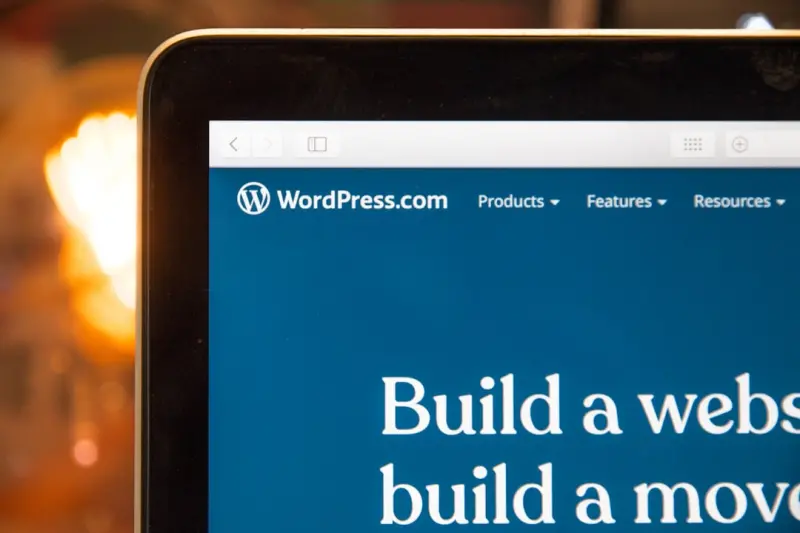
From Blog to Business Platform: How WordPress Multisite Can Power a Multi‑Tenant SaaS Experience
When I first started building sites for clients, WordPress felt like a magic wand—fast, flexible, and familiar. Over the years I’ve watched it evolve from a simple publishing tool into a robust ecosystem capable of handling everything from e‑commerce storefronts to complex internal dashboards. Yet one of its most underrated capabilities remains under‑leveraged by SaaS founders: WordPress Multisite as a foundation for multi‑tenant applications.
In this post I’ll walk you through why Multisite is a compelling choice for SaaS‑style productization, how to architect it for true tenant isolation, what tooling you need to keep performance in check, and the operational habits that turn a collection of WordPress sites into a single, cohesive business platform.
Why Multisite Deserves a Second Look
Most conversations about WordPress in the SaaS world gravitate toward headless setups, managed hosting, or using the CMS as a content hub for marketing. Those are valid strategies, but they often overlook the fact that Multisite was built from day one to manage many sites from a single codebase. In practice this means:
- Unified plugin and theme management—install or update once, roll out instantly across every tenant.
- Centralized user directory—share authentication layers, enforce global security policies, and still grant per‑tenant roles.
- Scalable resource allocation—allocate CPU, memory, or storage quotas per site without spinning up separate servers.
These advantages map directly onto the core tenets of SaaS: rapid onboarding, consistent experience, and cost‑effective scaling.
Architecting True Tenant Isolation
One of the biggest concerns when repurposing a CMS for SaaS is data leakage. A mis‑configured plugin can inadvertently expose a client’s data to another tenant. Here’s a blueprint for hardening isolation while still enjoying the efficiencies of a shared codebase:
1. Separate Database Tables per Site
WordPress already prefixes tables with the site ID (e.g., wp_2_posts). Enforce strict naming conventions and avoid plugins that create global tables without a site prefix. If you must store cross‑tenant data, keep it in a dedicated “core” database that never holds customer‑specific content.
2. Network‑Wide Salts & Keys
WordPress salts (found in wp-config.php) should be unique per network, not per site. This ensures that authentication tokens can’t be forged across tenants while still simplifying key management.
3. File System Segmentation
By default, uploads live in wp-content/uploads/sites/{site_id}. Enforce chmod 750 and use a dedicated storage bucket (e.g., S3) with per‑tenant prefixes. Pair this with signed URLs to guarantee that only authorized users can retrieve assets.
4. Role‑Based Access Controls (RBAC)
Leverage the design systems approach to define a consistent set of capabilities across tenants. Create a “Tenant Admin” role that mirrors WordPress’s administrator but is scoped to the site’s ID, preventing accidental global changes.
5. Network‑Level Firewalls
Deploy a Web Application Firewall (WAF) that inspects traffic at the network edge and blocks suspicious requests before they hit the WordPress stack. This adds a safety net against cross‑site scripting attacks that could compromise tenant boundaries.
Performance at Scale: From a Single Blog to Thousands of Sites
Running a single WordPress blog is one thing; powering a SaaS platform with dozens or hundreds of active tenants is another. Here are the performance pillars you need to fortify:
Database Sharding
When you cross a few hundred sites, a single MySQL instance can become a bottleneck. Consider sharding databases by tenant ranges (e.g., sites 1‑500 on DB A, 501‑1000 on DB B). Use WordPress’s wpdb class to dynamically select the appropriate connection based on the site ID.
Object Caching
Deploy a persistent object cache like Redis or Memcached. Cache granular pieces—menu structures, widget configurations, and query results—on a per‑tenant basis to avoid cross‑tenant cache pollution.
Edge Delivery
Static assets (CSS, JS, images) should be served via a CDN with edge caching rules that respect tenant‑specific URLs. This not only slashes load on your origin servers but also improves perceived performance for end users worldwide.
Lazy Loading & Critical CSS
Implement lazy loading for images and defer non‑essential scripts. Tools like the rapid experimentation toolkit can help you test performance tweaks across the entire network without manual rollout.
Extending Functionality with Low‑Code Power
One of the biggest draws of WordPress for SaaS teams is the ability to iterate quickly using low‑code patterns. You can create bespoke tenant features without a full development cycle by combining custom post types, block editors, and the REST API.
- Custom Post Types as SaaS Modules—Define a “Project” CPT that each tenant can use to manage their own workflow. Add meta boxes for custom fields and expose them via the REST API for integration with external tools.
- Block‑Based Page Builders—Give tenants a drag‑and‑drop editor that respects role permissions, enabling them to build landing pages or internal dashboards without developer assistance.
- REST API Namespaces—Namespace your endpoints (e.g.,
/wp-json/tenant/v1/…) to keep tenant data isolated and make third‑party integrations straightforward.
For teams that are already exploring low‑code strategies, the low‑code movement provides a wealth of patterns that translate directly into WordPress Multisite development.
Onboarding Tenants at Lightning Speed
One of the most compelling business arguments for a Multisite SaaS platform is the ability to spin up a new tenant in seconds. Here’s a step‑by‑step flow you can automate:
- Provision Site—Call
wp site createvia WP‑CLI with the tenant’s domain and admin email. - Apply Theme & Plugins—Programmatically activate a pre‑approved theme and a curated plugin bundle that includes analytics, CRM connectors, and security tools.
- Configure Settings—Inject tenant‑specific options (branding colors, default email templates) using the Options API.
- Set Up Storage—Create a dedicated S3 bucket folder and configure the media library to point to it.
- Send Welcome Email—Trigger an automated email with login credentials and a quick‑start guide.
All of these steps can be orchestrated with a simple CI/CD pipeline, turning what used to be a manual, days‑long process into a single‑click operation.
Managing Updates Without Disruption
In a single‑tenant SaaS model you can schedule maintenance windows per customer. With Multisite, you need a strategy that minimizes downtime across the entire network. Consider these tactics:
- Blue‑Green Deployments—Maintain two identical WordPress instances. Deploy updates to the idle instance, run smoke tests, then switch traffic over.
- Feature Flags—Wrap new functionality behind flags that can be toggled per tenant, allowing you to roll out changes gradually.
- Staggered Cron Jobs—Distribute background tasks (e.g., backups, analytics aggregation) across time slots to avoid resource spikes.
Real‑World Use Cases
To illustrate the power of this approach, here are three scenarios where companies have successfully turned WordPress Multisite into a SaaS engine:
1. Agency Client Portals
Marketing agencies often need to give each client a private dashboard with project updates, asset libraries, and reporting. By using Multisite, agencies can launch a new portal for a client in under a minute, enforce strict data isolation, and apply a unified design system across all portals.
2. Subscription‑Based Knowledge Bases
Education platforms sell access to premium content. A Multisite network can host each subscriber’s private knowledge base, with per‑tenant payment integrations and usage analytics, all while sharing the same content authoring tools.
3. B2B Marketplace Vendor Stores
Imagine a marketplace where each vendor runs their own storefront. Multisite lets you provision a vendor store on demand, apply marketplace‑wide policies (shipping rules, tax calculations), and still give vendors control over their branding.
Monitoring & Observability
When you’re serving many tenants, a single error can affect dozens of customers. Implementing comprehensive monitoring is non‑negotiable:
- Per‑Site Error Logging—Configure WordPress to log errors to separate files or streams identified by site ID.
- Health Checks—Run periodic WP‑CLI commands to verify database integrity, plugin versions, and filesystem permissions.
- Dashboard Alerts—Integrate with tools like PagerDuty or Opsgenie to route alerts based on tenant impact severity.
Security Best Practices for Multi‑Tenant WordPress
Security is the linchpin of any SaaS offering. Beyond the isolation techniques mentioned earlier, adopt these hardening measures:
- Enforce strong password policies and two‑factor authentication for all admin accounts.
- Run regular vulnerability scans with tools like WPScan across the entire network.
- Limit XML‑RPC and REST API exposure to authenticated requests only.
- Use a dedicated SSL certificate per tenant domain (or a wildcard certificate) to ensure encrypted traffic.
- Audit plugin code for any use of
eval()or insecure database queries.
Future‑Proofing Your Multisite SaaS
Technology evolves, and your platform must stay adaptable. Keep an eye on these emerging trends that will influence WordPress‑based SaaS offerings:
- Edge Computing—Integrate edge functions (e.g., Cloudflare Workers) for tenant‑specific personalization without hitting the origin server.
- Headless APIs—Even if you start with a traditional theme, exposing a robust GraphQL layer (via WPGraphQL) future‑proofs your data for mobile apps and third‑party integrations.
- AI‑Powered Content Generation—Leverage AI to auto‑populate tenant sites with SEO‑optimized copy, accelerating time‑to‑value.
By building on a solid Multisite foundation today, you’ll be positioned to adopt these innovations with minimal friction.
Conclusion: WordPress Multisite Is a SaaS Engine Waiting to Be Ignited
WordPress isn’t just a blogging platform—it’s a full‑stack application framework capable of supporting multi‑tenant architectures at scale. By carefully architecting isolation, optimizing performance, embracing low‑code extensibility, and instituting rigorous operational practices, you can transform a standard WordPress network into a high‑performing SaaS product that rivals purpose‑built platforms.
If you’re ready to experiment, start small: spin up a test Multisite, apply the isolation checklist, and measure performance under load. Iterate, automate, and soon you’ll have a powerful, cost‑effective SaaS engine that leverages the massive WordPress ecosystem while delivering the reliability and security your customers expect.

Alex Moss is a digital marketing professional and SEO consultant, focusing on technical and structural SEO along with product development. With more than six years of experience in various facets of digital marketing, he has assisted brands of all sizes in establishing and enhancing their online presence, as well as fostering increased product loyalty.
Related Posts

Gutenberg as a Low‑Code UI Engine for B2B SaaS Teams
A deep dive into using WordPress Gutenberg’s block system as a collaborative, low‑code UI builde... Read More
Unlocking the Power of WordPress Multisite for Scalable SaaS Solutions
Explore why WordPress Multisite offers a cost‑effective, secure, and performance‑optimized found... Read More
Headless WordPress: The Silent Engine Powering Multi‑Channel SaaS
Headless WordPress transforms the classic CMS into a flexible content service, enabling SaaS platfor... Read More
Top Posts

Drupal’s Multi‑Site Magic: Building Scalable SaaS Platforms
Drupal’s built‑in multi‑site capabilities, robust configuration management, and granular permissions make it an ideal foundation for SaaS providers lookin...Read More

Container Queries: The Unseen Engine Powering Modern SaaS Interfaces
Container queries let SaaS components adapt to their own size, not just the viewport, enabling truly modular, responsive UIs. Learn why they matter, how to impl...Read More

VPS Unlocked: How Virtual Private Servers Power Agile SaaS Growth
Virtual private servers (VPS) offer SaaS teams unparalleled control, predictable performance, and cost efficiency. This post explores why a VPS‑first strategy...Read More

Why Joomla Is the Unsung Hero for Scalable SaaS Platforms
Joomla’s mature, modular core, headless API, and built‑in multilingual capabilities offer SaaS teams a secure, flexible platform that scales globally while ...Read More
0 Comments
Post Comment
You will need to Login or Register to comment on this post!