
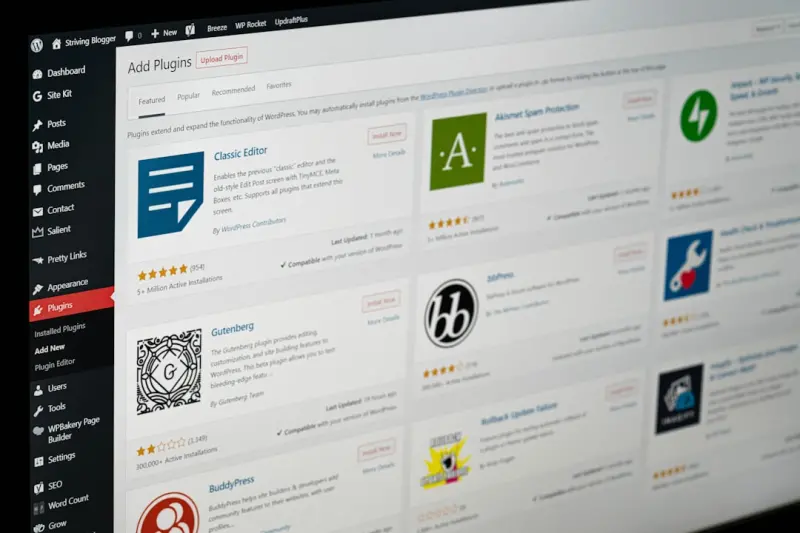
Why Managed WordPress Hosting Is the Secret Sauce for Rapid SaaS Experimentation
When I first stepped into the world of SaaS marketing, I quickly learned that speed isn’t just a nice‑to‑have—it’s a competitive imperative. Every week, a new feature lands, a fresh positioning angle emerges, and the market shifts just enough to make yesterday’s copy feel stale. If your website can’t keep up, you’re handing the win to the next agile challenger.
Enter managed WordPress hosting. It’s more than a convenient way to offload server chores; it’s a strategic platform that turns the traditionally cumbersome process of launch‑and‑test into a lean, repeatable engine for growth. In this post I’ll walk you through the three pillars that make managed WordPress hosting the catalyst for rapid experimentation: instant environments, built‑in performance layers, and developer‑first tooling. By the end, you’ll see why the smartest SaaS teams are swapping out “self‑hosted” for “managed” as the default choice for their marketing sites.
1. Instant, Isolated Environments – Test Without Fear
In a perfect world, every new landing page, headline tweak, or feature banner would spin up in a clean sandbox, get vetted by the design team, and go live with a single click. In reality, most SaaS companies juggle a single production instance, a handful of staging servers, and a mish‑mash of local dev setups. That fragmentation fuels “it works on my machine” syndrome and turns even tiny experiments into risky deployments.
Managed WordPress hosts solve this problem by offering one‑click staging and clone environments. With a few clicks you can:
- Duplicate the exact production database and file system to a private URL.
- Run A/B tests, feature flags, or full‑site redesigns without ever touching live traffic.
- Roll back instantly if a test misfires—no need to wrestle with Git, FTP, or database restores.
This isolation isn’t just a convenience; it’s a safety net that encourages boldness. Marketing teams can push design‑ops practices across the entire site, knowing that any misstep stays contained. The result? A culture of continuous, data‑driven iteration, where the cost of a “failed” test is measured in minutes, not man‑hours.
2. Performance Layers Built In – Speed as a Test Variable
Speed is a silent conversion driver. Google’s Core Web Vitals have become a ranking factor, but for SaaS marketers they’re also a direct line to qualified leads. A half‑second delay can shave off 10‑15% of sign‑ups, according to the latest benchmarks.
Managed hosts embed several performance optimizations that would otherwise require a dedicated DevOps team:
- Edge caching – Content is served from a global CDN with automatic cache purging when you publish a change.
- PHP 8+ runtime tuning – OpCache, JIT, and smart process management keep request latency low, even under traffic spikes.
- Image and asset optimization – On‑the‑fly WebP conversion, lazy loading, and minification happen without plugin bloat.
Because these layers are baked into the platform, you can treat performance as a first‑class variable in your experiments. Want to compare a 1‑second load time against a 2‑second version of a new interactive calculator? The managed host guarantees that the only difference you’re measuring is the front‑end code, not underlying server quirks.
If you’ve already read about the edge‑first web development movement, you’ll recognize that managed WordPress hosting is the practical implementation of those ideas for marketing teams. No need to assemble a custom edge stack—just flip a switch and let the platform handle the heavy lifting.
3. Developer‑First Tooling – From Git to Gutenberg in One Flow
One of the biggest misconceptions about managed WordPress is that it locks you into a “drag‑and‑drop” mindset. In truth, the most advanced providers expose the full developer workflow:
- Git integration – Push code to a repository and watch the host automatically build and deploy to your staging URL.
- CLI access – Run WP‑CLI commands for migrations, plugin updates, or database tweaks without leaving your terminal.
- Custom PHP workers – Deploy micro‑services alongside WordPress for headless API calls, all on the same host.
This flexibility means your front‑end team can continue using modern build tools (Webpack, Vite, or even the new Island Architecture patterns) while still enjoying the reliability of a managed environment. The result is a seamless loop:
- Developer writes a new Gutenberg block or React component.
- Pushes to Git; the host builds a staging site.
- Design Ops reviews the visual output in an isolated environment.
- Marketing launches an A/B test, tracking conversion lift.
- If the variant wins, a one‑click promotion pushes it to production.
This end‑to‑end pipeline reduces “hand‑off friction” that often stalls experimentation. When every stakeholder—from engineer to copywriter—can see and interact with the same live preview, decisions become data‑driven rather than opinion‑driven.
4. Cost Predictability – Scaling Experiments Without Scaling Bills
Traditional self‑hosted WordPress setups demand a constant juggle of server capacity, backup solutions, and security patches. When you add the variable of traffic spikes from a successful test, budgets can balloon quickly.
Managed WordPress hosting typically offers a tiered, usage‑based pricing model. You pay a predictable monthly fee that includes:
- Automatic scaling during peak loads (no need to over‑provision).
- Backups and disaster recovery baked in—no extra SaaS to manage.
- Security hardening that meets compliance without separate audits.
Because the cost curve is flat, you can launch multiple concurrent experiments without fearing a surprise invoice. This financial clarity encourages product teams to test more aggressively, knowing that the infrastructure budget is a known constant.
5. Real‑World Example: A SaaS Landing Page Sprint
Let’s walk through a concrete scenario. A mid‑size SaaS company wants to test three variations of its homepage hero:
- Original copy with static image.
- Video background with a concise value proposition.
- Animated SVG illustration paired with a bold CTA.
Using a managed host, the team does the following:
- Clone production into three isolated staging sites with a single click.
- Deploy assets via Git, letting the host spin up each environment in minutes.
- Configure edge caching rules for each variant, ensuring performance parity.
- Run A/B tests with a lightweight JavaScript testing library that splits traffic by URL.
- Analyze results in the analytics dashboard, measuring sign‑up conversion, bounce rate, and page load time.
Because the underlying infrastructure is identical across variants, the only variables are the creative assets and copy. After a week, the data shows the animated SVG boosts sign‑ups by 12% while maintaining sub‑second load times. With a one‑click promotion, the winning variant goes live on the production domain, and the team immediately begins iterating on the next test.
This rapid loop—from idea to live result in under ten days—is the hallmark of a growth‑engineered website, and it’s only possible when the hosting layer removes friction.
6. Getting Started: Choosing the Right Managed Host for SaaS Marketing
If you’re convinced that managed WordPress hosting can supercharge your experimentation workflow, here are the criteria to evaluate providers:
- Staging & Clone Flexibility – Ability to spin up unlimited clones with separate URLs.
- Performance Stack – Built‑in CDN, PHP 8+, and automatic asset optimization.
- Developer Integrations – Git, WP‑CLI, and SSH access.
- Security & Compliance – Managed WAF, SSL, and regular vulnerability scanning.
- Pricing Transparency – Flat monthly rates with clear overage policies.
Most providers also offer a free trial or a proof‑of‑concept period. I recommend starting with a single landing page migration, testing the staging workflow, and then scaling up as you gain confidence.
7. The Bigger Picture – Managed Hosting as a Growth Platform
In the broader SaaS ecosystem, we see a trend toward “platform‑as‑a‑service” for everything from data pipelines to customer support. Managed WordPress hosting is the natural extension of that philosophy for the front‑end. It abstracts away the operational minutiae, giving teams the freedom to focus on what matters most: messaging, design, and conversion.
When you combine the rapid environment provisioning, baked‑in performance, and developer‑first tooling, you create a virtuous cycle—more experiments lead to faster learnings, which lead to higher conversion rates, which fund even more experiments. It’s the classic growth loop, but now the loop itself is engineered for speed.
So, if your SaaS organization still relies on a monolithic, self‑managed WordPress stack, consider making the switch. The payoff isn’t just a smoother ops team; it’s a measurable lift in the velocity of your marketing engine.
Conclusion: Turn Your Site into a Continuous Experiment Lab
Managed WordPress hosting isn’t a luxury—it’s an enabler. By providing instant, isolated environments, world‑class performance, and a developer‑centric workflow, it transforms a static marketing site into a living laboratory for growth. The result? Faster experiments, clearer data, and a more nimble SaaS brand that can adapt to market shifts without missing a beat.
Ready to put your site on the fast‑track? Start with a trial, clone your homepage, and launch your first A/B test today. The only thing you’ll have to watch is the conversion curve soaring.

Dale Peterson is a freelance writer with a passion for technology, travel, law and personal finance. With 10 years of experience crafting compelling and informative content, he's dedicated to delivering high-quality writing for Blogging Fusion that engages audiences and achieves specific goals.
Related Posts

Managed WordPress Hosting: Turning Compliance Into a Competitive Advantage
Managed WordPress hosting can be the cornerstone of enterprise compliance, offering built‑in data ... Read More
Managed WordPress Hosting: The Enterprise API Engine You’ve Been Overlooking
Managed WordPress hosting turns WordPress into a reliable API engine, delivering performance, securi... Read More

Managed WordPress Hosting: The Enterprise Playbook for Scalable SaaS Experiences
Managed WordPress hosting isn’t just a convenience—it’s a strategic asset for SaaS teams seeki... Read More
Top Posts

Predictive Cloud Hosting: Turning Forecasts into Savings and Compliance
Predictive cloud hosting flips traditional scaling on its head, using telemetry, machine‑learning models, and policy‑as‑code to anticipate demand, reduce ...Read More

Why Developer Experience Is the Missing Piece in Modern DevOps
A deep dive into why developer experience matters in DevOps, how to measure it, and practical steps to build self‑service platforms, unified portals, and inte...Read More

The Rise of Conversational Commerce: SEO Strategies for Voice‑First Shopping
This article explores how voice‑first search is reshaping eCommerce SEO, offering practical tactics—from intent‑based keyword clustering to structured dat...Read More
Modular Block‑Based Themes: Future‑Proofing WordPress Design
Discover why modern block‑based themes are the foundation for a fast, collaborative, and future‑ready WordPress site, with practical tips and a proven workf...Read More
0 Comments
Post Comment
You will need to Login or Register to comment on this post!