
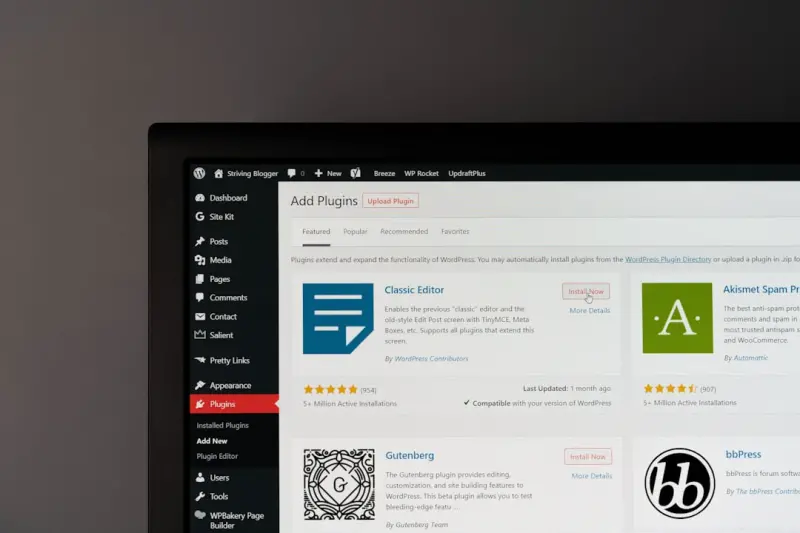
Rethinking WordPress: The Headless Leap on Managed Hosting
When I first cut my teeth on classic WordPress, the platform felt like a Swiss Army knife—versatile, but a little blunt around the edges for high‑stakes B2B projects. Fast forward to today, and the conversation has shifted from “Can WordPress handle my traffic?” to “How can I decouple its content engine while keeping the editorial magic alive?” The answer, more often than not, is a managed WordPress host that’s built for headless workloads. In this post I’ll walk you through why that combination is becoming the secret weapon for modern enterprises looking to marry the familiarity of WordPress with the performance and flexibility of a true API‑first stack.
Headless WordPress 101: What It Means for Your Stack
At its core, a headless CMS separates the content repository from the presentation layer. WordPress continues to serve as the content authoring hub, but instead of delivering HTML via the_loop, it exposes data through REST and GraphQL endpoints. Your front‑end—whether it’s React, Vue, Svelte, or a native mobile app—pulls that JSON payload and renders it wherever you need it.
- Performance gains: No PHP rendering on the critical path, which means lower TTFB and faster Time to First Paint.
- Developer autonomy: Front‑end teams can adopt the latest JavaScript frameworks without wrestling with legacy PHP themes.
- Omnichannel reach: The same content fuels web, mobile, IoT dashboards, and even voice assistants.
The Managed Host Difference: Beyond “Just a Server”
Running WordPress headless on a generic VPS feels like trying to race a sedan on a Formula 1 track. Managed WordPress hosts, however, provide a curated environment where the underlying infrastructure, security patches, and scaling mechanisms are pre‑tuned for WordPress‑specific workloads. Here’s what sets them apart:
- Zero‑downtime deploys: Integrated Git pipelines spin up isolated staging environments, run automated regression suites, and swap traffic atomically.
- Native caching layers: Server‑side object cache (Redis/Memcached) and edge CDNs are baked in, eliminating the need for a separate caching plugin stack.
- Compliance baked in: Many hosts offer SOC 2, ISO 27001, and GDPR‑ready data zones out of the box—critical for enterprises handling regulated data.
- Developer‑first tooling: CLI access, WP‑CLI, and container‑based runtimes let you spin up local replicas that mirror production exactly.
Performance at the Edge: Why Proximity Matters
One of the most compelling arguments for pairing headless WordPress with a managed host is the ability to push compute closer to your users. By leveraging edge‑first architectures, you can serve static assets from POPs worldwide while still hitting the WordPress API for fresh content. The result? Sub‑second response times even for global audiences. For a deeper dive on the edge, check out our Edge‑First Cloud Hosting guide.
Security: From Plugins to Platform‑Level Shields
Traditional WordPress sites are notorious for plugin‑driven vulnerabilities. Managed hosts mitigate this risk by:
- Maintaining a hardened OS image with regular kernel and PHP updates.
- Running WordPress core in a container that isolates each site’s runtime.
- Offering managed WAF rules tuned specifically for WordPress REST routes, protecting your API endpoints from injection and enumeration attacks.
These platform‑level safeguards free your security team to focus on business‑logic risks rather than patching a nightly blog of CVEs.
Scalability Without the Headache
When a headless front‑end makes a surge of API calls, the backend must be ready to handle the load. Managed providers typically include auto‑scaling for both the web server tier and the database layer. You can set thresholds—say, “spin up a new PHP worker when CPU exceeds 70% for five minutes”—and the host’s orchestration engine does the rest. Because the API is stateless, you also benefit from horizontal scaling without session‑sticky complexities.
Multi‑Site Management: One Dashboard, Hundreds of Brands
Enterprises often run dozens of microsites—regional branches, product lines, partner portals. A managed host’s multi‑site console lets you provision new WordPress instances in minutes, apply global security policies, and push shared plugins or themes across the fleet. Coupled with a headless approach, you can expose a unified content graph while still preserving brand‑specific front‑ends.
CI/CD for Content‑Driven Apps
Modern devops pipelines treat content as code. With managed hosts, you can tie your Git repository to WordPress’s wp-cli commands, automating tasks such as:
- Running
wp theme activateandwp plugin installduring deployment. - Executing database migrations via
wp db importon a staging clone. - Running automated API contract tests (e.g., using Postman/Newman) to validate that your GraphQL schema still matches front‑end expectations.
This end‑to‑end automation reduces manual errors and ensures that content updates never break the consumer experience.
Real‑World Use Cases
To illustrate the impact, let’s explore three scenarios where headless WordPress on a managed host shines:
- Global B2B portal: A multinational manufacturer publishes product manuals, compliance documents, and localized marketing copy. By decoupling, they serve a React SPA that pulls content via GraphQL, while the managed host guarantees sub‑second latency across continents.
- Embedded SaaS dashboard: A SaaS platform embeds WordPress‑author‑generated help articles directly into its UI. The headless API delivers markdown‑ready content that the front‑end renders in real time, ensuring support teams can publish updates without a code release.
- Headless e‑learning hub: An enterprise training department curates courses in WordPress, then streams them via a native mobile app built in Flutter. The managed host’s auto‑scaling accommodates exam‑season spikes without a single hiccup.
Cost Considerations: The True TCO of Headless on Managed
It’s tempting to compare the monthly price tag of a managed host against a cheap VPS. However, the total cost of ownership (TCO) includes developer time saved, reduced downtime, and the value of built‑in security and compliance. When you factor in the expense of building a custom caching layer, managing SSL at scale, and hiring a dedicated sysadmin team, the managed solution often emerges as the more economical choice.
If you need a deeper financial breakdown, our Decoding the Real Cost of Cloud Hosting piece walks through the hidden line items that can surprise even seasoned CTOs.
Choosing the Right Managed Host for Headless WordPress
Not all managed WordPress providers are created equal. Here’s a quick checklist to ensure you pick a partner that truly supports a headless workflow:
- API performance SLAs: Look for guarantees on response times for REST/GraphQL endpoints.
- Edge integration: Native CDN and edge‑function support for prerendering and ISR (Incremental Static Regeneration).
- Git‑based deployments: Ability to connect a repo and trigger automated builds.
- Database options: Managed MySQL/MariaDB with read‑replica scaling, or the option to offload to a dedicated DBaaS.
- Support for headless plugins: Compatibility with WPGraphQL, WP REST API extensions, and authentication mechanisms like JWT.
Best Practices: Getting the Most Out of Your Headless Stack
Below are the top recommendations I’ve gathered from years of consulting on large‑scale WordPress migrations:
- Cache at the edge, not just the origin. Use stale‑while‑revalidate strategies to keep API responses fresh without hitting the database on every request.
- Version your GraphQL schema. Treat it like a public API—publish changelogs, deprecate fields gracefully, and use tooling like Apollo Federation if you have multiple micro‑services.
- Separate content editing and delivery environments. Keep a staging site for content preview, then push approved content to production via an API call that invalidates the CDN cache.
- Monitor both API latency and front‑end performance. Tools like New Relic or Datadog can trace the full request path, highlighting bottlenecks in the WordPress layer versus the edge.
- Automate security scanning. Incorporate WPScan into your CI pipeline to catch plugin vulnerabilities before they reach production.
Future‑Proofing: What’s Next for Headless WordPress?
The ecosystem is evolving fast. Expect tighter integration with serverless functions, where you can offload expensive image processing or personalization logic to on‑demand compute. Also, the rise of Jamstack static site generators that pull from WordPress (e.g., Gatsby, Next.js) will continue to blur the line between fully static and dynamic content, making the role of a managed host even more pivotal as the orchestrator of that hybrid model.
Conclusion: The Competitive Edge You’ve Been Missing
If you’re still treating WordPress as a monolithic blog platform, you’re leaving performance, security, and developer velocity on the table. By migrating to a managed host that embraces headless architectures, you unlock a new tier of enterprise‑grade capabilities—global latency reductions, automated scaling, and a developer experience that matches the agility of modern SaaS products. In short, it’s not just a hosting upgrade; it’s a strategic shift that aligns your content engine with the rapid, API‑first world your customers expect.

Alex Moss is a digital marketing professional and SEO consultant, focusing on technical and structural SEO along with product development. With more than six years of experience in various facets of digital marketing, he has assisted brands of all sizes in establishing and enhancing their online presence, as well as fostering increased product loyalty.
Related Posts
Managed WordPress Hosting: The Strategic Engine Driving SaaS Success
Managed WordPress hosting provides SaaS teams with auto‑scaling performance, enterprise‑grade se... Read More
Managed WordPress Hosting: The Experimentation Engine Your SaaS Needs
Learn why managed WordPress hosting is the ideal platform for fast, secure, and cost‑effective exp... Read More

Why Managed WordPress Hosting Is the Secret Weapon for Scaling SaaS Landing Pages
A deep dive into how managed WordPress hosting transforms SaaS landing pages by delivering performan... Read More
Top Posts

Building a Disaster‑Recovery Site on a VPS
A step‑by‑step guide shows how a VPS can serve as a live, low‑cost disaster‑recovery site for SaaS, covering networking, replication, automation, and se...Read More

Unlocking the Power of Structured Data for eCommerce SEO Dominance
This guide reveals why structured data is essential for eCommerce SEO, details the key schema types to implement, and provides a scalable, headless‑ready work...Read More

Unlocking the Hidden Power of Managed WordPress Hosting for Seasonal Traffic Surges
Seasonal traffic spikes can cripple a site, but with the right Managed WordPress Hosting—featuring predictive autoscaling, layered caching, and robust observa...Read More

Joomla Goes Headless: Powering Modern SaaS Experiences
Discover how to transform Joomla into a headless content service for SaaS, covering architecture, migration steps, performance tricks, security, and real‑worl...Read More
0 Comments
Post Comment
You will need to Login or Register to comment on this post!