
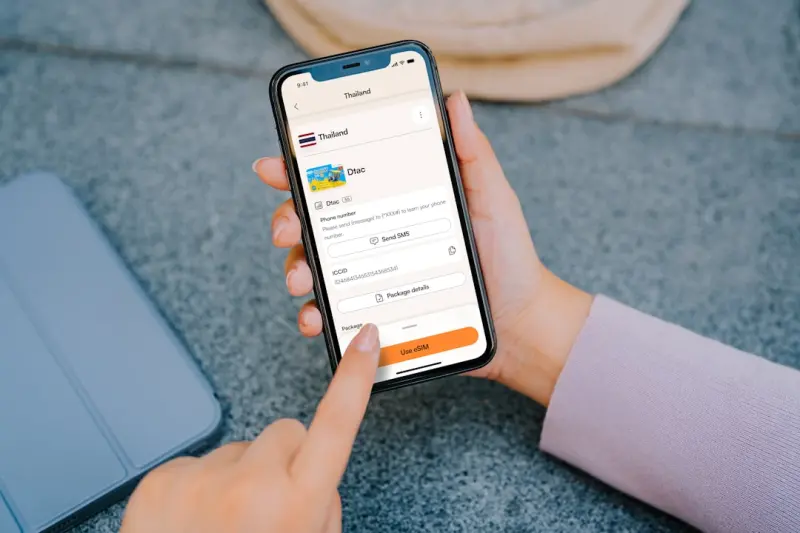
From Mobile Web to Mobile‑First Apps: The PWA Revolution
When I first started building web experiences for enterprise SaaS, my mantra was “desktop first, mobile later.” The logic was simple: power users logged in from laptops, and the UI could afford the luxury of complex dashboards. Fast‑forward a few releases, and the analytics tell a different story—over 70% of session time now comes from phones and tablets. That pivot forced me to rethink how we deliver value on the smallest screen.
Enter Progressive Web Apps (PWAs). Not a buzzword, but a concrete set of browser capabilities that let a web page behave like a native app: offline access, push notifications, home‑screen installation, and near‑instant loading. For a SaaS product, that translates into higher engagement, lower churn, and a competitive edge against native‑only rivals. In this post I’ll walk through the practical steps my team takes to turn a traditional responsive site into a full‑blown PWA that feels at home on any mobile device.
Why PWAs Matter for Mobile SaaS
There are three core business drivers that make PWAs compelling:
- Performance gains. Service workers cache assets and API responses, cutting round‑trip latency to a few milliseconds. Users report faster perceived load times, which directly correlates with conversion rates.
- Retention through native‑like features. Push notifications remind users of pending tasks, billing alerts, or new data insights—without the friction of an app store install.
- Cost efficiency. One codebase serves both web and “app” experiences, eliminating the need for separate iOS/Android development tracks.
These benefits echo the performance narrative we champion in JavaScript Meets WebAssembly. While WebAssembly accelerates heavy computation, PWAs accelerate the entire user journey from the moment a finger taps the icon.
Step 1: Audit Your Existing Mobile Experience
Before you throw a manifest file at your site, run a rigorous audit:
- Core Web Vitals. Focus on Largest Contentful Paint (LCP) under 2.5 seconds, First Input Delay (FID) under 100 ms, and Cumulative Layout Shift (CLS) under 0.1. These metrics are the baseline for any PWA.
- Network reliability. Simulate 3G/4G throttling and offline mode to see which assets break.
- Touch ergonomics. Verify that interactive elements meet a minimum 48 px target size and that scrolling is buttery smooth.
Document the gaps in a shared spreadsheet, assign owners, and treat each gap as a ticket in your sprint backlog. This systematic approach prevents “feature creep” and keeps the PWA effort grounded in measurable outcomes.
Step 2: Add the Web App Manifest
The manifest is a tiny JSON file that tells the browser how your app should appear when installed. A minimal example looks like this:
{
  "name": "Acme Insight",
  "short_name": "Insight",
  "start_url": "/dashboard",
  "display": "standalone",
  "background_color": "#ffffff",
  "theme_color": "#0066ff",
  "icons": [
    {"src": "/icons/192.png", "sizes": "192x192", "type": "image/png"},
    {"src": "/icons/512.png", "sizes": "512x512", "type": "image/png"}
  ]
}
Key fields:
- display set to
standaloneremoves the browser UI, giving the feel of a native app. - start_url should be a deep link that lands the user on a meaningful page—often a dashboard or recent activity feed.
- theme_color influences the status bar color on Android, reinforcing brand consistency.
Once the manifest is linked in your <head>, Chrome and Edge will automatically surface an “Add to Home Screen” prompt once the service worker is active.
Step 3: Service Workers—Your Offline Superhero
A service worker is a background script that intercepts network requests. It gives you three powerful patterns:
- Cache‑First for static assets. Pre‑cache CSS, JS bundles, and icons during the install phase.
- Network‑First for API calls. Try the network; if it fails, fall back to a cached response, ensuring users can still view their last known data.
- Background Sync. Queue up POST requests while offline and replay them when connectivity returns.
Here’s a skeleton service worker that illustrates the two primary strategies:
self.addEventListener('install', event => {
  event.waitUntil(
    caches.open('static-v1').then(cache => {
      return cache.addAll([
        '/',
        '/styles/main.css',
        '/scripts/app.js',
        '/icons/192.png'
      ]);
    })
  );
});

self.addEventListener('fetch', event => {
  const { request } = event;
  if (request.destination === 'document') {
    // Network‑first for HTML pages
    event.respondWith(
      fetch(request).catch(() => caches.match(request))
    );
  } else {
    // Cache‑first for everything else
    event.respondWith(
      caches.match(request).then(cached => cached || fetch(request))
    );
  }
});
Deploying a service worker is not a “set‑and‑forget” task. You must version caches, handle updates gracefully, and monitor for edge‑case bugs. Our team uses the patterns described in Edge‑First Node.js to spin up lightweight API endpoints that serve as fall‑back data sources for offline sync, keeping the experience consistent across regions.
Step 4: Push Notifications—Re‑engage on the Go
Push is the most potent PWA feature for SaaS, where timely alerts drive user actions. The flow looks like this:
- Ask the user for permission via
Notification.requestPermission(). - Subscribe the browser to a push service using
PushManager.subscribe(), which returns an endpoint URL and cryptographic keys. - Store the subscription on your backend and tie it to the user record.
- When a business event occurs (e.g., a report is ready), send a POST to the push service with a payload.
Remember to keep payloads under 4 KB, as browsers enforce strict size limits. Also, respect user preferences—provide a granular UI where users can toggle the types of notifications they receive.
Step 5: Optimize the Critical Rendering Path
Even with a service worker, the first load matters. Apply these tactics:
- Inline critical CSS. Extract the CSS required for above‑the‑fold content and embed it directly in the HTML head.
- Defer non‑essential JavaScript. Use
type="module"withdeferto let the browser parse HTML while the script downloads. - Lazy‑load images. Leverage the
loading="lazy"attribute or an IntersectionObserver to fetch images only when they enter the viewport. - Serve modern image formats. WebP and AVIF dramatically reduce byte size on mobile networks.
These techniques align with the performance philosophy we champion in the WebAssembly article, where shaving off milliseconds has a compounding effect on user satisfaction.
Step 6: Native‑Like Navigation with the History API
One common criticism of PWAs is that they feel “webby” when navigating between pages. The solution is to adopt a single‑page application (SPA) shell that handles routing via the History API. This gives you:
- Instant page transitions, because the shell stays loaded.
- Fine‑grained control over scroll restoration, mimicking native back‑stack behavior.
- Ability to pre‑fetch data for the next view while the user reads the current one.
If you’re already using a framework like React, Vue, or Svelte, the shift is minimal—just wrap your routes in a <Router> component and ensure each route updates the PWA manifest’s start_url for deep linking.
Step 7: Testing, Monitoring, and Continuous Improvement
Launching a PWA is not the end; it’s the beginning of an iterative loop:
- Automated Lighthouse CI. Integrate Lighthouse scores into your CI pipeline. Fail builds if LCP exceeds 2.5 seconds or if the PWA checklist isn’t 100% met.
- Real‑User Monitoring (RUM). Capture field data on service worker activation, cache hit ratios, and push delivery success rates.
- Feedback loops. Embed an in‑app “Report a problem” button that sends logs to your observability stack, so you can surface edge‑case bugs that only appear on flaky cellular networks.
This observability mindset mirrors the approach in our Observability‑First guide, where data drives product decisions.
Step 8: Deploying at Scale with Edge Functions
While service workers handle client‑side caching, server‑side latency still matters for API calls. Deploying your API endpoints to edge locations (e.g., Cloudflare Workers, Vercel Edge Functions) reduces round‑trip time dramatically for mobile users spread across continents.
Edge functions also simplify authentication flows: you can verify JWTs at the edge before the request hits your origin, protecting your backend and shaving off precious milliseconds.
Step 9: Embrace a Mobile‑First Design System
Design systems built for desktop often suffer on small screens—over‑spaced grids, dense data tables, or hover‑only interactions. A mobile‑first design system starts with:
- Scalable typography that respects the user’s default text size.
- Touch‑optimized components: larger tap targets, swipe gestures for navigation, and collapsible sections for secondary information.
- Dark mode considerations (even if you don’t ship a dedicated dark theme, respecting the OS preference reduces visual friction).
By codifying these patterns, you ensure that every new feature inherits a mobile‑centric DNA, reducing rework later on.
Step 10: Measure Success and Iterate
After the PWA goes live, track these business KPIs for at least a month:
- Installation rate. Percentage of visitors who add the app to their home screen.
- Engagement lift. Session duration and daily active users compared to the pre‑PWA baseline.
- Retention improvement. Churn rate for users who have installed the PWA versus web‑only users.
- Performance delta. Average LCP and FID before vs. after service worker deployment.
If any metric underperforms, double‑click on the underlying cause—perhaps the cache strategy needs tweaking, or push notification cadence is too aggressive. The key is to treat the PWA as a living product, not a one‑off launch.
Conclusion: PWAs Are Not a Fancy Add‑On, They’re a Mobile Strategy
For SaaS teams, the mobile web is no longer an afterthought. Users demand speed, reliability, and the immediacy of native apps, but they also resist the friction of app‑store downloads. PWAs give you the best of both worlds: a single codebase, zero‑install onboarding, and performance that rivals native. By following the roadmap above—manifest, service workers, push, edge APIs, and a mobile‑first design system—you can transform a conventional responsive site into a competitive, app‑like experience that drives real business outcomes.

Alex Moss is a digital marketing professional and SEO consultant, focusing on technical and structural SEO along with product development. With more than six years of experience in various facets of digital marketing, he has assisted brands of all sizes in establishing and enhancing their online presence, as well as fostering increased product loyalty.
Related Posts
Server‑Driven UI: A New Playbook for Lightning‑Fast Mobile Web Apps
Server‑driven UI shifts UI logic to the backend, delivering lightweight, adaptable interfaces that... Read More

Mobile‑First Performance Budgets Meet Adaptive Rendering
Performance budgets and adaptive rendering are the new north star for mobile SaaS, ensuring fast, re... Read More

Mobile‑First Composability: Building Faster, Smarter Web Apps for Any Device
Mobile‑first composability breaks monolithic bundles into reusable components, data contracts, and... Read More
Top Posts

Event‑Driven Architecture: The Competitive Edge SaaS Teams Are Missing
This post explains why moving from monolithic request‑response models to event‑driven architecture gives SaaS companies faster experiments, higher resilienc...Read More

Why Sustainable Cloud Hosting Isn’t Just a Buzzword for SaaS
Sustainable cloud hosting goes beyond marketing hype—it's a financial and competitive advantage. Discover practical steps, real‑world case studies, and futu...Read More

Headless WordPress: Unlocking Decoupled Front‑Ends for Modern Enterprises
Explore the benefits of using WordPress as a content hub and delivering it via modern JavaScript frameworks, with practical migration steps and best‑practice ...Read More

AI‑Powered Generative Design: Redefining Web Design for SaaS Companies
AI‑powered generative design is accelerating SaaS web design by delivering high‑fidelity concepts in minutes, while design tokens and data‑driven prompts ...Read More
0 Comments
Post Comment
You will need to Login or Register to comment on this post!