

When I first started tinkering with WordPress as a hobbyist, I never imagined it would become the backbone of my SaaS product’s extension ecosystem. Over the past few years, the platform has quietly evolved from a blogging engine into a versatile, low‑code playground that lets product teams ship features faster, iterate with non‑technical stakeholders, and keep costs under control. In this post I’ll walk you through why WordPress is uniquely positioned to serve as an extension hub for SaaS applications, how to set it up for maximum security and performance, and the practical steps you can take today to start leveraging its Gutenberg block editor, REST API, and plugin architecture.
From Static Site to Dynamic Extension Platform
Most SaaS founders think of WordPress as a content‑management system (CMS) that powers marketing sites. That’s only half the story. The core of WordPress is a robust plugin ecosystem and a RESTful API that can expose any piece of data stored in the database. By decoupling the “front‑end” (your SaaS UI) from the “back‑end” (WordPress), you get a headless setup that can serve as a sandbox for rapid feature prototyping.
Imagine you need a custom reporting dashboard for a handful of enterprise customers. Rather than building a full‑blown module inside your main codebase, you can spin up a WordPress plugin that pulls data via the SaaS API, renders it using Gutenberg blocks, and then embed the result in an iframe or as a micro‑frontend. The benefit is two‑fold:
- Speed: Developers can leverage existing WordPress hooks and functions instead of writing everything from scratch.
- Flexibility: Non‑technical product managers can edit layouts, add new sections, or adjust styling using the block editor, all without a pull request.
Why WordPress Beats a Custom Admin Panel
Building a custom admin panel for every new feature quickly becomes a maintenance nightmare. WordPress already solves many of the problems you’d otherwise reinvent:
- User Management: Roles, capabilities, and two‑factor authentication are baked in.
- Versioning & Rollbacks: Plugins can be version‑controlled, and you can revert to a previous state with a single click.
- Internationalization: Out‑of‑the‑box support for multilingual content, which is a boon for SaaS products with global customers.
- Extensible REST API: Every custom post type, taxonomy, or meta field can be exposed as an endpoint, letting your main SaaS app consume or push data seamlessly.
These capabilities are why many forward‑thinking SaaS teams are treating WordPress as a low‑code extension hub rather than a mere marketing site.
Setting Up a Secure, Scalable WordPress Instance
Security is the first question that pops up when you consider adding WordPress into your stack. The good news is that with a few disciplined steps you can achieve a security posture that aligns with enterprise standards.
- Isolate the Instance: Deploy WordPress on its own container or virtual machine. Use a dedicated database user with minimal privileges.
- Apply Hardened Hosting Practices: Follow the guidance from the shared hosting sweet spot article to pick a provider that offers automated backups, firewall rules, and DDoS mitigation.
- Enable HTTPS Everywhere: Use Let’s Encrypt or a managed certificate to encrypt both inbound and outbound traffic.
- Limit Plugin Surface Area: Only install plugins that are actively maintained. For custom extensions, keep the codebase under version control and run automated security scans.
- Use a Web Application Firewall (WAF): Many cloud providers offer a WAF that can block common WordPress exploits such as XML‑RPC attacks.
Once the foundation is solid, you can focus on performance. WordPress isn’t known for raw speed, but with modern techniques it can rival purpose‑built SaaS back‑ends.
Performance Tricks That Make WordPress SaaS‑Ready
Performance matters for two reasons: user experience and cost. Here are three proven tactics:
- Object Caching with Redis or Memcached: Store API responses, query results, and rendered blocks in memory to avoid repetitive database hits.
- Edge Delivery via CDN: Serve static assets (CSS, JS, images) from a CDN, and consider using WebAssembly for compute‑heavy client‑side tasks like chart rendering.
- Lazy Loading Gutenberg Blocks: Only render blocks when they become visible on the screen, reducing initial payload.
When you combine these techniques with the reinventing content management mindset—treating WordPress as a distributed micro‑service rather than a monolith—you get a truly agile extension platform.
Real‑World Use Cases
Below are three scenarios where SaaS companies have successfully integrated WordPress as an extension engine.
1. Customer‑Facing Knowledge Bases
Instead of building a bespoke help center, many SaaS firms deploy a WordPress multisite network. Each customer gets a sub‑site where you can tailor documentation, tutorials, and community forums. Permissions are managed at the site level, keeping data isolated while sharing the same codebase.
2. Embedded Marketing Campaigns
When launching a new feature, marketing teams often need landing pages that pull live data from the SaaS product (e.g., usage stats, testimonials). By creating a custom Gutenberg block that calls the SaaS API, marketers can assemble pages in minutes, without waiting for dev resources.
3. Custom Integrations Marketplace
Some SaaS platforms expose an “extensions marketplace” where partners can list add‑ons. WordPress can serve as the storefront, handling product listings, reviews, and even licensing via plugins like WooCommerce. The actual integration code lives in separate micro‑services, but the WordPress front‑end provides a familiar UI for end users.
Best Practices for Ongoing Maintenance
Adding WordPress to your stack is not a set‑and‑forget operation. Here’s a checklist to keep the system healthy:
- Automated Updates: Enable automatic minor updates for core, themes, and plugins. Schedule major version upgrades during low‑traffic windows.
- Continuous Integration (CI): Run unit tests and static analysis on every plugin commit. Tools like PHPUnit and PHPStan can catch regressions early.
- Observability: Instrument WordPress with logging and metrics. Capture request latency, error rates, and database query times. This aligns with the broader JavaScript observability strategy you may already have for your SaaS front‑end.
- Backup & Disaster Recovery: Maintain daily snapshots of the database and file system, stored in a separate region.
Getting Started in 5 Steps
- Provision a Dedicated Environment: Use a cloud VM or container with hardened OS settings.
- Install WordPress Core: Follow the official quick‑install guide, ensuring you select the “Multisite” option if you need tenant isolation.
- Develop a Boilerplate Plugin: Scaffold a plugin that registers a custom post type for your SaaS data, adds REST endpoints, and bundles a Gutenberg block.
- Connect to Your SaaS API: Use OAuth2 or API keys to authenticate. Cache responses for 5‑15 minutes to reduce load.
- Deploy and Iterate: Push the plugin to a private repo, set up CI, and release the first version to a staging environment. Gather feedback from product, marketing, and support teams, then iterate.
By the time you’ve completed these steps, you’ll have a functional extension hub that empowers both developers and non‑technical contributors to add value to your SaaS offering without bloating the main codebase.
Conclusion: A Strategic Advantage Worth Exploring
WordPress’s evolution from a simple blog platform to a full‑featured application framework makes it an unexpected yet powerful ally for SaaS companies seeking rapid, low‑code extensibility. With the right security hardening, performance optimizations, and a disciplined development workflow, you can turn WordPress into a cost‑effective extension marketplace, a dynamic knowledge base, or a sandbox for experimental features.
If you’ve been skeptical about mixing WordPress with your SaaS stack, I encourage you to run a small pilot: pick a low‑risk feature, build it as a WordPress plugin, and measure the time‑to‑market versus a traditional development path. You’ll likely be surprised at the speed gains and the collaborative flexibility you gain.
In the fast‑moving SaaS world, the ability to iterate quickly while maintaining security and performance is a competitive moat. WordPress, when used thoughtfully, can be the hidden lever that gives you that edge.

Dale Peterson is a freelance writer with a passion for technology, travel, law and personal finance. With 10 years of experience crafting compelling and informative content, he's dedicated to delivering high-quality writing for Blogging Fusion that engages audiences and achieves specific goals.
Related Posts
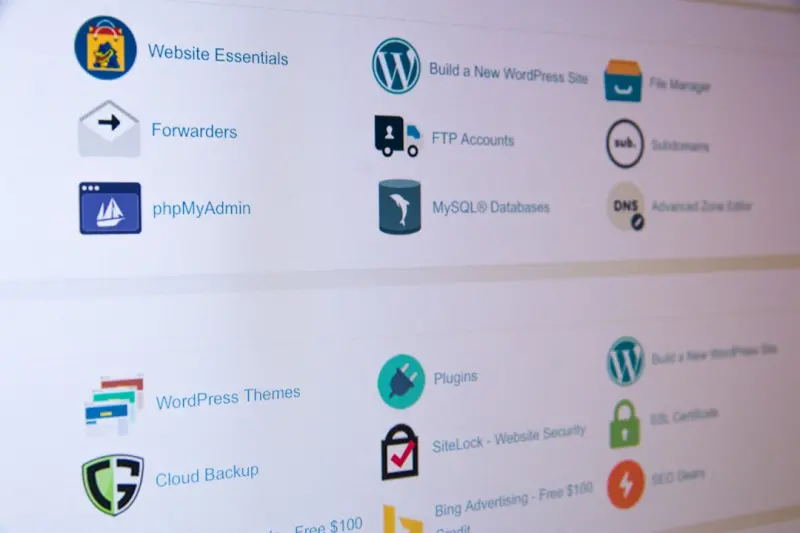
WordPress as a Multi‑Tenant Integration Hub for Enterprise SaaS
WordPress can serve as a powerful, secure, and scalable integration hub for enterprise SaaS, offerin... Read More
Building a Scalable Knowledge Base on WordPress with Serverless Power
Discover a step‑by‑step guide to turning WordPress into a high‑performance, serverless knowled... Read More
Headless WordPress: Unlocking Decoupled Front‑Ends for Modern Enterprises
Explore the benefits of using WordPress as a content hub and delivering it via modern JavaScript fra... Read More
Top Posts

The Quiet Power of Multi‑Cloud Service Meshes
A service mesh provides a unified, zero‑trust network layer across providers, delivering consistent security, observability, and cost savings for multi‑clou...Read More

Micro‑Frontends in JavaScript for Scalable SaaS UI
Micro‑frontends break the monolithic UI into independent JavaScript modules, enabling SaaS teams to release features faster, keep codebases clean, and deliver...Read More

Context‑Aware Mobile Web: Adaptive Strategies for Real‑World Users
A fresh look at mobile web development that moves beyond responsive design, focusing on context‑aware assets, adaptive bundling, and resilient service workers...Read More

Design Systems & Micro‑Interactions: Crafting Consistent Enterprise Web Experiences
A deep dive into building a living design system and intentional micro‑interactions that unify fragmented UI, boost accessibility, and streamline development ...Read More
0 Comments
Post Comment
You will need to Login or Register to comment on this post!