

Why WordPress Is the Perfect Low‑Code Integration Hub for SaaS Teams
When I first started tinkering with WordPress back in the early days, I saw it as a pretty straightforward blogging platform. Fast forward a few years, and the same core that powers a quarter of the web is now a surprisingly capable integration layer for SaaS products. If you’ve ever felt the friction of building custom admin portals, syncing data across micro‑services, or delivering client‑facing documentation on the fly, you’ll appreciate why I’ve begun championing WordPress as a low‑code integration hub.
From Content Engine to Service Orchestrator
The magic starts with the managed WordPress hosting ecosystem that has matured far beyond simple page rendering. Modern hosts give you automatic SSL, edge caching, and one‑click scaling—features that were once the exclusive domain of heavyweight PaaS solutions. Pair that with the REST API and GraphQL extensions that ship out of the box, and you have a fully fledged service endpoint that can be called from any language.
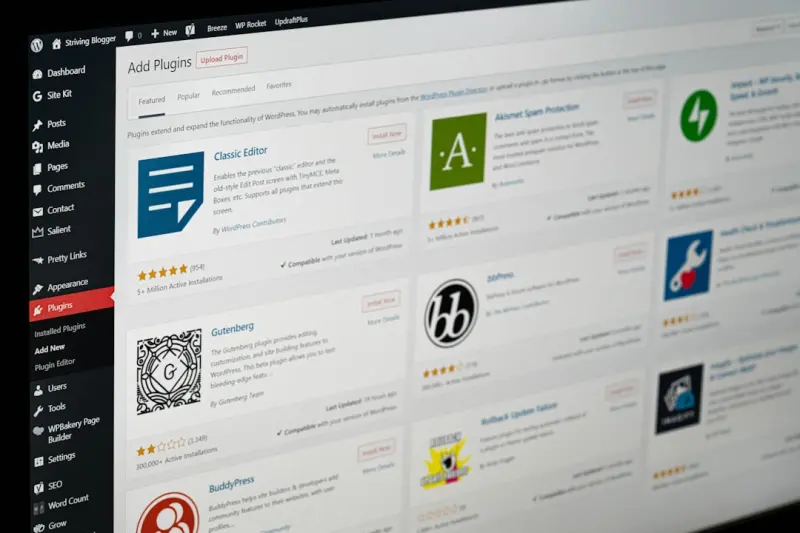
What makes WordPress especially attractive is its plugin architecture. Every integration you need—OAuth, webhook dispatchers, even a full‑blown queue consumer—can be dropped in as a plugin, configured through a UI that non‑engineers can understand, and versioned alongside your site code. In practice, this means your product team can spin up a new “feature toggle” page in under an hour, rather than allocating weeks of dev time.
Designing the Integration Layer: A Step‑by‑Step Blueprint
- Define the data contract. Start with a simple JSON schema that describes the payload your SaaS expects. WordPress’s register_rest_route function lets you expose that contract as a clean endpoint.
- Secure the endpoint. Leverage existing authentication plugins (JWT, OAuth2) or roll your own using
wp_nonce. Because the request flow stays within the WordPress request lifecycle, you get CSRF protection and session handling for free. - Map to native objects. Use custom post types (CPTs) as data stores. A “Customer” CPT can hold subscription metadata, while a “Ticket” CPT can double as a support ticket system. The native UI for CPTs means your ops team can edit records without touching a database console.
- Orchestrate with action hooks. WordPress’s
do_actionandadd_actionAPIs let you fire off downstream processes—think sending a Slack notification, kicking off a background job in AWS Lambda, or updating a Stripe invoice. - Monitor and iterate. Plug in an observability solution (the AI‑augmented observability post has a great walkthrough) to capture request latency, error rates, and payload validation failures. Because everything lives in WordPress, you can add a dashboard widget to surface health metrics directly in the admin.
Real‑World Use Cases That Showcase the Power
Customer‑Facing Documentation Portals. Instead of building a separate knowledge base, you can repurpose WordPress’s block editor to author articles, embed code snippets, and even generate dynamic tables that pull live data from your SaaS APIs. The result is a single source of truth that your support team can update without opening a ticket with dev.
Partner Onboarding Workflows. Imagine a new channel partner needs to register, upload branding assets, and configure pricing tiers. A custom CPT for “Partner” coupled with a multi‑step form plugin can capture all that information, trigger a webhook to your billing system, and automatically provision a sandbox environment—all without writing a line of backend code.
Feature Flag Management. Use WordPress’s taxonomy system to tag customers with feature flags. A simple GET /wp-json/myplugin/v1/flags?customer_id=123 call returns a JSON map that your front‑end can consume to toggle UI components in real time.
Balancing Flexibility and Governance
One of the biggest concerns when turning a CMS into an integration hub is governance. You don’t want “anyone can add a webhook that blasts your production database”. The solution lies in role‑based access control (RBAC). WordPress already ships with a robust capabilities system—just extend it with a plugin that defines granular permissions like manage_integrations or view_api_logs. Pair this with an audit‑log plugin, and you have a full compliance trail that satisfies security auditors.
Performance Tips for a Scalable Integration Layer
Even though WordPress abstracts away a lot of the plumbing, you still need to think about performance when you start handling high‑throughput API traffic. Here are the tweaks that have saved me countless milliseconds:
- Object caching. Enable a persistent cache like Redis or Memcached. Most managed hosts provide this out of the box, and the
wp_cache_set/wp_cache_getfunctions make it trivial to cache API responses. - Edge CDN for static assets. Offload images, CSS, and JavaScript to a CDN. This reduces the load on your origin server and improves latency for global users.
- Lazy‑load heavy plugins. Use the
plugins_loadedhook to defer loading of plugins that are only needed for certain API routes. This keeps the core request path lean. - Rate limiting. Implement a simple rate‑limit middleware using the
rest_pre_dispatchfilter. Return a429 Too Many Requestswhen the client exceeds your threshold.
Choosing the Right Theme Isn’t Just About Looks
While the visual layer of WordPress often gets the spotlight, the theme you pick can affect integration performance. A theme that enqueues a massive amount of CSS or JavaScript on every request will balloon your API latency. The strategic playbook for choosing WordPress themes in SaaS article dives deep into how to evaluate a theme’s footprint, but the key takeaway for integration hubs is simple: go minimal, or better yet, build a custom “blank” theme that only loads what you need for the admin UI.
Future‑Proofing: Headless, Serverless, and Beyond
The WordPress community is already pushing the envelope with headless deployments—decoupling the front‑end entirely while keeping WordPress as a content and API source. When you combine a headless front‑end (React, Vue, Svelte) with serverless functions that call back into your WordPress API, you get a truly elastic architecture. Your integration hub scales automatically, you pay only for what you use, and you can iterate on the UI without risking core stability.
Wrapping Up: A Pragmatic Call to Action
If you’ve been building SaaS products for a while, you know the hidden cost of “custom integrations”: endless tickets, brittle code, and a constant battle to keep everything in sync. WordPress, with its mature ecosystem, low‑code UI, and extensible API surface, offers a practical alternative that lets you focus on delivering value rather than plumbing.
Give it a spin. Spin up a fresh managed WordPress instance, enable the REST API, and try exposing a simple /orders endpoint that reads from a custom post type. Add a webhook plugin that posts each new order to your internal Slack channel. In a single afternoon you’ll have a functional integration that would have taken weeks to code from scratch.
Remember, the goal isn’t to replace your existing back‑end entirely—it’s to augment it with a flexible, user‑friendly layer that your entire organization can own. That’s the sweet spot where WordPress shines for SaaS teams.

Shawn DesRochers is a certified Microsoft technician and Programmer with 30+ year's experience. He has written many reviews on computer related products, software, and SEO related topics. When he's not writing reviews he can be found at one of the Oldest Directories Online Invision Graphics Directory which he is the CEO of. Shawn is a FULL Stack Web Developer. So if you have a project and need assistance dont hesitate to reach out.
Related Posts

WordPress as a Low‑Code Extension Hub for SaaS Teams
Learn why WordPress is becoming a strategic low‑code extension hub for SaaS, covering security, pe... Read More
WordPress as the Enterprise Knowledge Hub: Edge Performance, Personalization, and Governance
Learn why WordPress is the ideal foundation for an enterprise knowledge hub, offering custom content... Read More

Scaling B2B Content at Enterprise Speed with WordPress Multisite
WordPress Multisite transforms scattered B2B sites into a unified, governed, and high‑performance ... Read More
Top Posts
The Strategic Power of Performance‑First WordPress Themes for B2B SaaS
A deep dive into why WordPress themes should be treated as strategic assets—covering performance budgets, data‑driven customization, accessibility, and vers...Read More

Taming the Beast: How Node.js Worker Threads Supercharge SaaS Performance
A deep dive into Node.js worker threads shows SaaS teams how to offload CPU‑intensive work, maintain low latency, and simplify architecture while staying with...Read More

Design Ops: Turning Creative Vision into Scalable Web Experiences
Design Ops transforms fragmented design workflows into a systematic, data‑driven process, enabling faster releases, consistent branding, and built‑in access...Read More

Beyond the Cart: Crafting a Post‑Purchase Loyalty Engine
The real growth engine in e‑commerce lives after the checkout. This post reveals a three‑pillar framework—experience amplification, community integration,...Read More
0 Comments
Post Comment
You will need to Login or Register to comment on this post!