
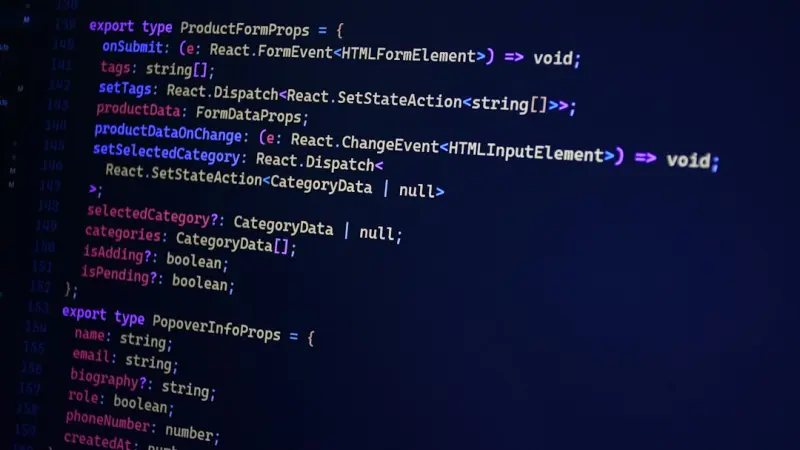
Why AI‑Enhanced WordPress Themes Are the Game‑Changer SaaS Brands Have Been Waiting For
When I first cut my teeth on WordPress, the biggest headache was juggling static templates, custom CSS, and a mountain of plugins that promised flexibility but delivered bloat. Fast‑forward to today, and the platform has morphed into a robust canvas that can power everything from corporate blogs to complex SaaS portals. Yet, the real transformation is happening under the hood: artificial intelligence is slipping into the theme layer, turning what used to be a manual, design‑first process into a dynamic, data‑driven experience.
In this piece I’ll walk you through three ways AI is reshaping WordPress themes for SaaS businesses, why you should care even if you’re not a data scientist, and how to start experimenting without breaking your production site.
1. Content‑Aware Layouts: Themes That Learn From Your Data
Traditional WordPress themes are built around static page templates: home.php, single.php, archive.php, and so on. They assume you’ll manually decide where a headline, image, or call‑to‑action belongs. AI‑enabled themes flip that assumption on its head by analyzing your existing content and automatically recommending—or even applying—layout tweaks that boost engagement.
- Heat‑map driven placement. By feeding visitor interaction data (scroll depth, click patterns) into a lightweight model, the theme can suggest moving a signup form higher on the page or swapping a testimonial block to a more visible spot.
- Dynamic component swapping. If the AI detects that a particular product page consistently underperforms, it can replace a generic feature list with a data‑rich comparison table that matches the visitor’s industry segment.
- Personalized typography and color. Leveraging user‑level sentiment analysis, the theme can subtly shift contrast ratios or font weights to improve readability for specific audience slices.
What’s powerful here is that the theme becomes an active participant in the conversion funnel rather than a passive container. You’re still in control—most implementations expose a “review changes” toggle—but the heavy lifting of A/B testing and hypothesis generation is offloaded to the model.
2. Smart Block Libraries: From Reusable Snippets to Self‑Optimizing Modules
Since the Gutenberg editor arrived, block libraries have become a cornerstone of modern theme development. However, most developers still treat blocks as static code blobs. AI changes the game by turning each block into a self‑optimizing mini‑engine.
Imagine a “Pricing Table” block that watches which price tier users hover over most often and subtly adjusts the visual hierarchy to draw attention to the most profitable option. Or a “Feature Carousel” that rearranges slides based on the visitor’s browsing history across your SaaS site. These smart blocks are powered by on‑device inference—meaning the heavy AI processing runs in the browser, preserving GDPR compliance and keeping your server load low.
Building such blocks doesn’t require a PhD in machine learning. Platforms like TensorFlow.js and the emerging WebAssembly ecosystem make it feasible to ship compact models alongside your theme assets. The result? A library of components that continually refines themselves based on real‑world usage.
3. Predictive SEO: Themes That Anticipate Search Intent
SEO has always been a moving target, and SaaS marketers spend countless hours tweaking meta tags, schema, and internal linking structures. An AI‑enhanced theme can take a proactive stance by predicting search intent for newly published content.
- Schema auto‑generation. When you publish a new feature announcement, the theme can suggest the most relevant
Article,Product, orFAQschema markup, complete with JSON‑LD snippets that are ready to paste. - Keyword‑driven heading hierarchy. By scanning the body copy, the theme can recommend H2/H3 structures that align with top‑ranking keyword clusters, ensuring both readability and search relevance.
- Internal linking suggestions. As you draft a blog post, the AI surfaces existing pages that naturally complement the new content, reducing orphan pages and boosting sitewide link equity.
Because the AI works in the editor, you get these recommendations in real time, cutting down the feedback loop that usually involves SEO tools, content writers, and developers. For SaaS companies that publish thought‑leadership pieces weekly, the time savings are measurable.
4. Getting Started: A Low‑Risk Path to AI‑Powered Themes
Adopting AI in your theme stack doesn’t mean you have to rebuild everything from scratch. Below is a pragmatic rollout plan that balances innovation with stability.
- Audit your current theme ecosystem. Identify which themes are most heavily used across your SaaS brand. Prioritize those that already leverage Gutenberg blocks.
- Pick a pilot component. Start with a low‑stakes block—perhaps a CTA banner or a testimonial carousel. Implement a simple on‑device model that tracks click‑through rates and adjusts placement.
- Integrate a feature flag system. Use a plugin like
feature-toggleto control AI behavior per user segment. This lets you A/B test the AI‑enhanced block against the legacy version without full site risk. - Measure, iterate, and scale. Set up a dashboard (you can hook into existing full‑stack observability tools) to track key metrics—conversion, bounce rate, and average session duration. Iterate on model parameters based on data, then expand to other blocks.
By treating AI as an incremental upgrade rather than a wholesale rewrite, you preserve the stability that SaaS customers demand while still moving the needle on performance.
5. The Role of Managed WordPress Hosting in AI‑Ready Themes
AI‑enhanced themes do add a modest computational overhead, especially when you start serving models to thousands of concurrent users. This is where a solid managed hosting environment shines. Providers that specialize in WordPress can offer edge caching layers optimized for serving model assets, as well as auto‑scaling compute resources for any server‑side inference you might need.
In my experience, the right hosting partner reduces latency for model loading to under 100 ms, making the AI feel “instantaneous” to the end user. If you’re still on a shared plan, you’ll quickly run into CPU throttling that defeats the purpose of a dynamic theme.
6. Future‑Proofing: Keeping Your Theme Ready for the Next Wave of AI
AI is not a static technology—new model architectures, privacy‑preserving techniques, and integration patterns appear every few months. To stay ahead, consider these best practices:
- Modular model deployment. Store your model binaries in a CDN or object storage bucket separate from your theme code. This lets you swap out or update models without a full theme redeploy.
- Versioned schema for block data. Use the WordPress block JSON schema to version the data shape your AI expects. When a model changes, you can migrate block data programmatically.
- Open‑source your AI pipeline. Contribute back any custom preprocessing scripts or model wrappers. The community will often improve them, and you’ll benefit from peer reviews that surface security considerations early.
By designing your theme architecture with these principles in mind, you’ll avoid the “AI‑lock‑in” trap and keep your SaaS site adaptable for years to come.
Conclusion: Embrace the Intelligent Theme Era
WordPress has earned its reputation as a flexible, developer‑friendly platform. The next frontier is making that flexibility intelligent. By embedding AI into theme layouts, block libraries, and SEO workflows, SaaS brands can deliver hyper‑personalized experiences at scale—all while preserving the performance and security standards their customers expect.
If you’ve been skeptical about the hype, I encourage you to start small—pick a single block, add a lightweight model, and watch the data speak for itself. The payoff isn’t just higher conversion rates; it’s a future‑ready site that learns, adapts, and grows alongside your business.

Alex Moss is a digital marketing professional and SEO consultant, focusing on technical and structural SEO along with product development. With more than six years of experience in various facets of digital marketing, he has assisted brands of all sizes in establishing and enhancing their online presence, as well as fostering increased product loyalty.
Related Posts

Modular WordPress Themes: The Secret Sauce for Agile Enterprises
A deep dive into why monolithic WordPress themes are a liability for enterprises and how modular arc... Read More
Component‑First WordPress Themes: Building Reusable UI at Scale
A component‑first approach turns WordPress themes into modular UI ecosystems, delivering faster de... Read More
Turning WordPress Themes into a Recurring Revenue Engine
Explore a subscription‑based approach to WordPress theme development, covering modular architectur... Read More
Top Posts

WebAssembly: Unlocking New Performance Horizons for SaaS Web Apps
WebAssembly offers SaaS teams a powerful way to accelerate client‑side processing, cut backend costs, and stay ahead of emerging web technologies—all withou...Read More

Edge‑Ready Dedicated Servers: Unlocking Low‑Latency Power for Modern Apps
Dedicated server hosting is evolving beyond traditional data centers, becoming a cornerstone for latency‑critical workloads like gaming, fintech, and IoT. Thi...Read More

Micro‑SaaS Momentum: Small Teams, Big Impact
Micro‑SaaS is reshaping the cloud market with hyper‑focused tools that deliver instant value. This post examines the forces driving the trend, outlines a le...Read More

Turning Your CMS Into a Real‑Time Content Pipeline
Discover how re‑imagining your CMS as a continuous content pipeline unlocks instant personalization, cross‑channel consistency, and faster time‑to‑marke...Read More
0 Comments
Post Comment
You will need to Login or Register to comment on this post!