
Why a Component‑First Mindset is the Missing Link in Modern WordPress Themes
When I first started building WordPress sites for enterprise clients, I treated a theme like a monolithic template—a collection of PHP files, a handful of CSS rules, and a sprinkling of JavaScript. That approach worked for blogs, but it quickly hit a wall when the product team demanded rapid UI iterations, consistent branding across dozens of microsites, and a design system that could be handed off to developers without endless back‑and‑forth. The answer? Stop thinking in “themes” and start thinking in “components.”
Component‑first development isn’t a buzzword; it’s a disciplined methodology that lets you treat every UI piece—buttons, cards, navigation bars, modal dialogs—as a self‑contained, reusable unit. By the time you stitch those components together, you have a theme that feels like a living design system rather than a static skin. The payoff is faster delivery, fewer bugs, and a UI that scales alongside your product roadmap.
The Anatomy of a Component‑First WordPress Theme
A truly component‑first theme has three distinct layers:
- Presentation Layer: Pure HTML, CSS (or a modern pre‑processor like SCSS), and optional JavaScript that defines the visual and interactive behavior of a component. No WordPress functions are leaked here.
- Bridge Layer: Tiny PHP wrappers that expose the component to the WordPress template hierarchy. Think of this as the glue that lets you call
get_template_part()or a custom Gutenberg block without polluting the component’s internals. - Configuration Layer: JSON or YAML files that describe a component’s default props, responsive breakpoints, and design‑token references. This layer enables a design‑to‑code workflow where designers can adjust values without touching code.
By separating concerns this way, you empower designers to iterate in Figma, developers to work in isolation with tools like Storybook, and product managers to assemble pages with confidence that every piece behaves predictably.
Tooling That Makes Component‑First Viable
The ecosystem around component‑driven UI has matured dramatically, and WordPress is finally catching up. Here’s my go‑to stack:
- Storybook: The de‑facto sandbox for UI components. It lets you develop, test, and document components in isolation, and the stories become living documentation for designers and QA engineers.
- WP Scripts (or
@wordpress/scripts): A zero‑config build tool that compiles modern JavaScript, bundles CSS, and even runs a local server for hot‑reloading. Pair it withwebpackto generate a single bundle per component if you need granular caching. - Block Editor (Gutenberg) Integration: Wrap each component as a reusable block. This gives content editors the flexibility to drag‑and‑drop UI pieces without breaking the underlying architecture.
- Style Dictionary or Tokens Studio: Even if you’re not fully “design‑token‑first,” these tools let you export design variables (colors, spacing, typography) into the JSON configuration layer, ensuring visual consistency.
All of these tools converge on one principle: treat the component as the source of truth. When you need to change a button’s color, you edit the component once, and every instance—whether rendered on a landing page, a product detail view, or a custom admin screen—updates automatically.
Integrating with Headless Front‑Ends Without Losing the WordPress Core
Many enterprises are eyeing headless WordPress for its flexibility, but they often abandon the theme layer altogether, opting for a custom React or Vue front‑end. That approach can be overkill when the majority of the site still relies on WordPress’s native routing, authentication, and content modeling.
With a component‑first theme, you get the best of both worlds. Your Gutenberg blocks (which are just components) can be rendered server‑side for SEO‑critical pages, while the same components can be fetched via the REST API or GraphQL for a headless SPA. This dual rendering strategy preserves SEO equity, leverages WordPress’s permission system, and still lets you build immersive, JavaScript‑heavy experiences where you need them.
If you’re looking for a concrete example of bridging the gap, check out our Managed WordPress Hosting: An Enterprise‑Ready, Headless‑First Blueprint. The patterns outlined there map directly onto a component‑first workflow and give you a clear migration path.
Performance and SEO Benefits That Go Beyond the Surface
It’s tempting to think that a component‑first theme is just a developer convenience, but the performance gains are measurable:
- Granular Caching: Because each component compiles into its own JavaScript and CSS bundle, you can set far‑future expiry headers on assets that rarely change, while still hot‑reloading the few components that do.
- Critical Render Path Optimization: By rendering only the components needed for the above‑the‑fold content, you reduce render‑blocking resources. Storybook’s “viewport” feature helps you audit this in isolation before you ship.
- Reduced CSS Bloat: Scoped CSS (via CSS Modules or PostCSS) ensures that styles for a navigation component never leak into a footer widget, eliminating the cascade wars that often cause large, monolithic stylesheets.
- Better Structured Data: Each component can output its own schema markup (e.g., FAQ blocks, product cards) without requiring a site‑wide filter. Search engines love that granularity.
In practice, we’ve seen PageSpeed Insights scores climb by 10‑15 points after refactoring a legacy theme into a component‑first architecture, and bounce rates drop as users experience faster, more responsive pages.
Team Collaboration and Governance at Scale
Enterprise teams are rarely homogenous—designers, front‑end engineers, back‑end developers, and content strategists all have a stake in the UI. A component‑first theme creates a shared vocabulary that transcends silos:
- Design Review in Storybook: Designers can approve component visuals directly in Storybook, adding notes that developers can see instantly.
- Code Review Gates: Because components are isolated, pull requests are smaller and easier to audit. You can enforce linting, visual regression testing, and accessibility checks per component.
- Governance via a Component Registry: Store component metadata (owner, version, deprecation schedule) in a central JSON file. When a component is updated, the registry can trigger automated notifications to downstream teams.
This workflow mirrors what we’ve achieved with large‑scale Scaling WordPress Multisite for Enterprise SaaS Teams. While that post focuses on multisite architecture, the underlying principle—treating a reusable asset as a first‑class citizen—applies equally to components.
Getting Started: A Step‑by‑Step Playbook
If you’re ready to adopt a component‑first mindset, follow this roadmap:
- Audit Your Existing Theme: Identify UI patterns that repeat across templates (e.g., hero sections, card grids, call‑to‑action buttons). List them in a spreadsheet with notes on variations.
- Define a Component Library: Create a
components/directory in your theme. For each UI pattern, add a sub‑folder containingindex.html,style.scss, and a small PHP wrapper (render.php). - Set Up Storybook: Initialize Storybook with
npx sb init, point it at thecomponents/directory, and write stories that showcase each component’s states (default, hover, active, disabled). - Integrate with Gutenberg: Use the
@wordpress/create-blockCLI to scaffold a block for each component. In the block’seditfunction, import the component’s React version (if you have one) or render a placeholder. - Configure Build Pipeline: Leverage
@wordpress/scriptsto compile SCSS, bundle JS, and output versioned assets. Add awebpack.config.jstweak to emit separate CSS files per component. - Document Props and Tokens: Create a
components.jsonfile that maps component names to their configurable props (e.g.,buttonColor,headingLevel). This file becomes the source for both Storybook controls and Gutenberg block attributes. - Deploy and Iterate: Push your theme to a staging environment, enable the new blocks, and let content editors experiment. Use analytics to measure component adoption and performance impact.
Remember, the goal isn’t to rebuild your entire site overnight. Start with a high‑impact component—perhaps the primary call‑to‑action button—and expand outward. Each success builds momentum and demonstrates ROI to stakeholders.
Future‑Proofing Your Theme with a Component Marketplace
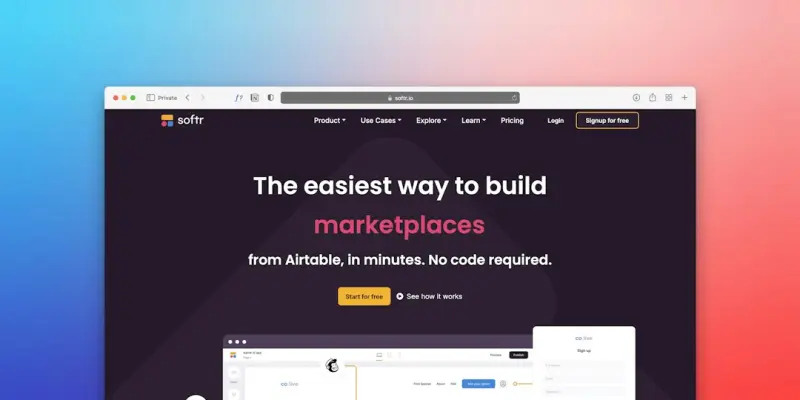
Once you have a robust component library, you can treat it like a product. Publish internal packages to a private npm registry, version them semantically, and let teams pull in components as dependencies. This opens the door to a marketplace model where design teams can propose new components, and engineering teams can vet and publish them with a single command.
Such an approach aligns perfectly with the broader trend of “design as code.” It also makes it trivial to spin up a brand‑new microsite—just install the component package, configure a few props, and you’re live. No more copy‑pasting theme files or battling merge conflicts in monolithic theme folders.
Conclusion: From Themes to UI Ecosystems
WordPress has long been the world’s most flexible CMS, but its theme system has traditionally lagged behind modern UI development practices. By adopting a component‑first methodology, you transform a theme from a static skin into an extensible UI ecosystem—one that scales with your product, accelerates collaboration, and delivers measurable performance gains.
The next time you hear a stakeholder say “We need a new theme,” ask them instead, “Which components do we need to build or update?” That subtle shift changes the conversation from “redesign” to “extend,” and that’s where true innovation lives.

Shawn DesRochers is a certified Microsoft technician and Programmer with 30+ year's experience. He has written many reviews on computer related products, software, and SEO related topics. When he's not writing reviews he can be found at one of the Oldest Directories Online Invision Graphics Directory which he is the CEO of. Shawn is a FULL Stack Web Developer. So if you have a project and need assistance dont hesitate to reach out.
Related Posts
AI‑Driven WordPress Themes: The Next Frontier in Site Design
AI‑driven WordPress themes automatically adapt layouts, colors, and content hierarchy in real time... Read More

The Business‑First Evolution of WordPress Themes
WordPress themes are no longer just visual skins—they’re now component libraries, performance en... Read More

Modular WordPress Themes: The Secret Sauce for Agile Enterprises
A deep dive into why monolithic WordPress themes are a liability for enterprises and how modular arc... Read More
Top Posts

Beyond the Screen: Crafting Ultra‑Fast Mobile Web Experiences with Adaptive Rendering
Adaptive rendering lets you serve exactly what a device needs at any moment, combining edge‑first delivery, component metadata, and progressive enhancement to...Read More
Why Dark Mode Should Be Your SaaS Default: A Bootstrap‑First Blueprint
A step‑by‑step guide shows how to turn Bootstrap’s Sass variables and utility API into a robust dark‑mode system that improves accessibility, performanc...Read More

Zero‑Trust Security on a Virtual Private Server: Safeguarding SaaS Data
A practical, step‑by‑step guide to hardening a VPS with zero‑trust principles, covering OS hardening, network segmentation, identity‑centric access, sec...Read More

Developer‑Centric Managed WordPress Hosting: CI/CD, Staging, and Zero‑Downtime Deployments
Managed WordPress hosting isn’t just for marketers; it offers developers automated CI/CD pipelines, effortless staging, and zero‑downtime deployments, boost...Read More
0 Comments
Post Comment
You will need to Login or Register to comment on this post!