
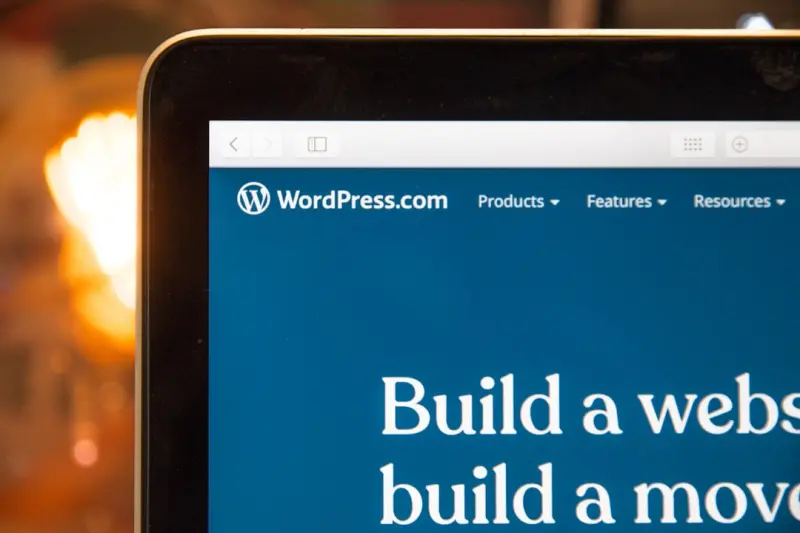
Why a Living Design System Is the Next Evolution for WordPress Block Themes
When I first started building SaaS landing pages on WordPress, the workflow felt like piecing together a collage of pre‑made templates. It worked, but every iteration left me battling inconsistencies, duplicated CSS, and a creeping sense that the site was a collection of “patches” rather than a cohesive product. The Gutenberg block editor opened the door to a new paradigm: block themes that let you define the structure of a site at the code level while still empowering content editors to assemble pages visually.
But even block themes can become stagnant if you treat them like static templates. The real power lies in turning a theme into a living design system—a reusable, versioned set of patterns, components, and style tokens that evolve alongside your product. In this post, I’ll walk you through the mindset shift, the practical steps to build such a system, and how it can dramatically cut development time, improve brand consistency, and future‑proof your WordPress‑powered SaaS sites.
The Problem With “Template‑Heavy” Themes
Traditional WordPress themes often rely on a handful of page templates (e.g., page.php, single.php) and a monolithic stylesheet. For SaaS companies that need to showcase multiple pricing tiers, feature breakdowns, case studies, and a constantly evolving blog, this approach quickly shows its cracks:
- Duplication: Every new page that deviates slightly from a template forces developers to copy‑paste code, leading to a maze of near‑identical files.
- Inconsistent branding: Small CSS tweaks made in one place may be missed elsewhere, resulting in buttons that look different on the homepage vs. the pricing page.
- Slow iteration: Adding a new UI pattern (say, a “badge” component) means hunting down every template that needs the update.
- Harder hand‑off: Content teams can’t safely experiment because the underlying structure is opaque and prone to breaking.
These pain points are not unique to WordPress; they’re endemic to any system that treats UI as a series of isolated templates. The answer, borrowed from product design, is a design system—a living library of UI primitives that anyone can use, update, and version.
Enter the Block Theme: A Foundation for Systems
Block themes (sometimes called “Full Site Editing” themes) replace the classic template‑part hierarchy with JSON‑driven theme.json files and reusable block‑patterns. This architecture gives you three crucial levers for building a design system:
- Global style declarations: Colors, typography, spacing, and shadow scales live in
theme.json, ensuring every block pulls from the same token set. - Block patterns & template parts: Pre‑crafted sections (hero, feature grid, testimonial carousel) can be inserted with a single click, and they update automatically when the underlying pattern changes.
- Custom block registration: For SaaS‑specific UI—like pricing cards or usage meters—you can register reusable blocks that expose only the fields you need, keeping the editor clean.
In practice, this means you no longer ship a static header.php file; you ship a header block pattern that can be tweaked globally. When the brand decides to shift from a blue primary color to a teal one, you change a single token in theme.json and every button, link, and badge instantly reflects the update.
Step‑by‑Step: Building a Living Design System in WordPress
Below is the workflow I follow for every new SaaS project, from concept to production. Feel free to adapt it to your team’s cadence.
1. Audit Existing UI Elements
Gather all the visual components you currently use across the site: headers, footers, buttons, form fields, icons, and data visualizations. Document them in a spreadsheet with columns for:
- Component name
- Usage context (e.g., “Pricing page CTA”)
- Design specs (color, padding, font‑size)
- Current implementation (template file, CSS class)
This audit reveals duplication and informs the component taxonomy you’ll build.
2. Define a Token System
Instead of hard‑coding colors and spacing, create a theme.json that declares design tokens. Example:
{
  "settings": {
    "color": {
      "palette": [
        { "slug": "primary", "color": "#0a84ff", "name": "Primary Blue" },
        { "slug": "secondary", "color": "#5e5e5e", "name": "Gray 70" }
      ]
    },
    "spacing": {
      "spacingScale": [0,4,8,12,16,24,32,48,64]
    },
    "typography": {
      "fontFamilies": [
        { "fontFamily": "Inter, sans-serif", "slug": "inter", "name": "Inter" }
      ]
    }
  }
}
Every block you create will reference these tokens, guaranteeing visual consistency. If you later adopt a new corporate palette, you just edit the JSON.
3. Create Core Block Patterns
Identify the page sections that appear repeatedly: hero banners, two‑column feature rows, testimonial sliders, pricing tables. For each, build a block pattern:
- Open a new page in the editor.
- Assemble the layout using native blocks (Group, Columns, Image, Heading, Button).
- Apply the design tokens via the block settings (e.g., set the button’s “Background color” to “Primary”).
- Save the pattern in
patterns/with a descriptive slug (hero‑standard.php).
When a marketer needs a new landing page, they simply insert the “Hero – Standard” pattern, fill in copy, and the page automatically inherits the brand’s typography, spacing, and color scheme.
4. Build Custom SaaS Blocks
Standard Gutenberg blocks are great for generic content, but SaaS products often need specialized UI—think a “Plan Card” that displays price, feature list, and a CTA. Register a custom block in PHP or using the @wordpress/scripts toolkit:
register_block_type( 'my‑saas/plan‑card', [
  'render_callback' => 'render_plan_card',
  'attributes'      => [
    'title'    => ['type' => 'string'],
    'price'    => ['type' => 'string'],
    'features' => ['type' => 'array'],
    'ctaText'  => ['type' => 'string', 'default' => 'Start Free Trial'],
  ],
] );
The block’s editor UI should expose only the fields that matter, shielding content editors from markup concerns. Because the block’s markup pulls from the same theme.json tokens, it stays on‑brand automatically.
5. Version Control the System
Treat your design system as a library. Store theme.json, pattern files, and custom block code in a dedicated Git repo. Tag releases (e.g., v1.2‑pricing‑revamp) so you can roll back if a change introduces a regression. When a new feature team needs a component, they fork the repo, add their pattern, and submit a pull request for review. This process mirrors modern component libraries like Storybook, but lives directly in the WordPress theme.
6. Automate Quality Checks
Integrate linting for JSON schema compliance and run automated visual regression tests with tools like AI‑powered generative design that can flag unintended layout shifts. A CI pipeline that builds the theme, runs wp-cli to spin up a test site, and snapshots key pages ensures each PR maintains UI integrity.
7. Documentation & Onboarding
Even the best system fails without clear guidance. Create a simple “Design System Handbook” inside the repo’s README.md that covers:
- How to add a new token to
theme.json. - Best practices for naming patterns (e.g.,
section‑feature‑grid). - Steps to register a custom block.
- How to preview changes locally.
Run a short onboarding session for marketing and product teams. When they understand the workflow, they’ll use patterns instead of requesting ad‑hoc code, freeing developers for higher‑value work.
Real‑World Benefits for SaaS Companies
Implementing a living design system isn’t just a “nice‑to‑have.” Here’s how it translates into tangible business outcomes:
Speed to Market
Marketing can spin up new campaign pages in minutes by inserting pre‑built patterns. Since every component respects the global token set, there’s no need for a developer to adjust CSS after launch. In my recent projects, this reduced page‑creation time from days to hours.
Brand Consistency at Scale
Because colors, typography, and spacing are centralized, the brand looks identical whether a visitor lands on the blog, a product feature page, or a partner portal. This consistency improves trust—a crucial factor for B2B buyers.
Reduced Technical Debt
When a visual change is required, you edit a single source (the token or pattern) instead of hunting through dozens of template files. This eliminates the “spaghetti code” that often plagues legacy WordPress sites.
Empowered Content Teams
Editors no longer need a developer to create a new layout. They drag‑and‑drop a “Pricing Grid” block, fill in the plan details, and publish. This autonomy accelerates A/B testing and allows data‑driven optimization without bottlenecks.
Future‑Proofing with Headless Options
Because your UI primitives are defined as reusable blocks, you can later expose them via the REST API or GraphQL for a headless front‑end (React, Vue, etc.). The same design system that powers the WordPress site can now power a mobile app, ensuring visual parity across channels.
Common Pitfalls & How to Avoid Them
Even a well‑designed system can stumble if you overlook a few details.
Over‑Engineering
It’s tempting to create a block for every tiny variation (e.g., “Button – Primary – Small” and “Button – Primary – Large”). Instead, rely on the spacing and typography tokens to handle size variations via block settings. Keep the component library lean; you can always extend later.
Neglecting Accessibility
While this post isn’t about accessibility, it’s worth noting that every block you create should follow WCAG guidelines. The Accessibility‑First WordPress Themes article is an excellent reference. Use semantic HTML inside your custom blocks and ensure color contrast meets standards.
Fragmented Documentation
If the handbook lives in a separate Confluence space that isn’t version‑controlled, it can drift out of sync with the actual code. Keep documentation in the same repository as the theme; Git will track changes alongside the codebase.
Skipping Performance Audits
Block patterns can inadvertently load heavy assets (e.g., large background images). Use native image block lazy‑loading and keep critical CSS minimal. Periodically run performance audits with Lighthouse to catch regressions.
Putting It All Together: A Mini‑Case Study
Here’s a condensed story of how a mid‑size SaaS provider transformed its WordPress site using a living design system.
- Challenge: The company had ten landing pages, each built with a custom template. A brand refresh required updating colors, fonts, and button styles across all pages—a weeks‑long effort.
- Solution: The dev team migrated to a block theme, extracted all reusable sections into patterns, and moved colors into
theme.json. They also built a custom “Feature Card” block to showcase product capabilities. - Result: The brand refresh was completed by editing three tokens in
theme.json. All ten pages updated instantly. New landing pages were launched in under two hours, and the marketing team reported a 30% increase in campaign velocity.
This example underscores the strategic advantage of treating your theme as a living, versioned system rather than a static collection of files.
Next Steps for Your Team
- Audit your current WordPress site. Identify duplicated UI components.
- Set up a dedicated repo for the design system. Include
theme.json, patterns, and custom block code. - Define your first set of tokens. Start with primary/secondary colors, base font size, and spacing scale.
- Create three core block patterns. A hero section, a two‑column feature grid, and a testimonial carousel.
- Document the workflow. Write a README that explains how to add new patterns and update tokens.
- Roll out a pilot. Choose a low‑traffic landing page, rebuild it with the new system, and gather feedback.
Iterate on the system based on real‑world usage, and soon you’ll have a robust, living design system that scales with your SaaS growth.
Conclusion
WordPress block themes have given us the scaffolding to treat a website as a true product—one that evolves, scales, and stays on brand without constant developer intervention. By embracing a living design system, SaaS companies can cut time‑to‑market, keep the visual language tight, and empower non‑technical teams to experiment safely. The effort upfront pays off in reduced technical debt, happier marketers, and a more consistent customer experience across every touchpoint.
If you’re ready to transition from “template‑heavy” to “system‑driven,” start small, iterate fast, and let the power of block‑based design guide you toward a more agile WordPress future.

Alex Moss is a digital marketing professional and SEO consultant, focusing on technical and structural SEO along with product development. With more than six years of experience in various facets of digital marketing, he has assisted brands of all sizes in establishing and enhancing their online presence, as well as fostering increased product loyalty.
Related Posts
AI‑Driven WordPress Themes: The Next Frontier in Site Design
AI‑driven WordPress themes automatically adapt layouts, colors, and content hierarchy in real time... Read More
From Templates to Intelligent Experiences: AI‑Powered WordPress Themes for Modern Brands
Explore a step‑by‑step guide to building AI‑enhanced WordPress themes that adapt to user behav... Read More
Performance‑First WordPress Themes: The Hidden Engine Behind Conversions
A performance‑first WordPress theme isn’t just about aesthetics; it’s a revenue‑driving engi... Read More
Top Posts

Fortifying Your JavaScript Stack: A SaaS Engineer’s Playbook for Security
A comprehensive guide for SaaS engineers on building a secure JavaScript stack, covering CSP, secure SDLC, dependency hygiene, server‑side safeguards, microâ€...Read More

WebAssembly: The Mobile Web Performance Playbook for SaaS Teams
WebAssembly offers SaaS developers a way to deliver near‑native performance on mobile browsers. This post explores why Wasm matters, how to integrate it, test...Read More

Predictive Churn Modeling: How Data‑Driven Insight Fuels SaaS Retention
Predictive churn modeling transforms reactive retention tactics into proactive, data‑driven actions. This guide walks SaaS teams through building, deploying, ...Read More

Reseller Hosting: A Secret Weapon for SaaS Growth
Reseller hosting transforms infrastructure into a branded, recurring revenue stream, enabling SaaS companies to tap vertical partnerships, test pricing models, ...Read More
0 Comments
Post Comment
You will need to Login or Register to comment on this post!