
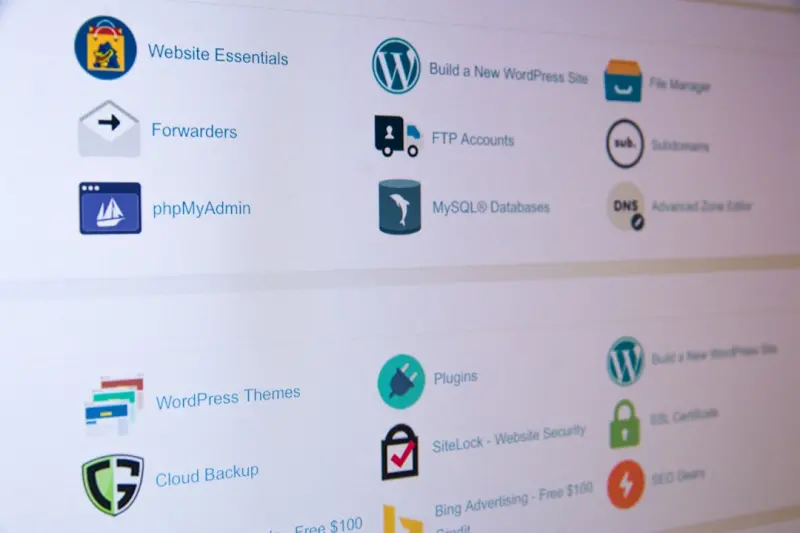
Why Managed WordPress Hosting is the Perfect Launchpad for Headless Architecture
When I first dove into the world of WordPress, I was dazzled by the platform’s all‑in‑one magic: themes, plugins, a built‑in database, and a familiar dashboard. Fast forward a few years, and the conversation has shifted. Developers and product teams are pulling WordPress apart, using it as a content repository while letting a modern JavaScript framework render the front‑end. This “headless” approach isn’t a fad—it’s a response to the need for speed, flexibility, and omnichannel delivery.
What many organizations overlook is that the success of a headless WordPress strategy hinges on the underlying hosting environment. A managed WordPress host that’s built for performance, security, and scalability becomes the silent hero that powers your API, handles your traffic spikes, and lets your front‑end team ship features without worrying about the back‑end infrastructure. In this post, I’ll walk through the why, what, and how of leveraging managed WordPress hosting as a headless hub, and I’ll sprinkle in some practical tips you can act on today.
The “Headless” Buzzword Demystified
“Headless” simply means decoupling the presentation layer from the content layer. WordPress continues to manage content—posts, pages, custom fields, taxonomies—while the front‑end talks to it over the REST API or GraphQL endpoint. The “head” (the UI) can be built with React, Vue, Svelte, or even native mobile SDKs. This separation unlocks a few immediate benefits:
- Performance at scale. Your JavaScript app can be served from a CDN, while WordPress focuses on serving JSON payloads.
- Omnichannel reach. The same content can power a web app, a mobile app, a digital signage system, or an IoT device.
- Future‑proofing. Swap out the front‑end tech stack without migrating the content repository.
The catch? Those JSON responses need to be delivered fast, securely, and reliably. If your host can’t keep up, you’ll see latency creep, throttled API limits, or dreaded downtime—all of which erode user trust.
Managed WordPress Hosting: More Than Just “Managed”
Managed WordPress hosting isn’t a monolith. Different providers offer wildly different feature sets. The best ones share a common DNA: they’re engineered specifically for WordPress workloads, they automate routine maintenance, and they provide a support team that speaks WordPress, not generic Linux.
When you’re running headless, you need a host that:
- Optimizes the REST API stack. This includes PHP‑FPM tuning, opcode caching, and object caching layers (Redis or Memcached) that keep API responses lightning‑fast.
- Offers granular scaling. Auto‑scale compute resources based on request volume so your API never bottlenecks during a campaign surge.
- Provides built‑in CDN integration. Even if you serve your front‑end from a separate CDN, caching WordPress‑generated JSON at the edge reduces latency dramatically.
- Ensures airtight security. Headless sites expose the same attack surface as traditional sites—SQL injection, XSS, and brute‑force login attempts—so a managed host must have WAF, rate limiting, and automated patching baked in.
If you’ve already read about developer‑centric managed WordPress hosting, you’ll recognize many of these points. The difference here is the focus on API throughput, not just CI/CD pipelines.
Building the API Layer: Tips for a Rock‑Solid Headless Backend
WordPress ships with a robust REST API out of the box, but you can supercharge it with a few strategic moves.
1. Leverage Object Caching for API Calls
Every request that pulls a post, a custom field, or a taxonomy can be cached at the PHP object level. Managed hosts that provide Redis or Memcached let you store the final JSON payload, cutting down on DB queries from seconds to milliseconds.
2. Use GraphQL for Fine‑Grained Data Requests
While the REST API is powerful, GraphQL (via the WPGraphQL plugin) gives front‑end developers the ability to request exactly the fields they need—no over‑fetching. Make sure your host can handle the additional processing overhead; a well‑tuned PHP‑FPM pool and sufficient memory allocation are crucial.
3. Harden the API Endpoint
Apply authentication methods such as JWT or OAuth for private data, and enable rate limiting on the API path. Many managed hosts let you set these rules from the control panel, sparing you the hassle of custom NGINX configs.
4. Offload Heavy Media Processing
When your headless front‑end pulls an image URL, you don’t want WordPress to spin up a heavy image resize on the fly. Use a media CDN that pulls directly from your WordPress storage bucket, or enable the wp‑smush and imagify plugins to pre‑optimize assets.
Scaling Headless WordPress: Real‑World Strategies
Imagine you’ve just launched a new product and the marketing team’s email blast drives a sudden 10× traffic surge. Your headless architecture can handle this gracefully—if your host is prepared.
Vertical vs. Horizontal Scaling
Vertical scaling means adding more CPU/RAM to a single instance. It’s simple but has limits. Horizontal scaling spreads the load across multiple instances behind a load balancer. Managed hosts often give you a one‑click “add node” button, automatically syncing your file system (via a shared network storage) and database replicas.
Database Replication and Read‑Only Slaves
For read‑heavy headless workloads, enable read replicas. Your API can be configured to hit a read‑only replica for GET requests, keeping the master free for content writes (new posts, updates). Managed providers usually handle replication lag monitoring for you.
Edge‑Ready Caching
Even though the front‑end lives on a CDN, caching the API responses at the edge can shave precious milliseconds off the request round‑trip. Some hosts integrate directly with Cloudflare Workers, Fastly, or AWS Lambda@Edge to cache /wp-json/… endpoints.
Case Study: Turning a Classic Blog into a Multi‑Channel Experience
One of our SaaS clients ran a traditional WordPress blog that doubled as a knowledge base. They wanted to repurpose that content for a mobile app, a chatbot, and a voice‑assistant platform without rewriting anything. Here’s how they did it:
- Moved to a managed WordPress host with built‑in Redis caching. API latency dropped from 350 ms to under 80 ms.
- Installed WPGraphQL and set up JWT authentication. Their mobile team could now request only the fields needed for each screen.
- Enabled a CDN edge cache for the
/wp-jsonnamespace. API responses were cached for 5 minutes, dramatically reducing load during peak usage. - Implemented read replicas for the MySQL cluster. Content reads were distributed, while authors continued publishing to the master without contention.
The result? The client launched a native iOS app and an Alexa skill within two months, all powered by the same WordPress back‑end. Their bounce rate on the mobile app fell by 27 %, and the blog’s SEO rankings stayed intact because the canonical URLs were unchanged.
Integrating Marketing Ops: Content Governance Meets Headless
Marketing teams often feel left out of a headless workflow because they’re accustomed to editing directly in the WordPress editor. The key is to bridge the gap with a few practical steps:
- Use role‑based access control (RBAC). Assign “Content Editor” roles that can publish but not touch API configuration.
- Leverage editorial workflows. Plugins like Edit Flow let marketers schedule content, add custom statuses, and trigger webhook notifications when a piece goes live.
- Expose a preview endpoint. Build a lightweight front‑end (perhaps a Next.js app) that reads draft content via a secure API token, letting marketers see a live preview without publishing.
When you pair these governance tools with a managed host that automatically backs up your database and files, you get peace of mind: no accidental data loss, no broken API keys, and a clear audit trail.
Cost Optimization: Getting More Bang for Your Hosting Buck
Headless architecture can appear expensive at first glance—extra CDN layers, caching services, and perhaps a larger compute footprint. However, a savvy managed host can help you keep the bill in check.
Pay‑As‑You‑Go Scaling
Choose a provider that offers hourly billing for additional compute nodes. When traffic spikes, spin up extra instances, then let them scale down automatically after the event.
Consolidate Services
Some managed hosts bundle CDN, object caching, and backups into a single plan. This reduces the number of third‑party contracts you have to manage, and often results in volume discounts.
Monitor and Right‑Size Resources
Most managed platforms provide a dashboard that visualizes CPU, memory, and request latency. Set up alerts for when usage exceeds 70 % for sustained periods—then either upgrade or investigate query inefficiencies.
Looking Ahead: The Next Evolution of Headless WordPress
We’re already seeing the rise of micro‑front‑ends, where individual UI components are owned by separate product squads but share a single content API. Managed WordPress hosts that support multi‑tenant isolation—think separate Docker containers per tenant—will become the go‑to for large enterprises.
Another trend is edge‑compute functions that run custom logic right at the CDN edge (e.g., personalized content injection based on GeoIP). If your host lets you write and deploy such functions alongside your WordPress site, you’ll be able to serve hyper‑personalized experiences without adding latency.
Finally, the integration of AI‑generated content previews—imagine a GPT‑style assistant that suggests metadata, tags, or even draft copy—will sit nicely on top of a managed WordPress back‑end. The host’s API performance will be the limiting factor for how “real‑time” those suggestions feel.
Getting Started: A Checklist for Your First Headless Migration
If you’re ready to experiment, follow this short checklist to ensure a smooth transition:
- Select a managed WordPress host that offers Redis/Memcached, CDN integration, and auto‑scaling.
- Install WPGraphQL and any necessary authentication plugins.
- Configure object caching for REST and GraphQL endpoints.
- Set up a CDN edge cache for
/wp-jsonroutes. - Enable read replicas for the database.
- Define editorial workflows and role permissions.
- Run load‑testing tools (e.g., k6 or Apache Bench) to validate API latency under realistic traffic.
- Monitor costs and performance metrics for the first 30 days, then iterate.
Remember, the goal isn’t to replace WordPress—it's to let it do what it does best (manage content) while you hand off the rendering to the modern front‑end stack you love.
Final Thoughts
Managed WordPress hosting has matured far beyond simple “one‑click installs.” When you treat it as a headless hub, you unlock a flexible, performant, and future‑ready foundation for any digital experience. By focusing on API optimization, scaling strategies, and cross‑team governance, you can deliver omnichannel content without the typical headaches of self‑managed servers.
If you’re curious about how other teams are using managed WordPress hosting to collaborate across time zones, check out global collaboration made easy with managed WordPress hosting. The principles are the same: reliable infrastructure, seamless access, and a shared content brain that powers every touchpoint.
Ready to make the leap? Choose a host that talks WordPress fluently, set up your API cache, and let your front‑end developers build the experiences your users crave. The headless future is already here—managed WordPress hosting is the sturdy bridge you need to cross it.

Brian LeBlanc is a front-end web developer, UX designer, and web application developer with experience building scalable, user-friendly digital solutions.Holding a degree from University, he specializes in leveraging a wide array of modern languages, frameworks, and tools—such as JavaScript/ES6, HTML5/CSS3, PHP, and responsive interface design—to create efficient applications that simplify user experiences.
Related Posts
Managed WordPress Hosting: The Strategic Engine Driving SaaS Success
Managed WordPress hosting provides SaaS teams with auto‑scaling performance, enterprise‑grade se... Read More
Why Headless WordPress Needs Managed Hosting to Thrive
Managed WordPress hosting provides the performance, security, and developer-friendly tooling needed ... Read More

Managed WordPress Hosting: The Enterprise Playbook for Scalable SaaS Experiences
Managed WordPress hosting isn’t just a convenience—it’s a strategic asset for SaaS teams seeki... Read More
Top Posts

Micro‑SaaS Momentum: Small Teams, Big Impact
Micro‑SaaS is reshaping the cloud market with hyper‑focused tools that deliver instant value. This post examines the forces driving the trend, outlines a le...Read More

Beyond the Screen: Crafting Ultra‑Fast Mobile Web Experiences with Adaptive Rendering
Adaptive rendering lets you serve exactly what a device needs at any moment, combining edge‑first delivery, component metadata, and progressive enhancement to...Read More
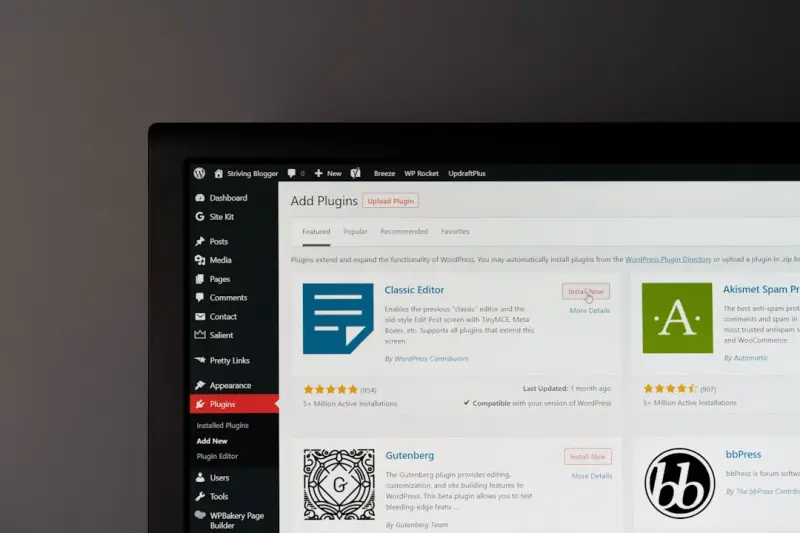
Fortifying Managed WordPress Hosting: Compliance, Security, and Peace of Mind
A deep dive into how modern managed WordPress providers can turn security and compliance into a competitive advantage, with practical checklists and future‑fo...Read More

Reviving jQuery: A Pragmatic Path to Future‑Ready UI
A step‑by‑step guide shows how to audit, type, bundle, and replace legacy jQuery patterns, leveraging feature flags and modern observability to deliver fast...Read More
0 Comments
Post Comment
You will need to Login or Register to comment on this post!