
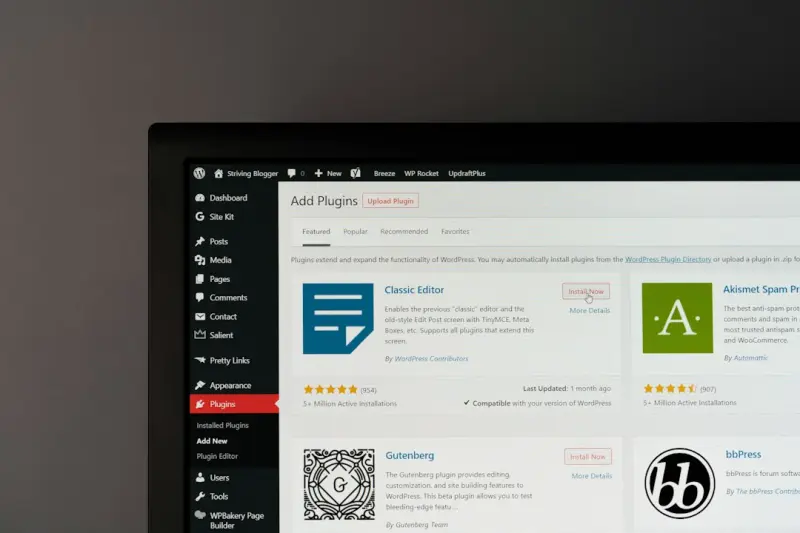
When I first migrated a client’s corporate blog to a managed WordPress environment, I expected the usual trade‑off: convenience versus control. What I discovered was a surprisingly nuanced ecosystem that can power everything from a single‑page landing site to a sprawling, multi‑tenant B2B SaaS portal. In this post I’ll unpack why managed WordPress hosting deserves a seat at the enterprise table, how to architect a resilient, headless‑ready stack, and the operational playbooks that keep the platform performant, secure, and future‑proof.
Why Managed WordPress Is No Longer “Just a Blog” Platform
Historically, WordPress earned its reputation as a “blog engine.” That legacy still shows up in marketing copy, but the reality has evolved dramatically. The platform now ships with a robust REST API, a plug‑in ecosystem that rivals any traditional CMS, and native support for modern JavaScript frameworks. When you pair those capabilities with a managed hosting service that abstracts server maintenance, you get a “content‑first” infrastructure that scales with the same elasticity you expect from a cloud‑native SaaS.
Three forces have converged to make this possible:
- API‑first development. The REST and GraphQL endpoints expose content as structured data, enabling front‑ends built with React, Vue, or Svelte to consume it without pulling in the entire PHP stack.
- Specialized server stacks. Managed hosts provision containers optimized for PHP‑7/8, Nginx, and MySQL, and they layer in object storage, CDN, and auto‑scaling out of the box.
- Enterprise‑grade security. From WAF rules to automatic malware scanning, the providers handle the heavy lifting that would otherwise require a dedicated security team.
All of this means you can treat WordPress as a headless content hub while still leveraging its familiar editorial UI for marketers and product teams.
Choosing the Right Managed Host: Beyond “Uptime”
When evaluating a managed WordPress host, most people start with the usual SLA promises—99.9% uptime, daily backups, and 24/7 support. Those are important, but for an enterprise SaaS they’re just the baseline. Dig deeper into these criteria:
- Isolation and resource guarantees. Does the provider give each site its own container or virtual machine? Shared resource pools can lead to noisy‑neighbor effects that jeopardize performance during traffic spikes.
- Native CI/CD hooks. Look for integration points that trigger a rebuild or cache purge when you push code to GitHub or GitLab. This reduces manual steps and aligns the hosting environment with your development pipeline.
- Compliance certifications. If you handle regulated data (HIPAA, GDPR, PCI), verify that the host’s data centers hold the relevant attestations and that you can enforce region‑specific storage.
- Scalable edge caching. A built‑in CDN that can cache API responses as well as static assets helps you keep latency low for global users.
- Developer tooling. SSH access, WP‑CLI, and a staging environment that mirrors production are essential for rapid iteration.
Many managed hosts also offer a “server‑less” PHP execution model that automatically spins up resources on demand. While this can simplify scaling, it may introduce cold‑start latency, so test it with your real‑world traffic patterns before committing.
Architecting a Headless WordPress SaaS Stack
Below is a reference architecture that blends managed WordPress with a modern SaaS stack. Feel free to adapt it to your organization’s needs.
- Content layer: Managed WordPress instance(s) hosting the editorial UI and serving JSON via the REST API.
- API gateway: A lightweight Node.js or Go service that aggregates content, enriches it with business logic, and enforces authentication.
- Front‑end: A React or Vue single‑page application deployed on a static‑site host (e.g., Netlify, Vercel) that pulls data from the API gateway.
- Data layer: MySQL for WordPress core tables, supplemented by a separate PostgreSQL or NoSQL store for SaaS‑specific entities.
- Observability: Centralized logging, tracing, and metrics collection that surface both WordPress‑level events and application‑level performance.
When you stitch these pieces together, you gain the editorial agility of WordPress while preserving the scalability and modularity of a micro‑service architecture.
Integrating CI/CD: From Code to Content in One Flow
One of the biggest misconceptions about WordPress is that content and code are siloed. In a managed environment you can bridge that gap. Here’s a practical workflow:
- Feature branch creation. Developers spin up a Git branch for a new component or API endpoint.
- Automated testing. A pipeline runs unit, integration, and end‑to‑end tests against a disposable WordPress staging site.
- Deploy to staging. On merge, the CI system pushes the updated code to the host’s staging environment and runs a
wp-cliscript to flush caches. - Content preview. Editors can view the new feature via a preview link that points to the staging front‑end, ensuring design and copy align.
- Production promotion. After approval, the same pipeline promotes the build to production, automatically invalidating the CDN cache.
This “code‑to‑content” pipeline reduces hand‑off friction and keeps the site in a perpetual state of readiness. For a deeper dive into continuous delivery for full‑stack teams, see our piece on continuous delivery orchestration.
Security Strategies That Scale
Even though the host handles the low‑level hardening, you still need a defense‑in‑depth strategy:
- Least‑privilege API keys. Generate separate credentials for each client or internal service, and rotate them regularly.
- Content sanitization. Enforce strict HTML sanitizers for user‑generated content to prevent XSS attacks.
- Two‑factor authentication. Require 2FA for all admin accounts and integrate SSO via SAML or OpenID Connect.
- Regular vulnerability scanning. Schedule automated scans that check both the WordPress core and installed plug‑ins for known CVEs.
- Backup verification. Perform periodic restores to ensure backups are not only present but also usable.
When you combine these practices with the host’s built‑in WAF and malware detection, you create a security posture that rivals a dedicated infrastructure.
Performance Tuning: From Caching to Edge Logic
Managed WordPress hosts often provide a stack of caching layers:
- Object cache. Memcached or Redis instances store database query results, slashing response times for repeat requests.
- Page cache. Full‑page HTML snapshots are served directly from Nginx or Varnish, bypassing PHP for anonymous traffic.
- Edge cache. A CDN caches static assets and can also store API responses, reducing latency for global users.
Beyond these defaults, you can inject custom logic at the edge. For example, using a CDN’s edge functions to rewrite URLs or apply A/B test variants without hitting the origin server. This approach mirrors the performance benefits we discussed in adaptive loading, but applied to a content‑driven SaaS experience.
Multi‑Tenant Considerations
If your SaaS serves multiple brands or customers, you’ll need to isolate content while still reusing the same WordPress core. Two patterns are common:
- Network (multisite) mode. One WordPress installation hosts multiple sites, each with its own theme and plug‑ins. Permissions can be scoped per site, making it easier to manage user access.
- Separate installations. Each tenant gets its own managed WordPress instance. This maximizes isolation at the cost of higher operational overhead, but many managed hosts offer bulk provisioning APIs that automate the process.
Choose the model that aligns with your compliance requirements and the degree of customization each tenant expects.
Monitoring and Observability: Seeing the Whole Picture
Operational visibility is essential for any enterprise platform. While the host may expose basic metrics (CPU, memory, request latency), you’ll want to layer in application‑level insight:
- Log aggregation. Forward WordPress error logs and PHP warnings to a central logging service like Elasticsearch or Splunk.
- Request tracing. Use OpenTelemetry to trace API calls from the front‑end through the gateway to the WordPress back‑end.
- Custom health checks. Implement endpoint checks that verify critical plug‑ins are active and that the database schema is up to date.
These practices echo the principles we explored in full‑stack observability, ensuring you can react to anomalies before they impact customers.
Cost Management: Getting Enterprise Value Without the Bill Shock
Managed WordPress hosting often follows a tiered pricing model based on traffic, storage, and features. To keep costs predictable:
- Right‑size your tier. Start with a modest plan and leverage auto‑scaling to handle spikes.
- Audit plug‑ins. Each active plug‑in consumes resources; prune the ones you don’t need.
- Leverage CDN origins. Offload static assets to a cheap object store (e.g., S3) and serve them via the CDN.
- Monitor usage. Set alerts for CPU, memory, and bandwidth thresholds to avoid surprise overages.
When you treat the managed host as a utility—paying for what you use—you get enterprise‑grade performance without the capital expense of dedicated servers.
Future‑Proofing: Preparing for the Next Wave of Web Innovation
WordPress’s plugin ecosystem is surprisingly adaptable. As new standards like Web Components and Edge Functions gain traction, developers can extend WordPress without rewriting the core. Keep an eye on emerging trends:
- Decoupled rendering. Server‑side rendering (SSR) of React components can be triggered via custom REST endpoints.
- AI‑enhanced content. Plug‑ins that integrate with large language models can generate meta descriptions or even draft blog posts, streamlining content operations.
- Zero‑trust networking. Managed hosts are adding support for mutual TLS and granular network policies, aligning with modern security frameworks.
By designing your architecture with modularity in mind, you’ll be positioned to adopt these innovations without a massive re‑architecture effort.
Conclusion: Managed WordPress Is a Viable Enterprise Backbone
In my experience, the biggest mistake companies make is to pigeonhole managed WordPress as “just a blogging platform.” When you combine a robust managed host, a headless architecture, and disciplined DevOps practices, you get a content hub that can power a full‑scale B2B SaaS offering. It delivers the editorial agility marketers crave, the performance and security engineers demand, and the cost predictability finance teams appreciate.
If you’re still on the fence, start with a pilot: spin up a managed WordPress instance, connect it to a small React front‑end, and run a few automated tests. Measure latency, security posture, and total cost of ownership. The data will speak for itself, and you’ll soon see why more enterprises are making the switch.

Brian LeBlanc is a front-end web developer, UX designer, and web application developer with experience building scalable, user-friendly digital solutions.Holding a degree from University, he specializes in leveraging a wide array of modern languages, frameworks, and tools—such as JavaScript/ES6, HTML5/CSS3, PHP, and responsive interface design—to create efficient applications that simplify user experiences.
Related Posts
Why Headless WordPress on Managed Hosts Is the Secret Weapon for Modern Enterprises
Learn why pairing headless WordPress with a managed host gives enterprises unmatched performance, se... Read More

Why Managed WordPress Hosting Is the Secret Weapon for Scalable Content Operations
A deep dive into why truly managed WordPress hosting is essential for performance, security, scalabi... Read More
Developer‑Centric Managed WordPress Hosting: CI/CD, Staging, and Zero‑Downtime Deployments
Managed WordPress hosting isn’t just for marketers; it offers developers automated CI/CD pipelines... Read More
Top Posts
Turning Legacy jQuery Code into Future‑Ready Assets
Discover a step‑by‑step approach to refactor and modernize old jQuery code, turning it into a maintainable, high‑performance asset for today’s SaaS prod...Read More

Bootstrap Beyond the Grid: Building a Brand‑First UI Kit for Enterprise SaaS
A deep dive into turning Bootstrap from a generic framework into a brand‑first UI foundation, complete with practical steps, accessibility tips, and real‑wo...Read More
Edge‑Ready VPS: Bringing Low‑Latency Power to Real‑Time SaaS Pipelines
Edge‑ready VPS combines the control of traditional virtual servers with the proximity of edge computing, enabling ultra‑low latency for real‑time SaaS wor...Read More
Joomla Goes Headless: Building an API‑First Content Hub for Modern Experiences
Learn why Joomla is ideal for headless, API‑first architectures, and follow a step‑by‑step roadmap to build a decoupled content hub that powers web, mobil...Read More
0 Comments
Post Comment
You will need to Login or Register to comment on this post!