

Rethinking WordPress Themes for Scalable SaaS Experiences
When I first started building SaaS products, WordPress was the go‑to platform for marketing sites, documentation portals, and even lightweight customer dashboards. Over time, I noticed a troubling pattern: most themes were designed for bloggers, portfolios, or small businesses, not for the intricate, data‑driven experiences that modern SaaS companies demand. It’s time to stop forcing a square peg into a round hole and start treating WordPress themes as a strategic component of the product stack.
Why the “One‑Size‑Fits‑All” Theme Model Fails Enterprise SaaS
Enterprise SaaS teams juggle three core priorities: speed, security, and brand consistency. Traditional theme marketplaces sell you a visually appealing template, but rarely address any of those three pillars in a holistic way. Here are the three biggest gaps I keep hitting:
- Performance blind spots. A theme that loads 3 MB of CSS on the first paint is a liability when you’re serving high‑value users who expect sub‑second response times.
- Fragmented accessibility. Many popular themes claim “WCAG compliance,” yet a quick audit reveals missing ARIA attributes, poor focus management, and color contrast issues.
- Lack of modularity. SaaS sites evolve rapidly—new pricing tiers, feature flags, and integration dashboards appear almost weekly. A monolithic theme forces developers to hack core template files, creating a maintenance nightmare.
These pain points aren’t just technical inconveniences; they translate directly into churn, slower sales cycles, and higher engineering costs.
Enter the Modular Theme Architecture
Imagine a theme built like a design system for your SaaS product: a library of reusable blocks, a strict component contract, and a separation between layout and logic. The architecture mirrors the way we build our front‑end applications with React or Vue—except it lives inside the WordPress ecosystem.
Key ingredients of a modular theme include:
- Component‑first templates. Each UI piece—hero banner, pricing table, testimonial carousel—exists as an isolated PHP file that can be swapped out without touching the rest of the site.
- Utility‑driven CSS. Leveraging a framework like Tailwind (or a custom utility layer) keeps CSS bundles tiny and makes it trivial to adjust spacing, colors, or typography across the entire site.
- JSON‑based configuration. Store theme options in a JSON schema that can be version‑controlled. When product managers need a new color swatch or a revised call‑to‑action, they edit the JSON instead of diving into the theme editor.
- Headless‑ready hooks. Expose REST or GraphQL endpoints for each component so your front‑end can fetch the same data whether it’s rendered server‑side or via a static site generator.
Performance‑First: How to Keep the Theme Light
Performance isn’t a nice‑to‑have; it’s a competitive advantage. Below are the tactics I apply to keep my modular themes feather‑light:
- Critical CSS inlining. Generate a
<style>block that contains only the CSS required for above‑the‑fold content. Tools likecriticalcan automate this for each page type. - Lazy‑load non‑essential assets. Defer loading of heavy background videos, image carousels, and third‑party widgets until they enter the viewport.
- Server‑side caching of component fragments. Use WordPress’s
WP_Object_Cacheto store rendered HTML snippets for repeated use across the site. - Leverage edge‑ready hosting. Pairing a modular theme with an edge‑optimized WordPress host ensures that your HTML, CSS, and JS are delivered from the nearest PoP, shaving milliseconds off the TTFB. Learn more about the benefits of edge‑ready WordPress hosting.
Accessibility as a Business Imperative
Accessibility isn’t just a compliance checkbox—it’s a revenue driver. By embedding ARIA roles and keyboard navigation patterns directly into reusable components, you guarantee a consistent experience for all users. I adopt a three‑step audit:
- Automated testing. Run
axe-coreagainst each component during CI. Any violation fails the build. - Human review. Conduct quarterly screen‑reader walkthroughs with a real user who relies on assistive technology.
- Documentation. Publish a living style guide that explains why each component is accessible and how to extend it without breaking standards.
When your theme’s building blocks are inherently accessible, you remove the risk of accidental regressions and give your sales team a concrete selling point: “Our platform meets WCAG 2.1 AA out of the box.”
Structured Data: Turning Themes into SEO Engines
One of the most under‑exploited opportunities in a WordPress theme is embedding structured data directly into component markup. When each product, pricing plan, or testimonial includes schema.org JSON‑LD, search engines can surface rich snippets that drive qualified traffic.
Embedding this markup at the theme level means you never have to rely on a separate plugin that might become obsolete. For a deeper dive on the SEO impact of structured data, check out why structured data is the secret weapon for eCommerce SEO. The same principles apply to SaaS landing pages: you can mark up SoftwareApplication, Offer, and even FAQPage entities without writing custom code for each new page.
Version Control and Collaboration: Treat Themes Like Code
When your theme lives in a Git repository, you unlock the same collaboration workflows you use for your SaaS product codebase:
- Branch‑per‑feature. Want to experiment with a new hero animation? Spin up a branch, test it in a staging environment, and merge only when the performance budget is met.
- Code reviews. Enforce a peer‑review process that checks for accessibility, performance, and security before any UI change reaches production.
- Continuous integration. Run automated tests that render each component with a headless browser, capture screenshots, and compare them against a baseline.
This disciplined approach eliminates “theme drift,” where a site slowly diverges from the original design system due to ad‑hoc edits.
Integrating SaaS‑Specific Features
Most SaaS businesses need more than static content; they require dynamic elements like usage dashboards, feature‑flag toggles, and in‑app messaging. A modular theme can expose shortcode wrappers or Gutenberg blocks that pull data from your core SaaS API.
Example workflow:
- Define an endpoint in your SaaS backend that returns the current subscription tier for a logged‑in user.
- Create a custom Gutenberg block that fetches this data via
wp.apiFetch. - Render a “Upgrade Now” button with a CTA that reflects the user’s exact plan, all without a single line of PHP in the theme.
This pattern keeps the theme lean—PHP only handles layout—while the heavy lifting lives in the SaaS API, where you already have authentication, rate limiting, and observability.
Security Considerations
Security is often an afterthought for marketing sites, but a compromised theme can become a vector for supply‑chain attacks. Here’s how I harden modular themes:
- Escaping and sanitization. Every component uses
esc_html(),esc_url(), andwp_kses_post()to protect against XSS. - Dependency pinning. Lock third‑party libraries (e.g., Tailwind, Alpine.js) to exact versions in
package.jsonand runnpm auditas part of CI. - Minimal PHP surface. Avoid custom post types unless absolutely necessary. When you need a new content model, use the
register_post_type()API with strict capabilities. - Regular theme updates. Treat the theme as a first‑class package. Tag releases, publish changelogs, and automate deployment to staging sites.
Case Study: From Generic Theme to Modular System
One of my recent SaaS clients launched with a popular free theme that promised “instant conversion.” Within three months, the site suffered a 30 % bounce rate on the pricing page, and the engineering team spent 20 % of sprint capacity fighting CSS conflicts. We replaced the theme with a modular system built on the principles above. The results?
- PageSpeed Insights score: Jumped from 62 to 94.
- Time to market for new features: Reduced from two weeks to two days.
- Accessibility audit: Achieved WCAG 2.1 AA with zero violations.
- Organic search traffic: Increased by 18 % after adding structured data to pricing and FAQ sections.
This transformation proved that a well‑engineered theme is not a cost center—it’s a growth engine.
Future‑Proofing: Headless Compatibility and Edge Rendering
While many SaaS teams remain on classic WordPress, the trend toward headless architectures is accelerating. By designing your theme with API‑first hooks, you can seamlessly shift the rendering layer to a Jamstack framework like Next.js or Astro without rebuilding the entire front‑end.
Key steps for headless readiness:
- Expose each component’s data via the
/wp-json/wp/v2endpoint. - Use
static block registrationto allow front‑end frameworks to pull the exact markup they need. - Implement edge functions that transform API responses on the fly, enabling personalization based on user location or subscription tier.
When you combine this approach with an edge‑ready WordPress host, you get the best of both worlds: the editorial simplicity of WordPress and the performance of a CDN‑powered static site.
Getting Started: A Practical Checklist
If you’re convinced that your SaaS deserves a purpose‑built WordPress theme, here’s a quick launch checklist:
- Audit your current theme. Identify performance bottlenecks, accessibility gaps, and missing structured data.
- Define core components. List all UI blocks that appear across the site (header, footer, hero, CTA, pricing table, testimonial).
- Select a utility CSS framework. Tailwind, Windi, or a custom utility set.
- Set up a Git repo. Include CI pipelines for linting, testing, and performance budgets.
- Implement structured data. Use JSON‑LD snippets for each component.
- Choose an edge‑ready host. Ensure your server can cache and serve fragment‑level responses.
- Plan for headless expansion. Document API endpoints and consider a static front‑end for future migration.
Follow this roadmap, and you’ll turn a static marketing site into a dynamic, brand‑consistent, and conversion‑optimized extension of your SaaS product.
Conclusion: Themes as Strategic Assets
WordPress themes have long been treated as interchangeable skins. In the SaaS world, that mindset is outdated. By adopting a modular, performance‑first, and accessibility‑centric architecture, you transform the theme into a strategic asset that fuels growth, reduces engineering debt, and aligns the marketing experience with the core product.
Take the leap. Refactor your theme today, and watch the ripple effects across SEO, conversion, and team velocity. The future of SaaS isn’t just in the backend APIs—it’s in every pixel that your customers see.

Sanji Patel has dedicated 25 years to the SEO industry. As an expert SEO consultant for news publishers, he emphasizes providing both technical and editorial SEO services to news publishers worldwide. He frequently speaks at conferences and events globally and offers annual guest lectures at local universities.
Related Posts
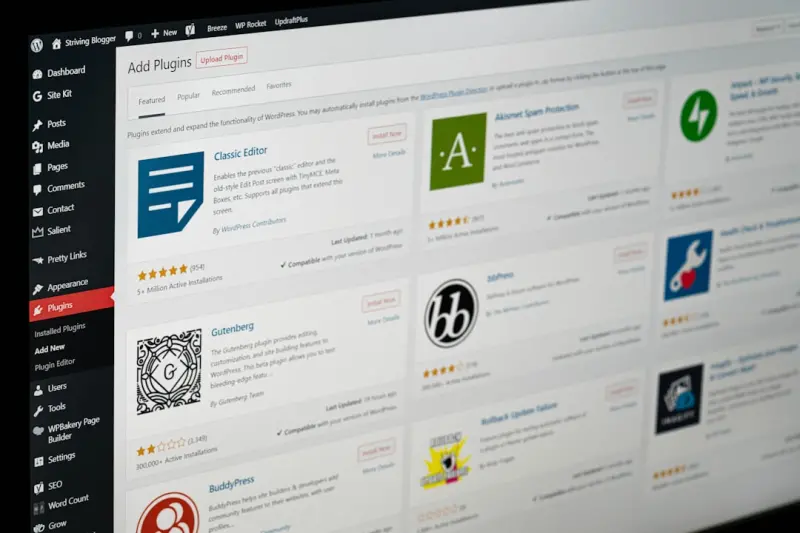
Modular Block‑Based Themes: Future‑Proofing WordPress Design
Discover why modern block‑based themes are the foundation for a fast, collaborative, and future‑... Read More
Turning WordPress Themes into a Recurring Revenue Engine
Explore a subscription‑based approach to WordPress theme development, covering modular architectur... Read More
Beyond the Look: Building Resilient WordPress Themes for Long‑Term Success
A theme is more than a visual wrapper; it’s a strategic asset. This guide shows how to define core... Read More
Top Posts

Why Shared Hosting Can Be the Secret Weapon for Early‑Stage SaaS
A practical guide showing why shared hosting, combined with low‑code tools and predictive cost management, can power early‑stage SaaS products, keep budgets...Read More

Unified TypeScript: One Language to Rule Your Full‑Stack Development
A deep dive into why a TypeScript‑first full‑stack approach eliminates friction, improves reliability, and accelerates delivery for modern SaaS teams....Read More

Platform Engineering: The Next Evolution of DevOps for Scalable SaaS
Platform engineering transforms DevOps by providing a unified internal developer platform that automates provisioning, enforces security, and delivers observabi...Read More

Event‑Driven Architecture: The Competitive Edge SaaS Teams Are Missing
This post explains why moving from monolithic request‑response models to event‑driven architecture gives SaaS companies faster experiments, higher resilienc...Read More
0 Comments
Post Comment
You will need to Login or Register to comment on this post!