

Why jQuery Remains a Secret Weapon for Rapid SaaS Prototyping
When you’re sprinting to validate a new SaaS concept, every second counts. While the hype train is full‑steam ahead with React, Vue, and Svelte, there’s a quiet workhorse that can shave hours—or even days—off your front‑end development cycle: jQuery. Before you dismiss it as “old‑school”, let’s explore the hidden toolkit it offers for building lightning‑fast prototypes without sacrificing maintainability.
The Core Strengths That Still Matter
jQuery was built for two fundamental problems: DOM manipulation and cross‑browser quirks. In 2024, browsers are far more standards‑compliant, but the convenience of a concise API remains a huge productivity boost, especially for teams that need to ship a demo in a week.
- Chainable syntax lets you write expressive one‑liners that would otherwise require verbose vanilla JavaScript.
- Powerful selectors (the
.find()and.filter()family) let you target elements with CSS‑level precision without pulling in a full parser. - Built‑in event delegation via
.on()reduces the need for manual listener cleanup, a common source of memory leaks in fast‑built prototypes. - Cross‑browser AJAX helpers (
$.ajax,$.getJSON) abstract away the fetch polyfill dance, letting you focus on data handling.
Leveraging the Plugin Ecosystem for SaaS‑Specific Needs
One of jQuery’s most underrated assets is its plugin ecosystem. Over the years, developers have built tiny, battle‑tested modules that solve niche problems without pulling in heavyweight dependencies.
- Form validation: Plugins like jQuery Validation give you a declarative way to enforce field rules, complete with error placement and localization support.
- Data tables: DataTables transforms a plain HTML table into a feature‑rich grid with sorting, pagination, and live search—all configurable via JSON.
- Charting: While many teams gravitate to D3 or Chart.js, the jQuery Flot library offers quick line and bar charts with minimal setup—perfect for MVP dashboards.
- File uploads: The jQuery File Upload plugin handles chunked uploads, drag‑and‑drop, and progress bars out of the box, sparing you from writing custom server‑side handlers during the prototype phase.
Micro‑Interactions Made Easy
Polish is a differentiator in SaaS. Subtle animations and feedback loops can make a prototype feel like a production‑grade product. jQuery’s .animate() method, combined with CSS3 fallbacks, lets you craft micro‑interactions without a full animation library.
For example, a “Save” button that gently expands on click can be achieved in three lines:
$('#saveBtn')
  .on('click', function() {
    $(this).animate({ width: '+=20px' }, 150)
           .animate({ width: '-=20px' }, 150);
  });
This approach sidesteps the need for heavy CSS‑in‑JS solutions and keeps the interaction logic close to the component that triggers it.
Integrating jQuery with Modern Build Tools
One of the biggest concerns for SaaS teams is that jQuery feels out‑of‑place in a Webpack or Vite workflow. The good news: it integrates cleanly.
- Install via
npm i jqueryand import asimport $ from 'jquery';. Most bundlers will automatically shim the globalwindow.jQueryfor plugins that expect it. - Leverage
webpack.ProvidePluginto auto‑inject$wherever it’s used, eliminating the need to sprinkle imports throughout your codebase. - Tree‑shake unused parts by importing only the modules you need (e.g.,
import 'jquery/src/event')—a trick that can shave off several kilobytes from the final bundle.
This hybrid approach lets you enjoy the rapid development benefits of jQuery while still reaping the performance gains of modern bundling.
Case Study: Building a Billing Dashboard in Under 48 Hours
Let’s walk through a real‑world scenario: a B2B SaaS startup needed a billing overview panel to showcase to investors. The requirements were simple—display recent invoices, allow CSV export, and filter by date range.
- Layout: Used a basic HTML skeleton with Bootstrap for grid layout.
- Data fetch: Leveraged
$.getJSON('/api/invoices')to pull data asynchronously. - Table rendering: Plugged in DataTables to instantly get sorting, pagination, and a search box without writing a single line of custom JS.
- Export: Employed the jQuery TableExport plugin to turn the visible table into a CSV with a single click.
- Filter UI: Used
.on('change', '#dateFilter', …)to re‑query the API with new parameters, updating the table via.ajax.reload().
The entire feature shipped in 36 hours, allowing the startup to demonstrate a polished, data‑driven UI to investors. The jQuery stack kept the codebase small (< 2 KB gzipped for the core library) and the learning curve shallow for the team, many of whom were already familiar with its syntax.
When to Pull Back: Recognizing the Limits of jQuery
jQuery isn’t a silver bullet. Here are scenarios where you should consider moving beyond it:
- Complex state management: If your UI requires deep, reactive state (think drag‑and‑drop builders or real‑time collaboration), a framework with a virtual DOM is more appropriate.
- Component‑driven architecture: For large SaaS products that need isolated, reusable components, libraries like React or Vue provide better tooling and testing support.
- Performance‑critical animations: CSS animations and the Web Animations API outperform jQuery’s
.animate()for high‑frame‑rate interactions.
In practice, many teams adopt a “progressive migration” strategy: start with jQuery for the MVP, then incrementally replace hot spots with modern components as the product scales.
Bridging to the Future: jQuery Meets Edge‑Ready Node.js
One surprising synergy is using jQuery on the front‑end while the back‑end runs on an Edge‑Ready Node.js stack. Because jQuery’s AJAX helpers are agnostic to the transport layer, you can route API calls to edge‑deployed Lambda functions or Cloudflare Workers, gaining sub‑millisecond latency for critical data fetches.
This combination enables you to keep the front‑end lightweight and familiar, while the back‑end scales dynamically at the edge—perfect for SaaS products that need to demonstrate low‑latency performance on a prototype.
Scaling the Architecture: Multi‑Cloud Considerations
As your SaaS grows, the hosting environment becomes a strategic decision. jQuery’s minimal footprint means it works just as well on a single VM as it does on a multi‑cloud deployment. You can serve static assets from a CDN, keep API endpoints on the most cost‑effective cloud, and still deliver a consistent experience.
Because jQuery does not enforce any particular data fetching pattern, you’re free to adopt GraphQL, REST, or even gRPC‑Web without rewriting the front‑end logic. This flexibility can be a lifesaver during a migration from a single‑provider setup to a diversified, fault‑tolerant architecture.
Best Practices for Production‑Ready jQuery Code
Even though jQuery shines in rapid development, treating it with the same discipline as any production codebase is essential:
- Namespace your plugins: Avoid polluting the global scope. Wrap custom extensions in an IIFE and attach them to a dedicated namespace (e.g.,
window.myApp = window.myApp || {};). - Use strict mode: Enforce
'use strict';to catch accidental globals and silent errors. - Defer loading: Place the jQuery script tag at the bottom of the
<body>or useasync/deferattributes to prevent render‑blocking. - Minify and cache: Serve the minified version from a CDN with proper cache headers. Combine with other static assets to reduce HTTP requests.
- Audit for security: Keep the jQuery version up to date (prefer 3.7+). Run automated vulnerability scans to catch any known CVEs.
Future‑Proofing: Combining jQuery with Progressive Enhancement
Progressive enhancement is the philosophy of building a solid baseline experience that works everywhere, then layering on richer interactions for capable browsers. jQuery is a perfect fit for the baseline layer:
- Serve plain HTML forms that submit to the server.
- Enhance them with
$.ajax()for smoother, in‑page submissions. - Add client‑side validation with a jQuery plugin.
- Finally, sprinkle in advanced UI widgets (date pickers, charts) as optional enhancements.
This approach ensures that if a user’s browser blocks JavaScript or the network is flaky, the core functionality remains accessible—a hallmark of a resilient SaaS product.
Conclusion: Embrace the Pragmatism of jQuery
In a world where every new framework promises the next breakthrough, the pragmatic SaaS builder knows that speed, stability, and low overhead often win the day. By harnessing jQuery’s concise API, mature plugin ecosystem, and effortless integration with modern back‑ends, you can accelerate prototype delivery, validate ideas faster, and lay a solid foundation for future growth. The key is to use it deliberately—start with jQuery for the MVP, then evolve the codebase as product demands increase.

Shawn DesRochers is a certified Microsoft technician and Programmer with 30+ year's experience. He has written many reviews on computer related products, software, and SEO related topics. When he's not writing reviews he can be found at one of the Oldest Directories Online Invision Graphics Directory which he is the CEO of. Shawn is a FULL Stack Web Developer. So if you have a project and need assistance dont hesitate to reach out.
Related Posts

jQuery’s Secret Weapon: Accelerating Low‑Code SaaS Prototypes
jQuery may be old, but it’s still a powerful low‑code tool for SaaS teams. Learn how to use it f... Read More

Turning jQuery into a Fast Experimentation Toolkit for SaaS
Discover how jQuery can serve as a temporary, low‑friction experimentation toolkit for SaaS teams,... Read More

The Unseen Value of jQuery in Modern SaaS Front‑Ends
A deep dive into why jQuery still matters for SaaS front‑ends, how to integrate it with modern too... Read More
Top Posts

The Intent‑First Playbook for eCommerce SEO
Shift from keyword‑centric tactics to an intent‑first approach, leveraging structured data, modular CMS, and user‑generated content to turn SEO into a pow...Read More
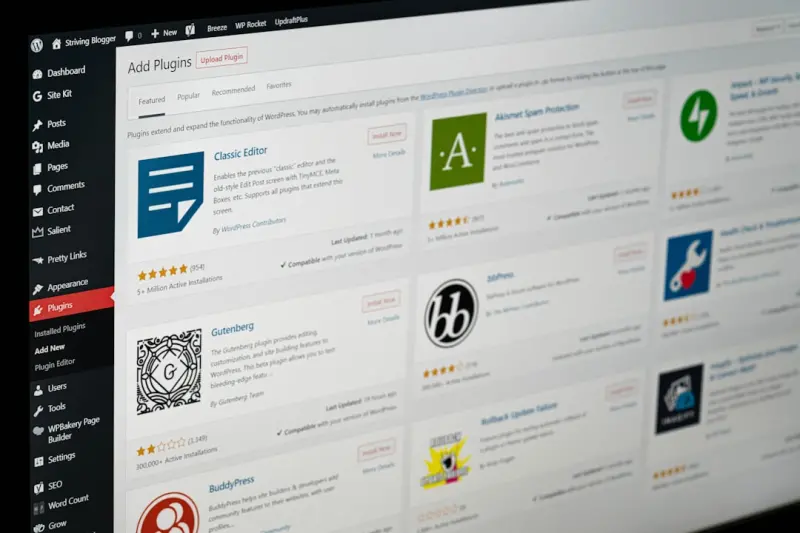
Rapid Experimentation on SaaS Sites: The Managed WordPress Hosting Advantage
Managed WordPress hosting transforms static SaaS sites into rapid‑experiment labs, offering instant staging, built‑in performance, and developer‑first too...Read More

When Performance Meets Sustainability: The New Era of Dedicated Server Hosting
Dedicated server hosting is evolving beyond raw horsepower, offering sustainable, secure, and cost‑predictable infrastructure for AI and data‑intensive work...Read More

From Monolith to Mosaic: Building a Flexible CMS Strategy for Modern B2B SaaS
Learn how to transform a rigid, monolithic content management system into a modular, low‑code mosaic that speeds up publishing, improves resilience, and enabl...Read More
0 Comments
Post Comment
You will need to Login or Register to comment on this post!