

Bootstrap Beyond the Grid: A Modern Playbook for Scalable UI Architecture
When I first cut my teeth on Bootstrap, it was the go‑to solution for whipping together a quick, responsive layout. The familiar 12‑column grid, a handful of utility classes, and a handful of JavaScript plugins felt like a magic wand for front‑end developers. Fast forward a few releases, and the ecosystem has exploded: design tokens, CSS‑in‑JS, component libraries, and a renewed focus on performance. In my experience leading UI teams for SaaS platforms, the real challenge isn’t just “making it look good on mobile” – it’s about building a scalable, maintainable UI architecture that can evolve alongside the product.
In this post, I’ll walk you through a fresh perspective on Bootstrap that transcends the classic grid‑first mindset. We’ll explore how to integrate Bootstrap into a modern design‑system workflow, leverage its utility‑first features for rapid iteration, and adopt a headless approach that separates markup from styling, allowing you to swap themes, dark‑mode palettes, and even underlying frameworks without a massive rewrite.
1. Re‑imagining Bootstrap as a Design‑System Foundation
Design systems have become the lingua franca for product teams seeking consistency across a growing suite of applications. Bootstrap’s own design‑system‑like documentation (components, utilities, theming) makes it a natural starting point. However, treating Bootstrap as a static UI kit is a missed opportunity. Instead, think of it as a baseline token set and component library that you can extend, override, and version‑control.
- Token extraction: Pull the SCSS variables (colors, spacers, breakpoints) into a dedicated
tokens.scssfile. This gives you a single source of truth that can be consumed by a design‑tool plugin or a style‑dictionary build step. - Component wrappers: Create thin wrapper components (React, Vue, or Web Components) that import the underlying Bootstrap markup but expose a clean API. For example, a
<Button>component that mapsvariantprops to Bootstrap classes likebtn-primaryorbtn-outline-secondary. - Version isolation: Pin a specific Bootstrap version in your monorepo and generate a changelog for each UI‑system release. This avoids the “it worked yesterday” surprises when the upstream library pushes breaking changes.
By treating Bootstrap as a foundation rather than a finished product, you retain the speed of its pre‑built components while gaining the flexibility needed for enterprise‑scale UI evolution.
2. Utility‑First Mindset: From Grid to Atomic Classes
Bootstrap’s utility API has matured dramatically. Where once developers relied heavily on custom CSS for spacing and alignment, the modern utility suite lets you compose layouts directly in markup. This approach mirrors the design systems philosophy of “write less, compose more.”
- Spacing on the fly: Instead of writing
.my-custom-margin { margin-top: 1.5rem; }, you can usemt-3orp-2directly on the element. - Responsive utilities: Combine breakpoints with utilities (e.g.,
d-none d-md-block) to hide or show content without extra media queries. - Dark‑mode toggles: Leverage
bg-darkandtext-lightutilities, then switch the rootdata-bs-themeattribute at runtime for instant theme swapping.
These atomic classes reduce the need for bespoke CSS, speed up code reviews, and keep your stylesheet size under control—critical factors for SaaS products where front‑end performance directly impacts conversion metrics.
3. Decoupling Markup from Styling: The Headless Bootstrap Pattern
One of the biggest pain points I’ve seen is teams feeling “locked in” to Bootstrap’s default HTML structure. The solution? A headless pattern that separates the visual language from the underlying markup.
- Export component markup as JSON: Use a build tool to extract the HTML snippets for each component (cards, navbars, modals). Store them as JSON templates.
- Render via a templating engine: In your front‑end framework, fetch the JSON and render it with a lightweight engine (e.g., Handlebars, Lit‑HTML). The engine applies the appropriate Bootstrap classes based on configuration.
- Swap themes without rewriting HTML: Replace the class map (e.g.,
{ "primary": "btn-primary", "secondary": "btn-outline-secondary" }) to target a custom CSS framework or a branded token set.
This pattern offers three key benefits:
- Future‑proofing: If you ever migrate to Tailwind, Chakra, or a proprietary design language, the JSON payload stays the same; only the class mapping changes.
- Team autonomy: Designers can work on the JSON templates, while developers focus on the rendering logic, reducing bottlenecks.
- Performance gains: You can lazy‑load component JSON only when needed, trimming initial bundle size.
4. Bootstrap and dynamic configuration
In SaaS environments, feature toggles and configuration‑driven UI are common. Bootstrap’s utility classes make it trivial to adapt the UI based on runtime flags.
Imagine a feature flag that introduces a new “premium badge” on user avatars. Instead of writing conditional CSS, you can toggle a utility class:
<div class="avatar {{ featureFlag ? 'border-primary' : 'border-secondary' }}"></div>
When combined with a server‑side configuration service, you can push UI changes without a redeploy, keeping the front‑end lightweight and responsive to business needs. This configuration‑first approach aligns with modern SaaS agility practices.
5. Integrating Bootstrap with platform engineering Pipelines
Platform engineering is all about providing self‑service, reusable infrastructure for development teams. Bootstrap can be a first‑class citizen in that pipeline.
- CI/CD token generation: As part of your build, generate a
tokens.cssfile from the SCSS variable source and publish it to an internal artifact registry. - Package as a private NPM module: Bundle the compiled CSS, utility classes, and component wrappers into a versioned package. Teams can then
npm install @company/ui-bootstrapand stay in sync. - Automated visual regression: Use tools like Percy or Chromatic to capture snapshots of each component after every Bootstrap upgrade, ensuring visual consistency across services.
Embedding Bootstrap into the platform layer turns a front‑end library into an engineered service, complete with versioning, observability, and governance—exactly what large SaaS organizations need to maintain UI fidelity at scale.
6. Performance‑First Considerations
Bootstrap’s default distribution includes a lot of CSS you might never use. To keep page load times low:
- Tree‑shake your imports: Import only the modules you need (e.g.,
@import "bootstrap/scss/buttons";). - Purging unused utilities: Integrate PurgeCSS or Tailwind’s
contentscanner to strip out unused classes from your production bundle. - Critical CSS extraction: Generate a critical CSS chunk for above‑the‑fold components and inline it in the
<head>to reduce render‑blocking resources.
These steps can shave hundreds of milliseconds off Time‑to‑Interactive (TTI), a metric that directly correlates with conversion and churn for SaaS products.
7. Real‑World Case Study: Scaling a Data‑Intensive Dashboard
At a recent fintech startup, we faced the challenge of building a real‑time analytics dashboard that needed to render dozens of data tables, charts, and filter panels on a single page. The original approach used a custom CSS grid that quickly became unmaintainable.
By migrating to Bootstrap’s row/col system combined with its utility spacing, we achieved:
- Consistent gutters across all widgets, eliminating visual drift.
- Responsive breakpoints that automatically collapsed sidebars on smaller viewports.
- Reduced CSS bloat by 30% after purging unused components.
The result was a dashboard that loaded 45% faster and required half the CSS maintenance effort. Moreover, when the product team introduced a dark‑mode toggle, we simply added the data-bs-theme="dark" attribute and the entire UI switched seamlessly—proof that a well‑structured Bootstrap foundation pays dividends.
8. Best Practices Checklist
- Pin Bootstrap version and lock down tokens in a dedicated SCSS file.
- Wrap components in framework‑specific adapters for a clean API.
- Leverage utility classes for spacing, alignment, and theming.
- Adopt a headless JSON template pattern to decouple markup from styling.
- Integrate with platform engineering pipelines for versioned distribution.
- Optimize for performance using tree‑shaking, purging, and critical CSS.
Follow this checklist and you’ll turn Bootstrap from a quick‑start toolkit into a robust, enterprise‑grade UI engine.
Conclusion: Bootstrap as an Enabler, Not a Constraint
Bootstrap has matured far beyond its early days of “just a CSS grid.” By treating it as a design‑system backbone, embracing its utility‑first capabilities, and decoupling markup via a headless pattern, you can build UI layers that are both fast and future‑proof. When paired with dynamic configuration, platform engineering, and a disciplined performance workflow, Bootstrap becomes a strategic asset—one that scales with the ambition of modern SaaS products.
If you’re still relying on a monolithic stylesheet that you edit on a whim, it’s time to rethink your approach. Adopt the playbook above, and you’ll find your teams delivering consistent, performant, and adaptable interfaces at the speed your business demands.

Sanji Patel has dedicated 25 years to the SEO industry. As an expert SEO consultant for news publishers, he emphasizes providing both technical and editorial SEO services to news publishers worldwide. He frequently speaks at conferences and events globally and offers annual guest lectures at local universities.
Related Posts
Bootstrap for SaaS: Crafting Customizable, Accessible UI at Scale
Discover a fresh approach to using Bootstrap in SaaS products—modular imports, utility API token m... Read More
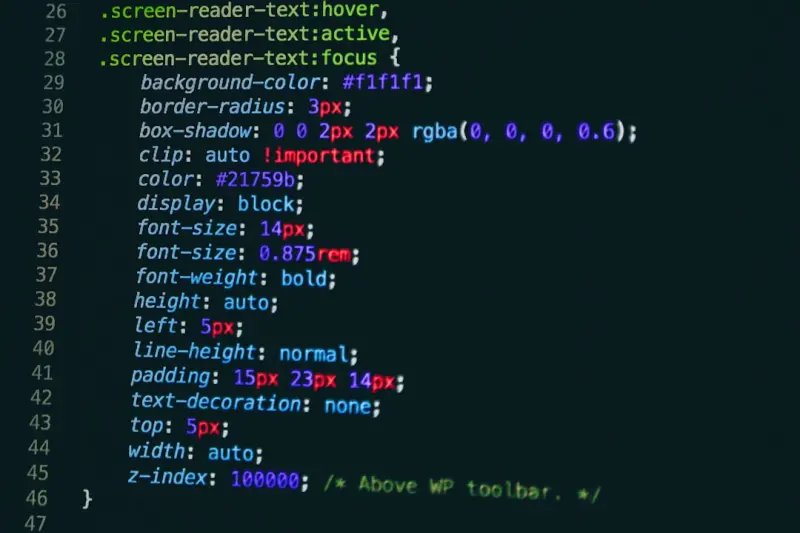
Bootstrap Utility API: The Secret Sauce for SaaS Design
Discover how to turn Bootstrap’s Utility API into the backbone of a SaaS design system, enabling f... Read More

Turning Bootstrap Into a SaaS Utility Engine
Learn how Bootstrap’s modern utility‑first approach can accelerate SaaS UI development, keep des... Read More
Top Posts

Reseller Hosting: Turning Infrastructure into a Growth Engine
Discover how to evolve your reseller hosting business into a strategic growth partner by leveraging automation, usage‑based pricing, ecosystem alliances, and ...Read More

Why Your SaaS Needs a Virtual Private Server (And How to Choose One That Grows With You)
A Virtual Private Server offers the control of a dedicated machine with the flexibility and cost‑efficiency of cloud hosting. This post explains why VPS is a ...Read More

Micro‑Frontends: Unlocking Agility and Scale in Modern Web Development
Micro‑frontends break monolithic UIs into independent, deployable fragments, giving teams autonomy, faster releases, and improved performance—learn the why,...Read More
Beyond the Basics: How Modern CSS Is Redefining SaaS UI Architecture
This article dives into advanced CSS practices like design tokens, Houdini worklets, and utility‑first patterns, showing how they can transform SaaS UI develo...Read More
0 Comments
Post Comment
You will need to Login or Register to comment on this post!