
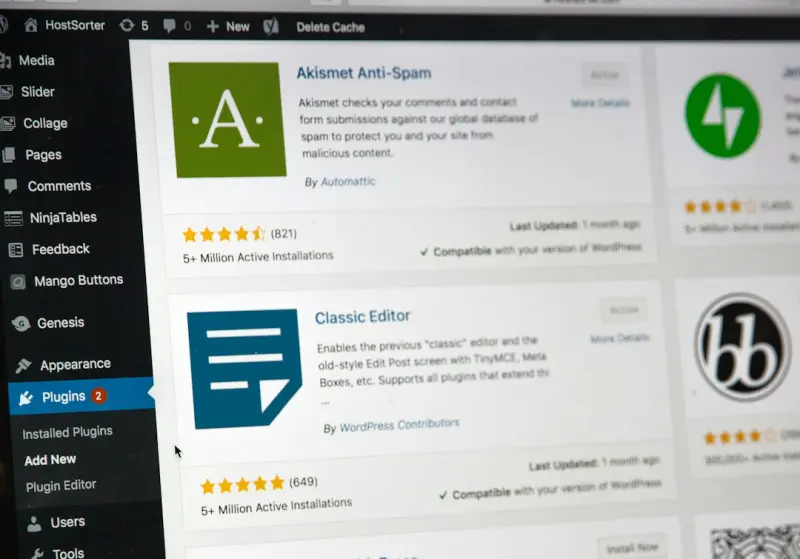
When I first started building WordPress sites for fast‑growing SaaS teams, I quickly learned that a theme is more than a collection of templates and styles—it’s the backbone of the product experience, the first line of code that every developer, marketer, and designer will touch. Over the years, the conversation has shifted from “pretty looks” to “engineered for scale,” yet many teams still wrestle with a fragmented workflow that stalls releases, inflates technical debt, and makes performance a afterthought.
Why the Traditional Theme Cycle Is Broken
Most agencies and in‑house squads still follow a legacy pattern: a designer crafts a Photoshop mockup, a front‑end developer slices it into HTML/CSS, and a PHP‑savvy WordPress developer drops the markup into page.php or single.php. The cycle repeats whenever a marketing campaign demands a new landing page or a product team wants a micro‑interaction. The symptoms are familiar:
- Long hand‑off times. Designers wait for developers to translate pixel‑perfect layouts, while developers wait for assets that aren’t web‑ready.
- Code drift. Every “quick fix” lives in a theme’s
functions.phpor an ad‑hoc CSS file, creating a tangled web of overrides. - Performance surprises. Unoptimized assets, redundant queries, and lack of critical‑CSS strategies surface only after a page goes live.
- Limited reuse. A component built for one page rarely sees the light of day elsewhere, forcing teams to copy‑paste instead of refactor.
In an era where SaaS products ship updates weekly, this legacy loop can’t keep up. The solution isn’t just a new theme; it’s a new process for theme development.
The Enterprise Playbook: Treat Themes Like Products
Think of a WordPress theme as a SaaS product in its own right. It has a roadmap, versioning, a public API (the template tags and hook system), and a user base—your internal teams. By applying product‑development discipline, you gain predictability, quality, and speed.
1. Start with a Design System, Not a Mockup
A design system captures color palettes, typography, spacing, and interactive states in reusable tokens. When these tokens live in theme.json (a native WordPress feature) you unlock:
- Consistent styling across every block and template.
- Instant theme switching without breaking UI.
- Future‑proofing for dark mode or brand refreshes.
Pair theme.json with a component library built in Component‑First WordPress Themes. This lets designers pick from a vetted set of UI blocks—buttons, cards, form fields—while developers focus on functionality, not recreation.
2. Adopt a Modern Build Pipeline
Static site generators and frontend build tools (Vite, Webpack, Snowpack) have matured to the point where they can compile PHP‑aware assets. A typical pipeline looks like this:
- Write source files in
.scssand.tsx(for React‑based block development). - Run a build step that extracts critical CSS, hashes assets for cache‑busting, and bundles JavaScript modules.
- Deploy the compiled assets to a CDN, letting the theme reference them via
wp_enqueue_scriptandwp_enqueue_style.
The benefits are immediate:
- Zero‑runtime CSS processing. The browser receives only the styles it needs for above‑the‑fold content.
- Predictable performance. Asset sizes are known ahead of time, and the CDN handles scaling.
- Version control parity. Your
gitrepo mirrors the exact assets that run in production.
3. Embrace CI/CD for Themes
Automation isn’t just for API services. A CI pipeline that lints PHP, runs phpcs, validates HTML, and executes wp-scripts test ensures every pull request meets quality gates. When the build passes, a deployment step pushes the updated theme to a staging environment, runs a performance audit (Lighthouse, WebPageTest), and finally rolls out to production with a single button.
This workflow mirrors what you see in Managed WordPress Hosting environments: instant scaling, built‑in caching, and zero‑downtime deployments. The only difference is that you control the code pipeline end‑to‑end.
4. Prioritize Performance From Day One
Performance isn’t a checkbox; it’s a design constraint. Integrate these tactics early:
- Critical CSS generation. Tools like
critterscan inline above‑the‑fold styles during the build. - Image optimization. Convert uploads to WebP, serve responsive
srcset, and leverage lazy loading. - Server‑side caching. Use object cache (Redis) for expensive queries and full‑page caching for static content.
- Edge delivery. Deploy static assets to a CDN edge node, reducing latency for global users.
When you bake these practices into the theme’s scaffolding, every new page automatically inherits them—no retro‑fitting required.
5. Build for Multi‑Team Collaboration
Enterprise teams aren’t monolithic; they consist of product managers, marketers, designers, and developers. A well‑architected theme should expose three layers of customization:
- Configuration Layer. Settings in
theme.jsonand the WordPress Customizer that marketers can toggle without code changes. - Component Layer. Block patterns and reusable sections that designers can assemble in the editor.
- Code Layer. PHP hooks, filters, and custom REST endpoints that developers extend for unique business logic.
This separation of concerns reduces friction. Marketing can launch a new campaign by toggling a theme option, while developers focus on building robust hooks that don’t interfere with the UI.
Case Study: Turning a Legacy Theme into a Scalable Asset
One of our SaaS clients inherited a 10‑year‑old theme built by a third‑party agency. The theme suffered from:
- Hard‑coded colors scattered across
style.css. - Inline JavaScript in template files.
- No build process, leading to bloated assets.
We applied the playbook:
- Audit & Extract. Using a combination of
grepand static analysis, we cataloged every style declaration and moved them into ascssmodule. - Introduce
theme.json. We defined brand tokens (primary, secondary, accent) and mapped them to the existing design language. - Component Migration. Key UI elements—hero banners, testimonial cards, pricing tables—were rebuilt as reusable blocks. This aligned with the Component‑First methodology.
- CI/CD Integration. A GitHub Actions workflow ran PHP linting, compiled assets with Vite, and deployed to a managed WordPress host staging site.
- Performance Wins. After the rebuild, Lighthouse scores jumped from the mid‑60s to the high‑90s, page load dropped from 4.2 seconds to 1.3 seconds, and the team reduced release cycles from bi‑weekly to weekly.
Beyond the metrics, the biggest shift was cultural: designers now hand off Figma components that map 1:1 to Gutenberg blocks, marketers toggle a “highlight” switch in the Customizer, and developers push code confidently knowing the CI pipeline guards quality.
Future‑Proofing: Headless Options & API‑First Extensions
While a traditional WordPress theme still powers the majority of SaaS sites, the rise of headless architecture offers an optional path for teams that need ultra‑custom front‑ends. By exposing your theme’s data through the REST API or GraphQL, you can power a React, Vue, or Svelte SPA while still leveraging WordPress for content authoring and permissions.
The key is to keep the theme “API‑First” from the ground up. Define custom endpoints that expose only the data your front‑end needs, and guard them with proper authentication. This approach mirrors the principles in our API‑First CMS post, but applied specifically to theme‑level data.
When the need arises—say, a mobile app or a progressive web app—your theme already speaks the language of modern front‑ends, eliminating a massive rewrite.
Checklist: Is Your Theme Ready for Enterprise?
- Design Tokens? All colors, fonts, and spacing live in
theme.jsonor a CSS‑in‑JS token file. - Component Library? Reusable Gutenberg blocks or custom block patterns cover 80% of UI needs.
- Build Pipeline? Asset bundling, critical CSS extraction, and cache‑busting are automated.
- CI/CD? Linting, testing, and performance auditing run on every PR.
- Performance Baseline? Lighthouse > 90, TTFB < 200 ms, total page weight < 1 MB.
- Multi‑Team Enablement? Configurable options for non‑devs, documented hooks for developers.
- Headless Ready? Public API endpoints expose theme data without leaking implementation details.
If you answered “yes” to most of these, you’re on the right track. If not, treat each gap as a sprint goal—small, iterative improvements that compound into a robust, enterprise‑grade theme.
Wrapping Up
WordPress themes have evolved from static skins to dynamic, product‑level assets. By applying the same rigor you use for SaaS services—design systems, automated pipelines, continuous delivery, and performance‑first thinking—you can turn a theme from a maintenance nightmare into a competitive advantage.
Remember, the goal isn’t just a pretty site; it’s a reliable platform that scales with your business, empowers cross‑functional teams, and delivers a frictionless experience to every visitor.

Sanji Patel has dedicated 25 years to the SEO industry. As an expert SEO consultant for news publishers, he emphasizes providing both technical and editorial SEO services to news publishers worldwide. He frequently speaks at conferences and events globally and offers annual guest lectures at local universities.
Related Posts

Headless WordPress Themes: Unlocking Speed and Flexibility for SaaS Brands
A deep dive into why SaaS companies are adopting headless WordPress themes, covering performance gai... Read More
Beyond Templates: Building a Living Design System with WordPress Block Themes
Learn how to transform static WordPress templates into a living design system using block themes, gl... Read More
The Business‑First Evolution of WordPress Themes
WordPress themes are no longer just visual skins—they’re now component libraries, performance en... Read More
Top Posts

Beyond Pixels: How CSS Houdini is Redefining Web Design
CSS Houdini unlocks native browser extensions for designers, enabling custom paint, layout, and animation worklets that boost performance, accessibility, and br...Read More

AI‑Powered Personalization: The Next Frontier for Mobile Web Development
Learn practical steps to embed AI personalization into your mobile web stack, from edge‑deployed models to privacy‑first data collection, and see real‑wor...Read More

Unlocking the Hidden Power of Managed WordPress Hosting for Seasonal Traffic Surges
Seasonal traffic spikes can cripple a site, but with the right Managed WordPress Hosting—featuring predictive autoscaling, layered caching, and robust observa...Read More
Compliance‑First Dedicated Server Strategy: Turning Regulation into Advantage
Discover a step‑by‑step guide to building a compliance‑first dedicated server environment that meets strict regulations, reduces operational risk, and del...Read More
0 Comments
Post Comment
You will need to Login or Register to comment on this post!